# Flag 10
I am also able to list out the `Ascension` secret that was previously inaccessible.
The `Ascension` secret reminds me of what I did previously for [Flag9](https://kabinet.gitbook.io/ctf-writeup/2023/dart-ctf/flag-9), `Invoke-AzKeyVaultKeyOperation` so I attempted the same operation again.
{% code overflow="wrap" %}
```powershell
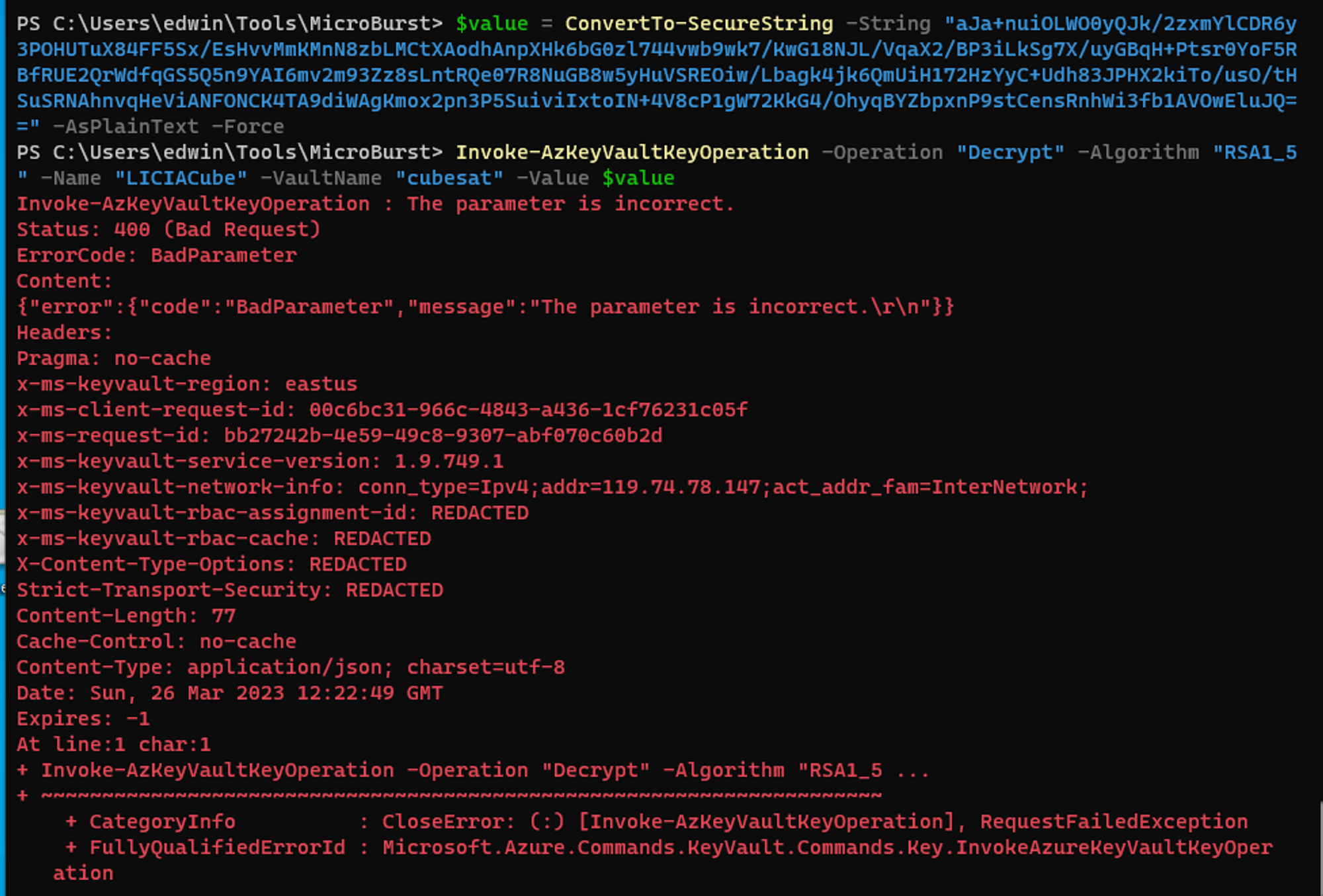
$value = ConvertTo-SecureString -String "aJa+nuiOLWO0yQJk/2zxmYlCDR6y3POHUTuX84FF5Sx/EsHvvMmKMnN8zbLMCtXAodhAnpXHk6bG0zl744vwb9wk7/KwG18NJL/VqaX2/BP3iLkSg7X/uyGBqH+Ptsr0YoF5RBfRUE2QrWdfqGS5Q5n9YAI6mv2m93Zz8sLntRQe07R8NuGB8w5yHuVSREOiw/Lbagk4jk6QmUiH172HzYyC+Udh83JPHX2kiTo/usO/tHSuSRNAhnvqHeViANFONCK4TA9diWAgKmox2pn3P5SuiviIxtoIN+4V8cP1gW72KkG4/OhyqBYZbpxnP9stCensRnhWi3fb1AVOwEluJQ==" -AsPlainText -Force
Invoke-AzKeyVaultKeyOperation -Operation "Decrypt" -Algorithm "RSA1_5" -Name "LICIACube" -VaultName "cubesat" -Value $value
```
{% endcode %}
However I was shown an error saying that the parameter is incorrect. Which suggest that the key vault key is unable to decrypt the key vault secrets.
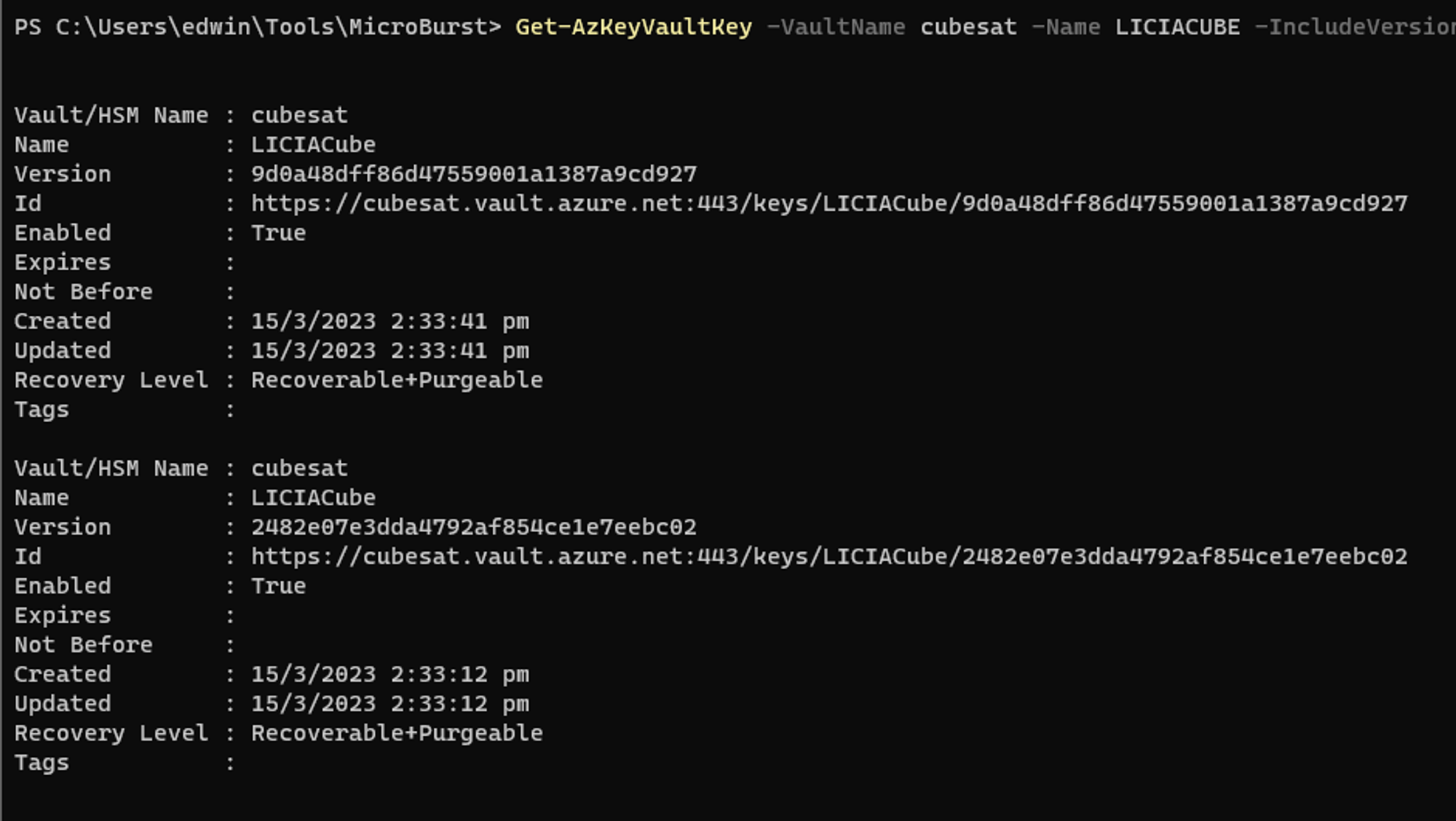
Recalling that in [Flag 2](https://kabinet.gitbook.io/ctf-writeup/2023/dart-ctf/flag-2), I needed to view version history of a file. I researched if key vault secret is versioned and come across this [article](https://learn.microsoft.com/en-us/powershell/module/az.keyvault/invoke-azkeyvaultkeyoperation?view=azps-9.6.0\&viewFallbackFrom=azps-9.5.0). I am then able to list out the versions for the key vault key.
{% embed url="" %}
```powershell
Get-AzKeyVaultKey -VaultName cubesat -Name LICIACUBE -IncludeVersions
```
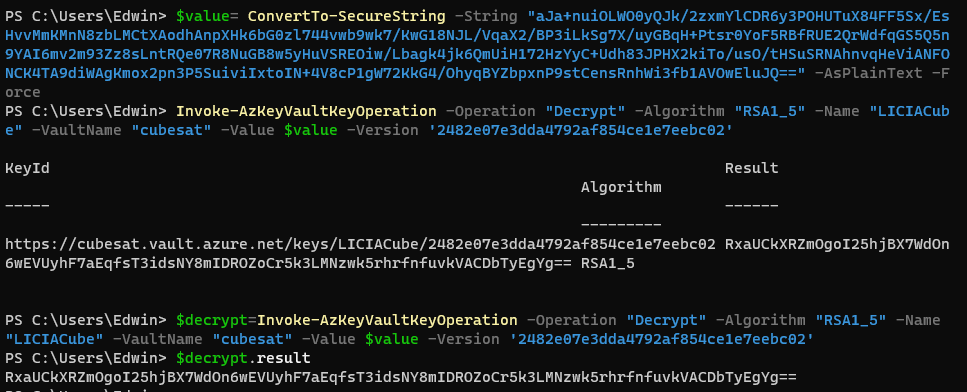
I then used the other key to attempt the same decrypting operation.
{% code overflow="wrap" %}
```powershell
$value= ConvertTo-SecureString -String "aJa+nuiOLWO0yQJk/2zxmYlCDR6y3POHUTuX84FF5Sx/EsHvvMmKMnN8zbLMCtXAodhAnpXHk6bG0zl744vwb9wk7/KwG18NJL/VqaX2/BP3iLkSg7X/uyGBqH+Ptsr0YoF5RBfRUE2QrWdfqGS5Q5n9YAI6mv2m93Zz8sLntRQe07R8NuGB8w5yHuVSREOiw/Lbagk4jk6QmUiH172HzYyC+Udh83JPHX2kiTo/usO/tHSuSRNAhnvqHeViANFONCK4TA9diWAgKmox2pn3P5SuiviIxtoIN+4V8cP1gW72KkG4/OhyqBYZbpxnP9stCensRnhWi3fb1AVOwEluJQ==" -AsPlainText -Force
$decrypt=Invoke-AzKeyVaultKeyOperation -Operation "Decrypt" -Algorithm "RSA1_5" -Name "LICIACube" -VaultName "cubesat" -Value $value -Version '2482e07e3dda4792af854ce1e7eebc02'
```
{% endcode %}
The result is a base64 string.
{% code overflow="wrap" %}
```
RxaUCkXRZmOgoI25hjBX7WdOn6wEVUyhF7aEqfsT3idsNY8mIDROZoCr5k3LMNzwk5rhrfnfuvkVACDbTyEgYg==
```
{% endcode %}
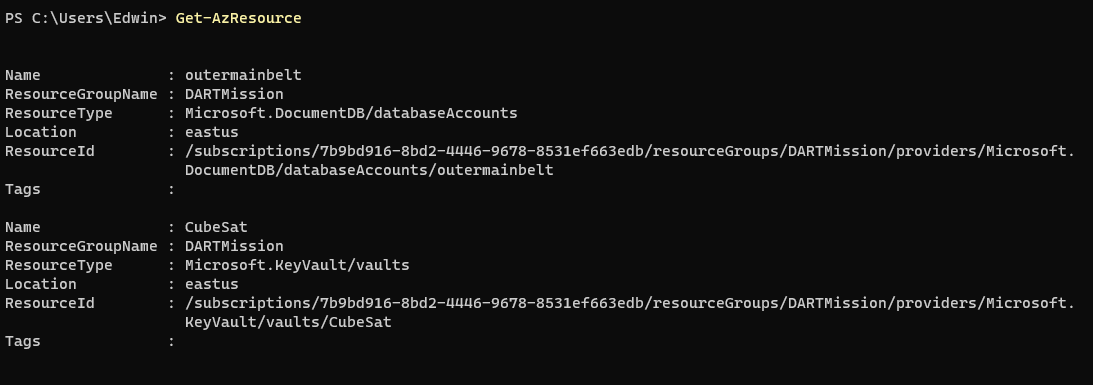
Recalling that in [Flag 9](https://kabinet.gitbook.io/ctf-writeup/2023/dart-ctf/flag-9), I identified that the user has access to cosmosdb.
Running `Get-AzResources` shows that the user have access to CosmosDb
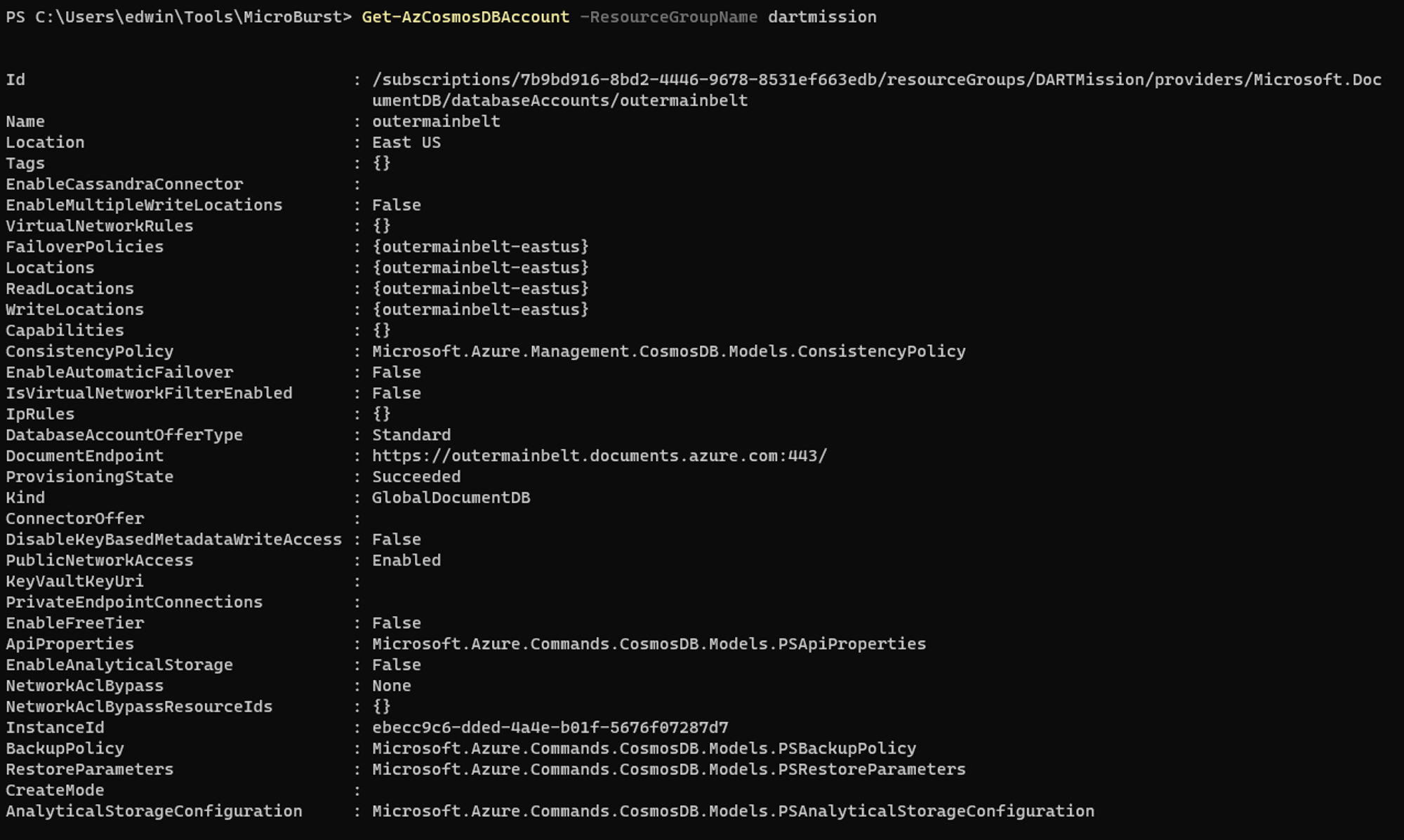
Next I will perform enumeration on the CosmosDB. I was able to retrieve the CosmosDB account name and endpoint.
Using the `Ascension` decrypted secrets from before, I crafted a connection string for cosmosdb.
{% embed url="" %}
{% code overflow="wrap" %}
```
AccountEndpoint=https://outermainbelt.documents.azure.com:443/;AccountKey=RxaUCkXRZmOgoI25hjBX7WdOn6wEVUyhF7aEqfsT3idsNY8mIDROZoCr5k3LMNzwk5rhrfnfuvkVACDbTyEgYg==
```
{% endcode %}
Lastly, I used the [Azure Cosmos DB Explorer](https://cosmos.azure.com/) to connect to Cosmos DB and retrieve the final flag.
Flag 10: 523af7b1494b22561445ef528647af73
> The flag was not in the standard flag format, so I had to confirmed with the admin.
Because the flag was not in the standard format, I thought I did something wrong, and performed more research on CosmosDB while waiting for the admin to response. I decided to use RESTAPI using Postman to list the dbs, cols and documents. Refering to this article
[Querying Azure Cosmos DB resources using the REST API](https://learn.microsoft.com/en-us/rest/api/cosmos-db/querying-cosmosdb-resources-using-the-rest-api)
[How to use Cosmos DB REST API with Postman in 2021](https://dev.to/josuemb/how-to-use-cosmos-db-rest-api-with-postman-in-2021-4db)
After confirming that there is only 1 dbs `didymos` , and 1 cols `didymosb` , and only 1 document `aae805ee-7753-489a-b015-b4417453ffff`, I messaged the admin to get a sanity check, and he confirmed that the Value is Flag 10.